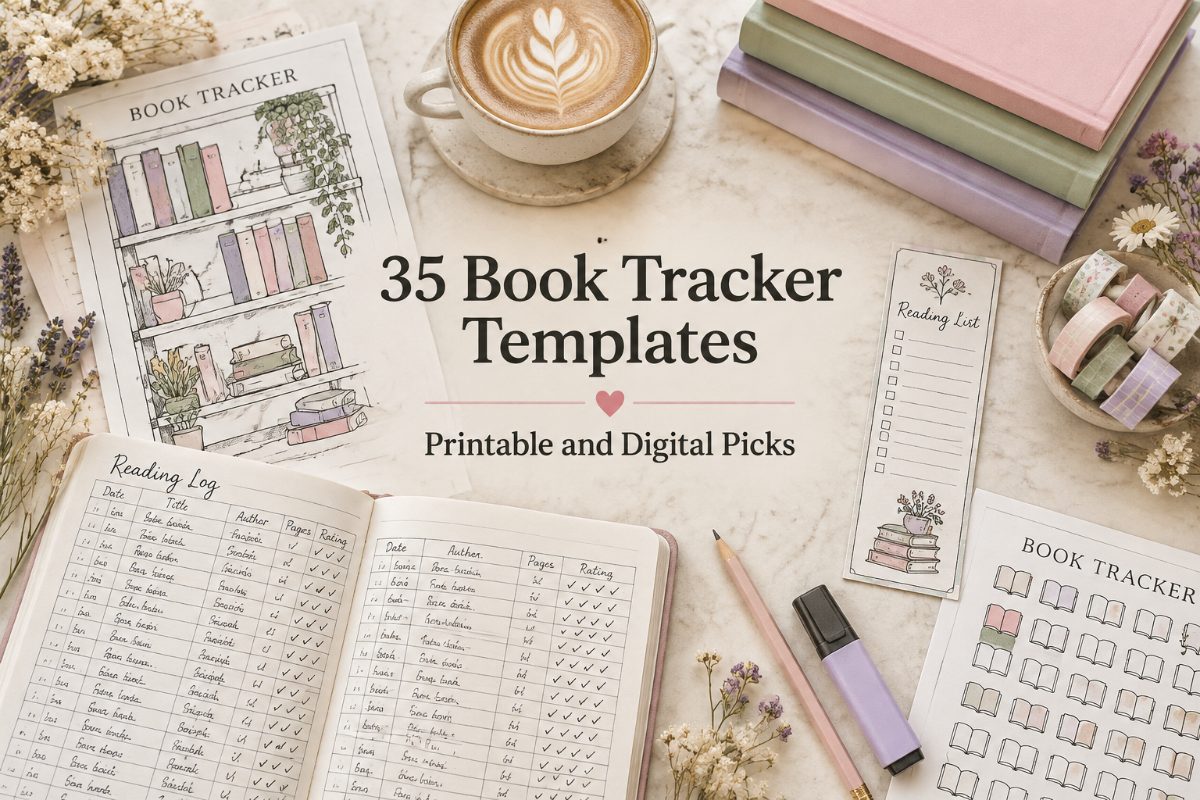
35 Book Tracker Templates to Log Every Book You Read
A book tracker is a page, journal, or digital template where you record the books you read: titles, authors, dates, ratings, and sometimes a short review. It shows how much you read, keeps your to-be-read list in one place, and makes it easier to remember every story you finish.
We’ve gathered 35 book tracker templates below, grouped by format: printable book trackers and reading logs, book journals for reviews, editable Canva planners, Notion and Google Sheets trackers, Happy Planner and pocket inserts, and cozy seasonal designs.
Quick navigation
Table of Contents
Quick Picks
- 🏆 Best Overall: Book Reading Planner Printable
- 🖨️ Best Simple Reading Log: Minimal Reading Log Printable
- 📝 Best Book Journal: Reading Log Book with 100+ Review Pages
- 🎨 Best Canva Template: Editable 2027 Book Planner
- 📊 Best Digital Tracker: Book Tracker Google Sheets Template
- 🍂 Coziest Pick: Autumn Bookshelf Reading Tracker
- ✨ Want Your Own Design? See AI Studio
How to Choose a Book Tracker
The best book tracker template is the one you will actually keep filling in. These questions help you narrow it down:
- Paper or screen? A printable book tracker is relaxing to fill in by hand. A Notion book tracker or a Google Sheets template counts pages and ratings for you.
- Log or review? A reading log keeps one line per book. A book tracker journal gives every book a full page for quotes, characters, and thoughts.
- Do you want to edit the design? Canva templates let you change colors, fonts, and pages before you print.
- What size is your planner? Check for A5, Letter, Happy Planner, or pocket sizes so the page fits what you already use.
- Do you like challenges? Look for 52-book, bingo, or yearly goal pages if a target keeps you reading.
- Do you listen to audiobooks? A book reading tracker made for audiobooks keeps your listening in its own list.
If you want a journal with room for reviews and favorite quotes, see our reading journal templates.
Printable Book Trackers and Reading Logs
Pages you print at home and fill in by hand, from one-page reading logs to full reading planners.
BEST OVERALL
1. Book Reading Planner Printable
This planner takes you from setting reading goals to reflecting on the books you finish. It suits readers who want one planner for goals, logs, reviews, and yearly highlights.
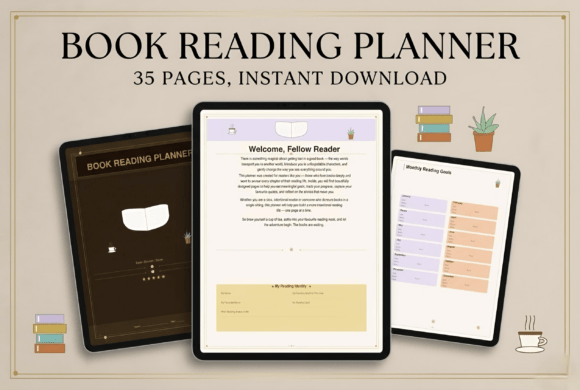
Use: Printable or digital | Style: Books, coffee, and calm reading spaces
Best for: readers who want a full reading planner with goals, trackers, and reflection pages.
- Yearly and monthly reading challenges
- Detailed reading log with daily and weekly trackers
- TBR list plus genre, favorite author, audiobook, ebook, and library loan tracking
- Review templates, quote pages, character notes, and reflection prompts
- Reading habit tracker, pages-read tracker, and best-books-of-the-year summary
The cozy design is inspired by books, coffee, and calm reading spaces, so the pages feel relaxing to fill in. You can print it as a physical journal or use it digitally. Choose it if you want every part of your reading life in one place. Skip it if you only need a single log page.
BEST COLOR-IN TRACKER
2. Reading Book Planner with Coloring Bookshelves
This short planner includes three bookshelf coloring pages where you color a book each time you finish one. It suits readers who like to see their progress fill a shelf.
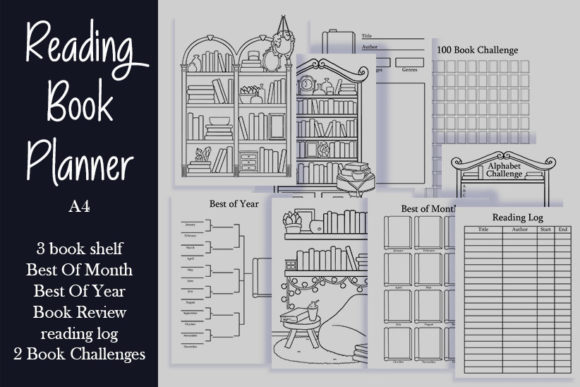
Pages: 6 planner pages | Size: A4 | Files: PNG, JPG, PDF
Best for: readers who want a visual bookshelf tracker plus a few simple planner pages.
- Three bookshelf pages to color in
- Best of Month and Best of Year pages
- Book review page
- Reading log
- Two book challenges
The coloring pages turn every finished book into a small reward on paper. The review page and reading log cover the basics without extra sections. Choose it if you want a quick, playful tracker. Skip it if you need dozens of planner pages.
BEST FOR SMALL PLANNERS
3. Bookcase Book Tracker for Planners
This book tracker shows bookcases filled with books that you color in as you read, with plants and cute bookshelf decor around them. It comes in four popular planner sizes.
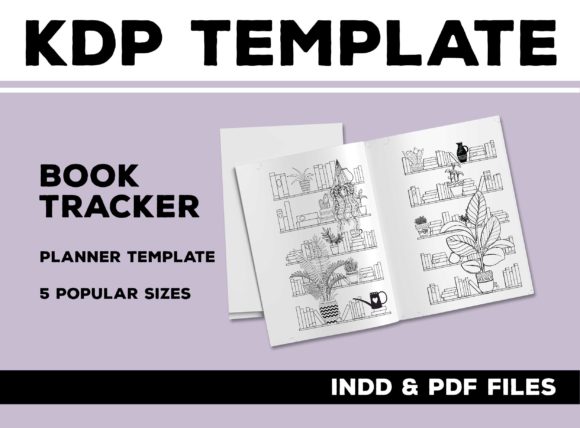
Sizes: A6, B6, A5, Half Letter | Files: PDF, InDesign
Best for: planner users who want a color-in bookcase page in a small format.
- Bookcases filled with books to color in as you read
- Plants and bookshelf decor in the design
- 4-page PDF with 2 blank pages for a spread
- Editable InDesign file
- Available in A6, B6, A5, and Half Letter
The two-page spread gives the bookcases plenty of room even in a small planner. The InDesign file lets you change the style if you use that program. Choose it if you keep a compact planner and love visual trackers. Skip it if you want a full reading planner.
BEST PAGES-READ TRACKER
4. Printable Reading Tracker, Monthly and Yearly
This set includes a monthly tracker and a yearly tracker for logging how many pages you read each day. It is made for anyone building a consistent reading habit.
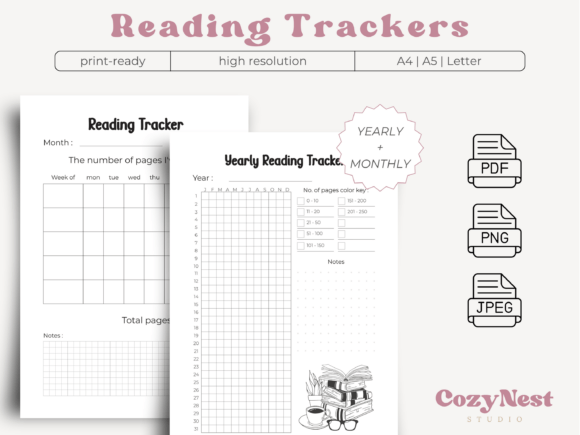
Versions: Monthly and yearly | Sizes: A4, A5, Letter
Best for: readers who want to track daily pages and build a steady reading habit.
- Monthly tracker and yearly tracker
- Record the number of pages read each day
- A4, A5, and Letter sizes
- PDF, PNG, and JPEG files
- Safe margins for binding
Watching the daily numbers grow over the month is a simple way to stay motivated. The pages can be printed at home or used in digital format. Choose it if your goal is reading every day. Skip it if you want space for reviews.
BEST INK-FRIENDLY LOG
5. Minimal Reading Log Printable
This reading log has dedicated columns for book title, author, and rating. The minimalist, ink-friendly design makes it easy to print a new page whenever you need one.
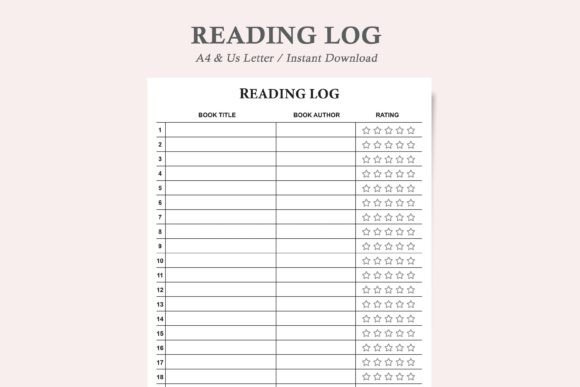
Sizes: Letter, A4 | Format: Editable PDF
Best for: readers who want a clean, no-fuss reading log they can print again and again.
- Sections for book title, author, and rating
- Printable Letter and A4 versions
- Professional, minimalist, ink-friendly design
- Print a new page every time you need more
- Editable PDF
The plain layout saves ink and works for any type of reader. Fill it in with a pen, pencil, or marker and keep the pages in a binder. Choose it if you want the simplest possible book log. Skip it if you like decorative pages.
BEST PAGE-BY-PAGE LOG
6. Reading Log Printable Template
This reading log tracks your progress in detail, including the book title, author, start and stop page numbers, total pages read, and notes. It also helps you notice your favorite genres and authors.
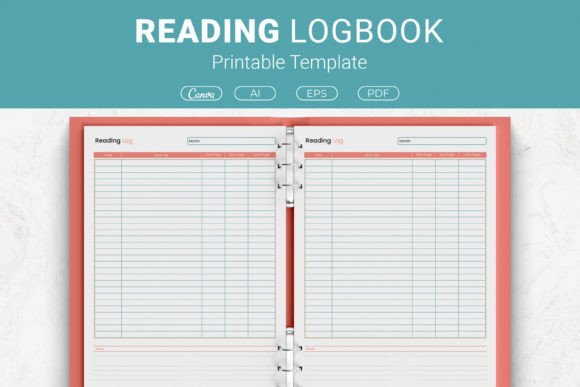
Sizes: US Letter, A4, 7.5×9.25 in, 6×9 in | Files: AI, EPS, PDF, Canva
Best for: readers who want to log every reading session by page number.
- Book title and author fields
- Start and stop page numbers
- Total pages read and notes
- Four sizes from US Letter to 6×9 in
- Canva template link plus Illustrator and EPS files
Logging start and stop pages shows exactly how much you read in each session. The Canva link lets you adjust the template before printing. Choose it if you like detailed progress notes. Skip it if you only want a list of finished books.
MOST SIZES
7. Reading Tracker Template in Five Sizes
This one-page reading tracker comes in Letter, Half Letter, A4, A5, and 6×9 inch sizes. A 110-page version in 6×9 inches is also included.
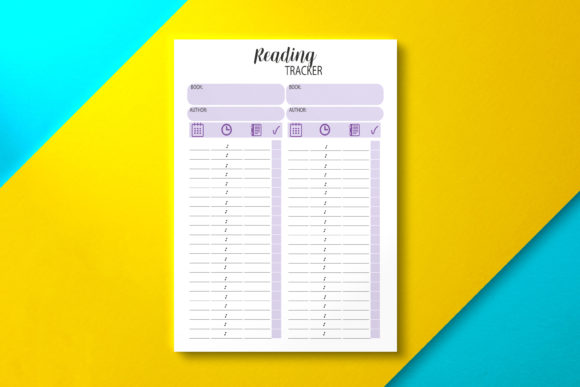
Sizes: Letter, Half Letter, A4, A5, 6×9 in | Format: PDF
Best for: readers who need a tracker that fits almost any planner or binder.
- 1-page tracker in Letter size
- 1-page tracker in Half Letter and A4
- 1-page tracker in A5
- 1-page tracker in 6×9 inches
- 110-page reading tracker in 6×9 inches
With five sizes, you can match the page to the planner you already use. The 110-page version gives you a full notebook of the same tracker. Choose it if size flexibility matters most. Skip it if you want many different page types.
BEST STARTER SET
8. Reading Log Printables in Pink
This small set includes three pages: a reading log, a wish list, and a book review. You can use them alone or mix and match them with other planner pages.
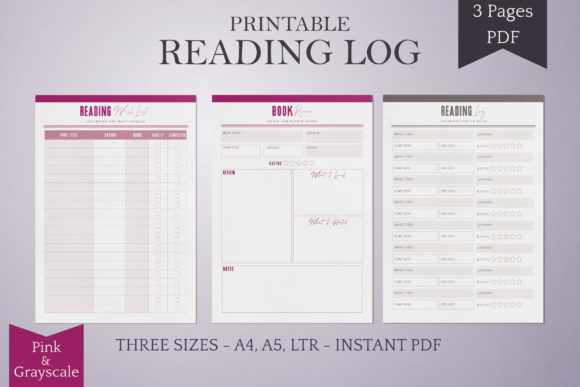
Pages: 3 | Sizes: US Letter, A4, A5 | Colors: Pink, grayscale
Best for: new readers who want three essential pages to start a book planner.
- Reading log page
- Wish list page
- Book review page
- Pink and grayscale versions
- US Letter, A4, and A5 sizes
Three pages cover what most readers need at the start: what you read, what you want to read, and what you thought. The grayscale version is handy when you print in black and white. The same set is also sold in blue and green. Choose it if you want a simple starting point. Skip it if you want challenges and yearly stats.
BEST BUNDLE
9. Reading Planner and Book Review Bundle
This bundle pairs a reading planner for goals, schedules, and progress with review pages for your thoughts, ratings, and recommendations. It suits readers who want planning and reviewing in one set.
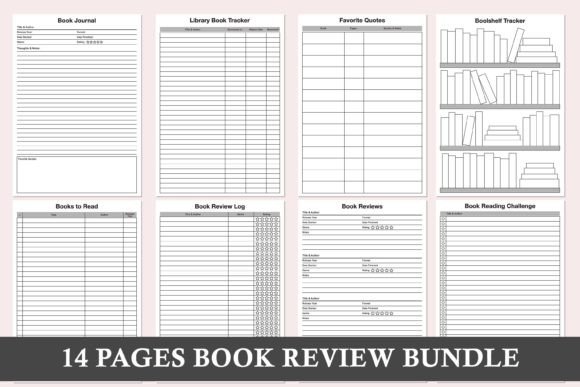
Page types: 13 | Sizes: 3 | Format: PDF
Best for: readers who want trackers and review pages in one printable bundle.
- Book journal, book review, and book review log pages
- Bookshelf tracker and library book tracker
- Books to read and reading wishlist
- Abandoned books and favourite quotes pages
- Reading challenge, reading log, and reading tracker
The minimalist, ink-friendly pages are easy to print again whenever you run out. Lined paper is included for longer notes. Choose it if you want a complete printable set without a big file. Skip it if you prefer colorful designs.
MOST PAGE TYPES
10. Greyscale Reading Planner Bundle
This greyscale planner includes 30 unique pages, from favorite books and authors to pages by month. It is a ready-to-print PDF in 8.5×11 inches.
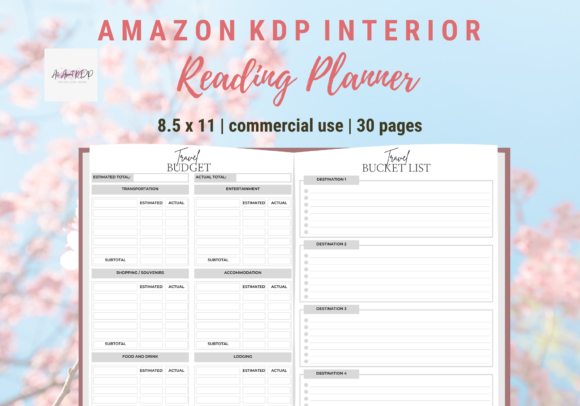
Size: 8.5×11 in | Color: Greyscale | Format: PDF
Best for: readers who want a wide range of printable reading pages in one file.
- Reading log, reading challenges, and reading tracker in minutes
- Book series, book releases, and currently reading pages
- Bookshelf, my library, and library book tracker
- 52 weeks of reading and a reading goal checklist
- Books by month and pages by month
The greyscale pages print cleanly on any home printer. Note that this is not an editable template, so you use the pages as they are. Choose it if you want lots of page types ready to print. Skip it if you want to change the design.
BEST FOR BOOK CLUBS
11. My Reading Planner for Bookworms
This 30-page planner includes a book wishlist, reading log, book review, favorite quotes, books to buy, and book summary pages. It also has a book club contacts page.
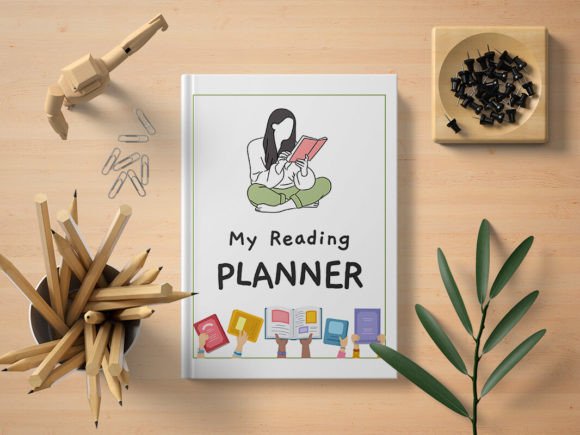
Pages: 30 | Files: JPG, PNG, PDF
Best for: book club members and bookworms who want a classic reading planner.
- Book wishlist and books to buy pages
- Reading log and book review pages
- Favorite quotes page
- Book summary page
- Book club contacts page
The cover has a nostalgic design with book emojis. Pages come as JPG, transparent PNG, and PDF files. Choose it if you read with a club or friends. Skip it if you need challenges or yearly stats.
BEST FOR AUDIOBOOKS
12. Printable and Digital Audiobook Tracker
This tracker is made for audiobook listeners who want to keep track of what they have listened to. It helps you set personal listening goals and follow your progress.
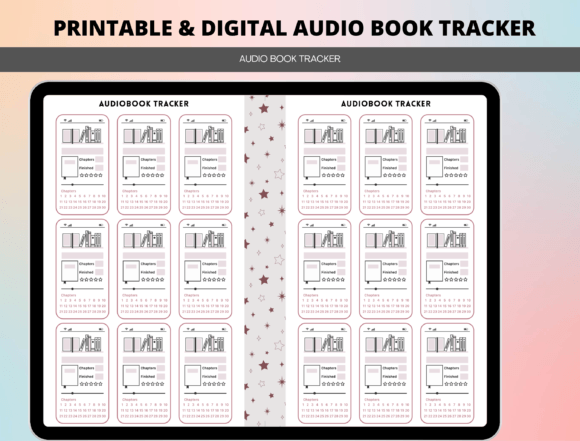
Format: Printable and digital | Focus: Audiobooks
Best for: audiobook listeners who want a tracker made for listening, not just reading.
- Made for audiobook listeners
- Track what you have listened to
- Set personal listening goals
- Track your progress
- Printable and digital use
A dedicated audiobook tracker keeps your listening separate from your print reading. It works for exploring new genres, finishing a series, or simply enjoying more audiobooks. Choose it if most of your books are audiobooks. Skip it if you mostly read print books.
A loose reading log works well for quick notes, but some books deserve more than one line. If you like to write down quotes, characters, and what a story meant to you, a bound review journal gives each book a page of its own.
Book Journals and Review Logs
Bound-style journals with a full page for every book, made for readers who love to write reviews.
BEST REVIEW JOURNAL
13. Reading Log Book with 100+ Review Pages
This log book includes over 100 book review pages with prompts for every detail of a book. A table of contents and pre-numbered pages keep your reviews easy to find.
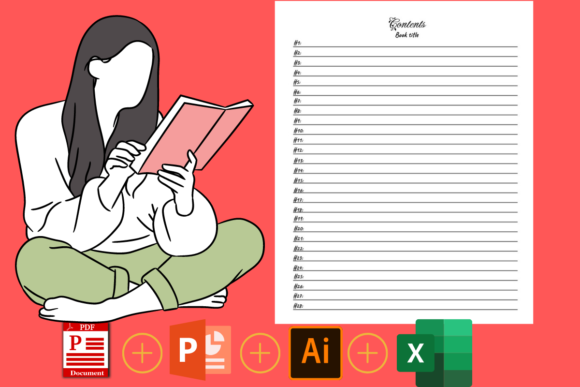
Pages: 110 | Size: 8×10 in
Best for: readers who want a book journal with a full review page for every book.
- Over 100 book review pages
- Prompts for title, author, genre, page count, and dates
- Book rating, format, type, and publication date fields
- Favorite quote, book review, and notes on each page
- Table of contents, pre-numbered pages, and a reading list
The table of contents lets you find any review by page number. A reading list at the front keeps track of books you want to read next. Choose it if you love detailed reviews. Skip it if you only want a quick log.
BIGGEST JOURNAL
14. 200-Page Reading Log Book
This 200-page journal starts with a seven-page inventory of books you have read and then gives every book a two-page review spread. It is a black and white interior in 7×10 inches.
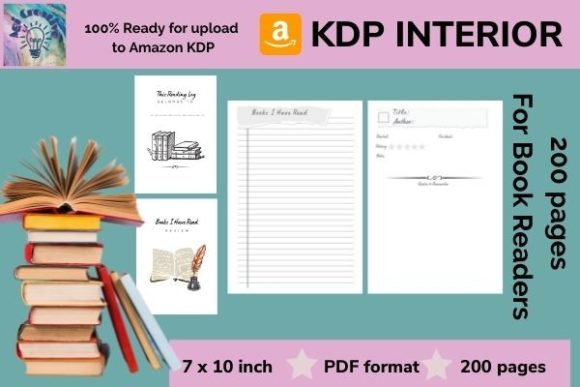
Pages: 200 | Size: 7×10 in | Color: Black and white
Best for: heavy readers who want room for many two-page reviews.
- Books I’ve Read inventory on 7 pages
- Title, author, and start and finish dates
- Space for a short summary, rating, and quotes to remember
- Right page for comments from the book
- Plenty of space for lessons and takeaways
The two-page layout leaves space for lessons and takeaways, which suits nonfiction readers. The black and white pages print simply. Choose it if you want one journal for a long time. Skip it if you prefer color.
BEST EDITABLE JOURNAL
15. Book Journal Reading Log for BookTok Reviews
This 100-page journal gives you space for book details, first impressions, favorite quotes, and personal reflections. The original PPT file is fully editable.
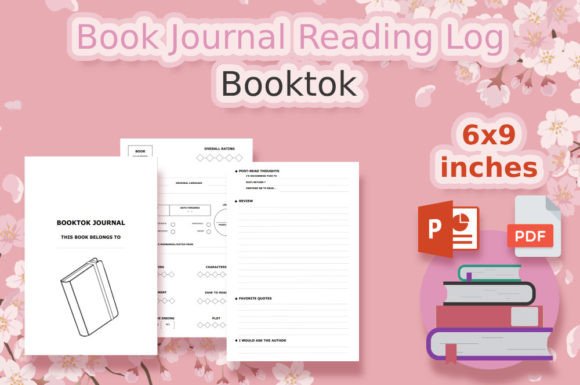
Pages: 100+ | Size: 6×9 in | Files: PDF, PPT, ODP
Best for: readers who want an editable review journal for fiction, nonfiction, or poetry.
- Book type and book rating
- Book review pages
- Reading list and reading tracker
- Favorite character and favorite quotes
- Post-read thoughts
Because the PPT file is editable, you can add or remove pages before printing. The prompts guide thoughtful notes for any kind of book. Choose it if you want a journal you can adjust. Skip it if you do not use PowerPoint or a similar program.
BEST 6×9 JOURNAL
16. 120-Page Book Journal Reading Log
This 120-page journal helps you note everything about the book you read or are currently reading. It comes as a print-ready PDF plus an editable PPT file.
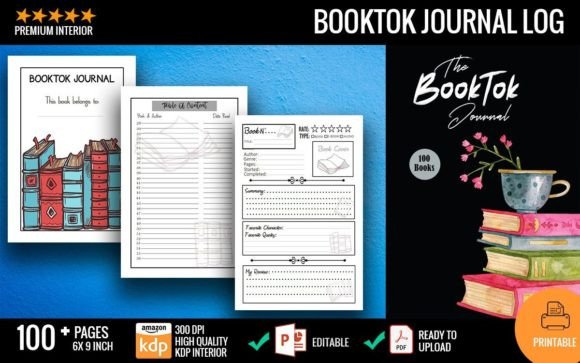
Pages: 120 | Size: 6×9 in | Files: PDF, PPT, JPG
Best for: readers who want a compact book journal with summary pages.
- Book type
- Book rating
- Book summary
- Favorite character and favorite quotes
- Editable PPT file to add as many pages as you want
The 6×9 inch size is easy to carry in a bag. You can add as many pages as you want in the PPT file. Choose it if you like a small, portable journal. Skip it if you want a large page.
BEST FOR DETAILED REVIEWS
17. Book Review Reading Tracker
This review tracker includes sections for book details, a summary, your review, quotes, important pages, and notes. It helps you keep track of the books you have read and share your thoughts with other book lovers.
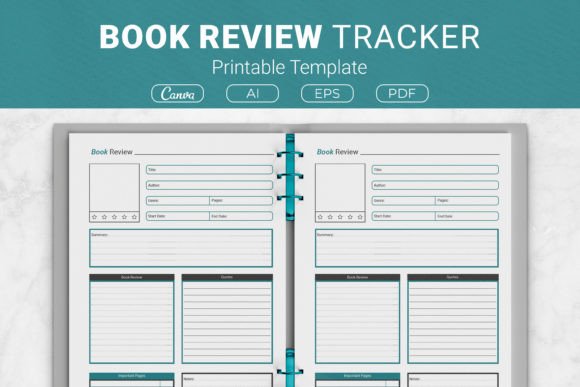
Sizes: US Letter, A4, 7.5×9.25 in, 6×9 in | Files: AI, EPS, PDF, Canva
Best for: readers who want a structured review page with room for important pages.
- Book details section
- Summary and book review
- Quotes and important pages
- Notes section
- Canva template link in four sizes
The important pages section makes it easy to return to a passage later. You can customize the Canva version to fit your needs. Choose it if you write full reviews. Skip it if you only want a list of titles.
BEST FOR PLOT NOTES
18. Book Review Log
This journal includes index sheets and review pages with space for details about the author, plot, and characters. It also has room for memorable quotes, notes, and a personal rating system.
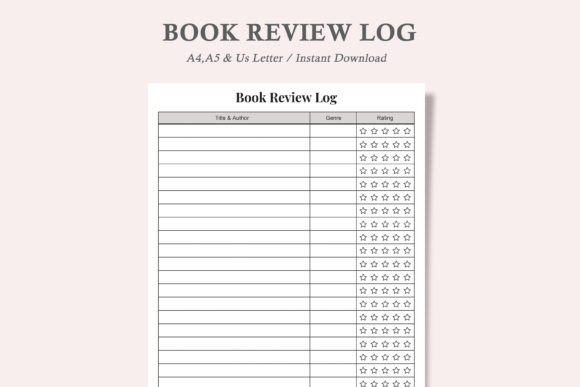
Sizes: US Letter, A4, A5 | Files: PDF, JPEG
Best for: readers who want to remember the plot and characters of every book.
- Index sheets
- Review pages with space for author, plot, and characters
- Memorable quotes and notes
- Personal rating system
- US Letter, A4, and A5 sizes
The index sheets help you find a review quickly when you need it. The minimalist, ink-friendly design prints well at home. Choose it if you want to organize your reading books. Skip it if you prefer a digital tracker.
Writing reviews by hand is relaxing, yet many readers also want to change the layout first. Editable Canva planners let you pick colors, fonts, and pages before you print anything.
Editable Canva Book Planners
Book planners you customize in Canva before printing: change colors, fonts, and layouts.
BEST FOR NEXT YEAR
19. Editable 2027 Book Planner
This 53-page book planner includes a 2027 calendar and monthly pages from January to December. It comes with an editable Canva link, so you can change the colors, fonts, layouts, images, and backgrounds.
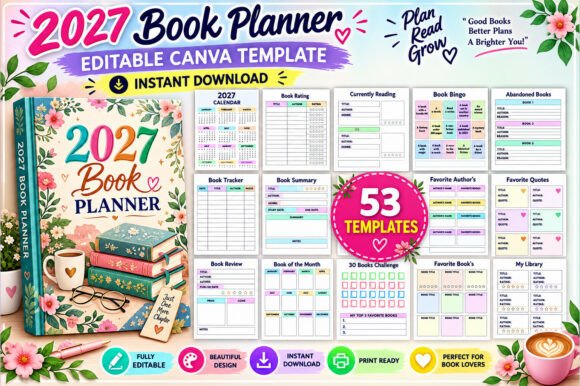
Pages: 53 | Size: 8.5×11 in | Files: Canva, PDF, JPG, PNG
Best for: readers who want a dated book planner for 2027 with many challenges.
- 2027 calendar and January to December pages
- Book tracker, reading log, and reading tracker
- Series review, book binge, and abandoned books pages
- 10, 20, 30, 50, and 100 books challenges
- 26 Books in 26 Weeks and a 30-day challenge
The clean, minimal design is easy to restyle in Canva. Some templates may include premium Canva elements that need a Canva Pro account. Choose it if you want a dated planner for next year. Skip it if you prefer undated pages.
MOST CHALLENGES
20. Digital Reading Book Planner for Canva
This Canva planner includes 50 templates with reading logs, series trackers, and yearly statistics. It also offers challenges from 10 to 200 books.
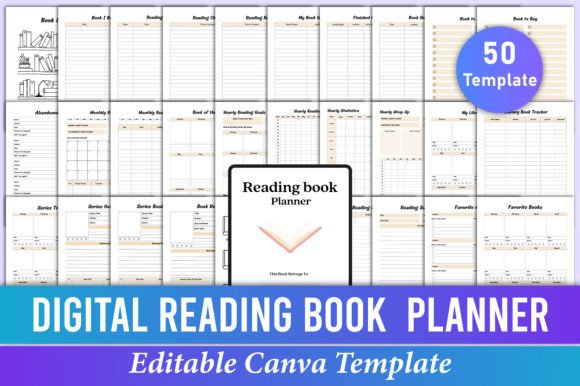
Templates: 50 | Size: 8.5×11 in | Files: Canva, PDF, JPG, PNG
Best for: readers who love reading challenges and want them all in one editable planner.
- 10, 25, 50, 100, and 200 books challenges
- 52 Books in 52 Weeks, 30 days reading challenge, and book bingo
- Yearly reading goals, statistics, and wrap up
- Series tracker, series overview, and series book review
- Sketch board, doodle page, and two note pages
The sketch board and doodle page add space for creative notes between the trackers. Each template is editable, so you can change text, colors, fonts, and layout style. Choose it if challenges keep you reading. Skip it if you want a short planner.
BEST FOR SERIES READERS
21. Editable Reading Planner Canva Interior
This 48-template planner covers your library, monthly reading, and yearly wrap up in one editable file. Three series pages help you follow long sagas from start to finish.
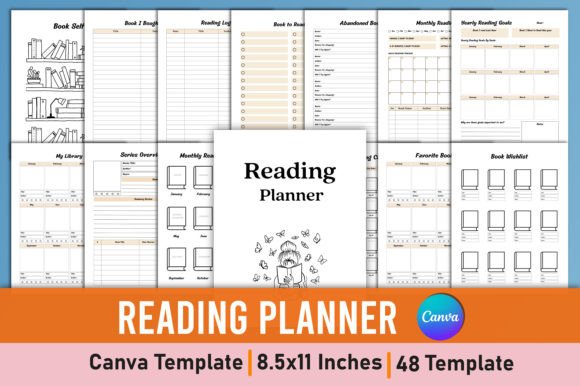
Templates: 48 | Size: 8.5×11 in | Files: Canva, PDF, JPG, PNG
Best for: series readers who want an editable planner with series pages.
- Series tracker, series overview, and series book review
- Monthly reading, monthly reading log, and book of the month
- Yearly reading goals, tracker, statistics, and wrap up
- My library and library book tracker
- Did not finish, abandoned books, and quote collection pages
The yearly wrap up page is a nice way to look back on your reading at the end of the year. Every page can be edited in Canva before printing. Choose it if you read a lot of series. Skip it if you only read a few books a year.
BEST COMPACT CANVA PLANNER
22. Book Planner Canva Template
This 31-page book planner covers lists, reviews, and trackers without being overwhelming. You can customize it in Canva to fit your reading style.
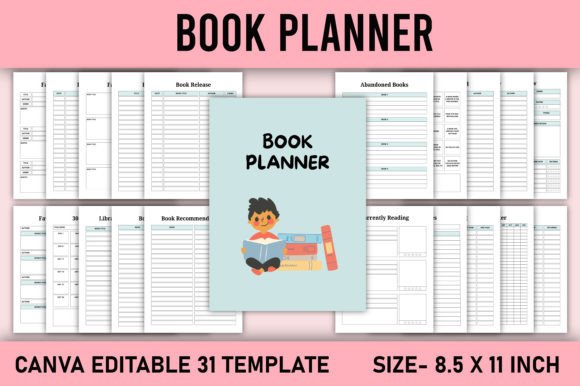
Pages: 31 | Size: 8.5×11 in | Files: Canva, JPG, PNG, PDF
Best for: readers who want an editable planner with the essentials and a few extras.
- Book list, book review, and book rating pages
- Reading tracker, reading log, and reading notes
- Currently reading, book binge, and series review
- Books borrowed and library book tracker
- 30-day challenge and book recommendations
The books borrowed page helps you remember who has your books. At 31 pages, it is easy to print and bind. Choose it if you want a manageable Canva planner. Skip it if you want dozens of challenges.
BEST FOR HOME READING
23. Reading Planner Canva Interior
This 30-page Canva planner includes currently reading pages, a home reading tracker, and a summer reading log. You can edit it with a free Canva account.
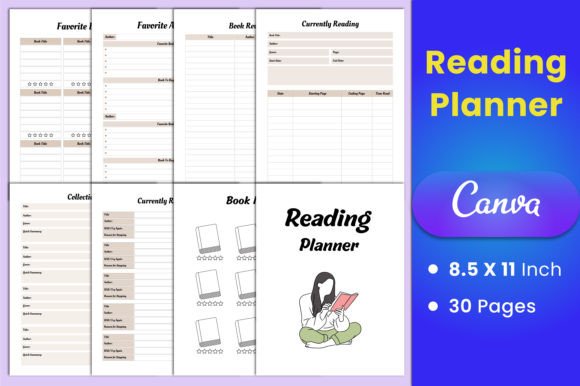
Pages: 30 | Size: 8.5×11 in | Files: Canva, PDF, JPEG, PNG
Best for: readers who want a planner with weekly planning and home reading pages.
- Currently reading pages in four designs
- Book review pages in three designs
- Monthly reading tracker and home reading tracker
- Summer reading log and reward chart
- Weekly planner and home reading diary
The weekly planner and reward chart make it easy to plan reading time at home. A free Canva account is enough to edit it. Choose it if you want reading and weekly planning together. Skip it if you want series trackers.
BEST SINGLE CANVA PAGE
24. Reading Log Tracker Planner Template
This single reading log template is fully editable in Canva for tracking book titles, authors, genres, ratings, and personal notes. It is A4 and easy to resize to US Letter or A5.
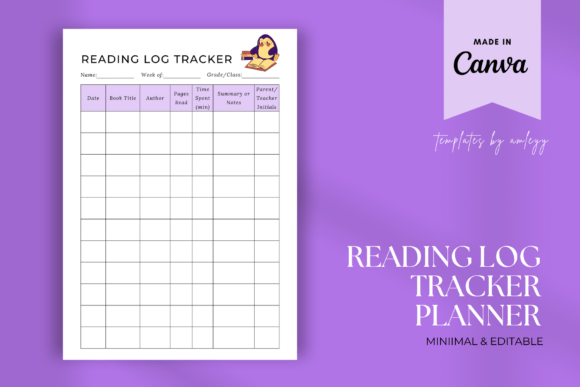
Pages: 1 template | Size: A4, resizable | Files: Canva, PNG, PDF
Best for: readers who want one editable book log they can restyle in Canva.
- Book title and author fields
- Genre and rating fields
- Personal notes section
- A4 size, easy to resize to US Letter or A5
- Print it or use it digitally on a tablet or laptop
You can change the colors, fonts, and notes to match your planner. It works on paper or on your tablet or laptop. Choose it if you need one page in your own style. Skip it if you want a full planner.
Canva planners still end up on paper, and some readers would rather keep everything on screen. Notion and Google Sheets trackers count your books, pages, and ratings for you.
Notion and Google Sheets Book Trackers
Digital book trackers that sort, count, and chart your reading for you.
BEST SPREADSHEET
25. Book Tracker Google Sheets Template
This Google Sheets book tracker logs books, pages, ratings, genres, and monthly progress. A dashboard updates automatically with summaries, charts, and filters.
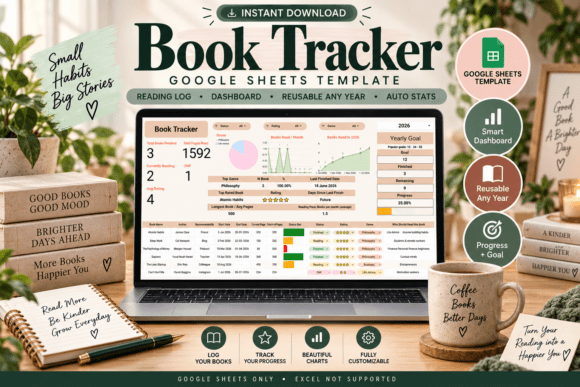
App: Google Sheets | Use: Reusable for any year
Best for: readers who want automatic reading stats and charts.
- Dashboard with reading stats, charts, and filters
- Year selector dropdown, reusable for any year
- Reading goal tracker with a progress bar
- Books finished, total pages, average rating, currently reading, and DNF counts
- Genre breakdown charts and a per-book progress bar
A Start Here guide explains setup and troubleshooting. You need a free Google account, and it works best on a desktop or laptop. Choose it if you love numbers and charts. Skip it if you use Microsoft Excel, which is not supported.
BEST FOR A HOME LIBRARY
26. Book Tracker Google Spreadsheet
This spreadsheet keeps your books, reading progress, and personal library in one place. A photo gallery lets you store book cover images and view your collection.
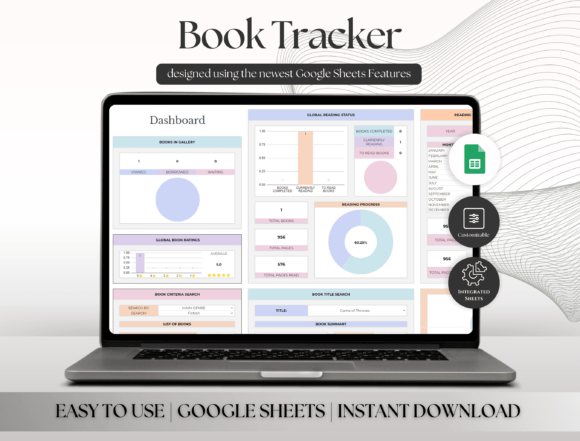
App: Google Sheets | Tabs: Setup, Book Tracker, Dashboard, Gallery, Library, Reading Habits, Calendar
Best for: readers who want to catalog their personal library with cover images.
- Track books currently reading, completed, or planned
- Organize by genre, author, format, and reading status
- Start date, finish date, ratings, and personal reviews
- Photo Gallery for book cover images
- Daily and monthly reading habits and a reading calendar
Dropdown menus keep data entry quick and consistent. You only need a free Google account to use it. Choose it if you want a visual library on screen. Skip it if you prefer paper.
BEST FOR NOTION BEGINNERS
27. Notion Book Tracker Template
This Notion book tracker is made for people who have just begun their journey with Notion. It works with the free version of Notion and is fully customisable.
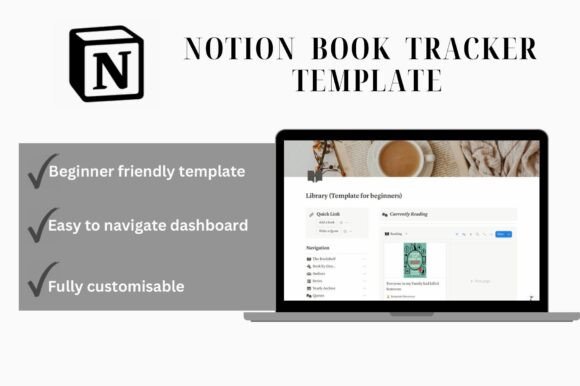
App: Notion (free version) | Level: Beginner
Best for: Notion beginners who want a ready book tracker.
- Track books, current reads, and reading progress
- Yearly goals and reminders
- Favourite authors, quotes, genres, and series
- NetGalley tracker with pub day reminders
- Works with the free version of Notion
The NetGalley tracker helps you review advance copies on time. You need basic beginner Notion knowledge to set it up. Choose it if you are new to Notion. Skip it if you have never opened Notion and do not want to learn.
BEST FOR FANTASY READERS
28. Fantasy Book Tracker Notion Template
This Notion template is made for fantasy readers, with purple and watercolor clipart icons. It helps you log, categorize, and track your fantasy books.
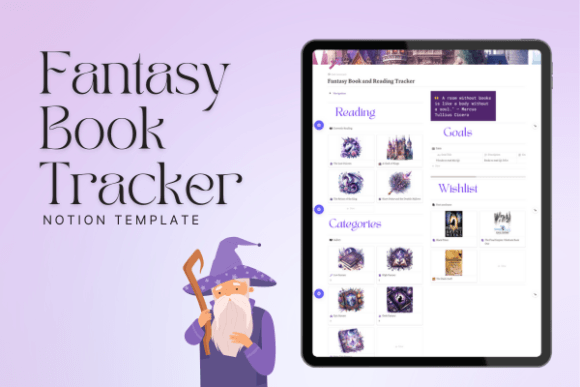
App: Notion | Style: Purple watercolor icons
Best for: fantasy fans who want a magical-looking reading tracker in Notion.
- Reading log with notes, ratings, and favorite quotes
- Categories such as epic, dark, and urban fantasy
- Wishlist with links and release dates
- Goal tracker for reading goals and progress
- Purple and watercolor clipart icons
The categories make it easy to sort your shelf by subgenre. It is designed for ease of use, even if you are new to Notion. Choose it if fantasy is your favorite genre. Skip it if you want a neutral design.
SIMPLEST NOTION PICK
29. Simple Notion Book Tracker
This Notion template keeps book tracking simple with an easy-to-use interface. You record the pages you have read out of the total and manage your reading status.
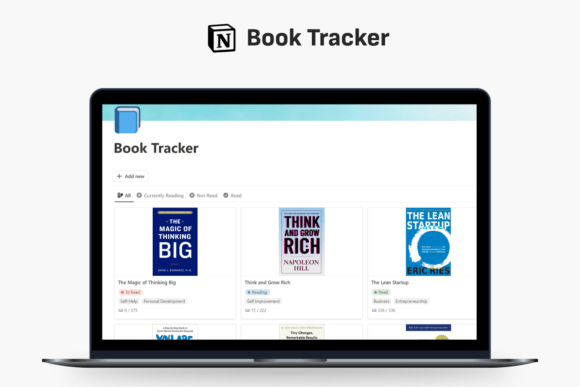
App: Notion | Focus: Pages read and reading status
Best for: readers who want a minimal Notion tracker without extra pages.
- Simple interface
- Easy-to-use features
- Pages read out of the total
- Reading status management
- Organized view of your reading progress
With only the essentials, the template stays quick to update after each reading session. Choose it if you want a clean, minimal setup in Notion. Skip it if you want quotes, goals, and wishlists.
Spreadsheets live on a laptop, while ring-bound planners stay on the desk. If you already use a Happy Planner or carry a tiny notebook, these inserts fit right in.
Happy Planner and Pocket Inserts
Book tracker inserts sized for Happy Planner and pocket notebooks.
BEST HAPPY PLANNER JOURNAL
30. Book Journal Inserts for Happy Planner
This book journal keeps up with books you have read and books you want to read. It tracks the release date, date started, genre, format, date finished, and rating.
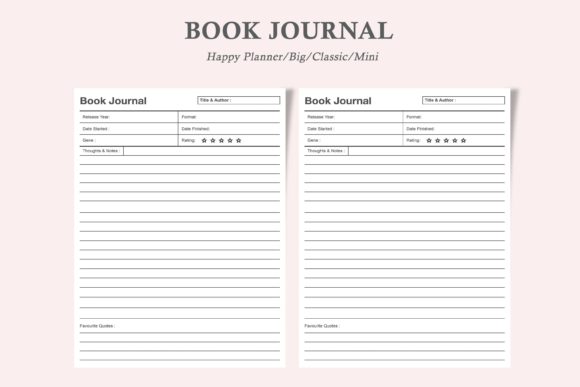
Sizes: Happy Planner Big, Classic, Mini | Files: PDF, JPEG
Best for: Happy Planner users who want a book log that fits their planner.
- Release date and date started
- Genre and format
- Date finished and rating
- Happy Planner Classic, Mini, and Big sizes
- Minimalist, ink-friendly design
Each size matches a Happy Planner format, so the page fits without trimming. You can print a new page every time you need more. Choose it if you already use a Happy Planner. Skip it if you use a regular binder.
BEST BOOKSHELF INSERT
31. Bookshelf Tracker for Happy Planner
This insert combines a bookshelf tracker, reading tracker, and reading wish list for your Happy Planner. It comes in Big, Classic, and Mini sizes.
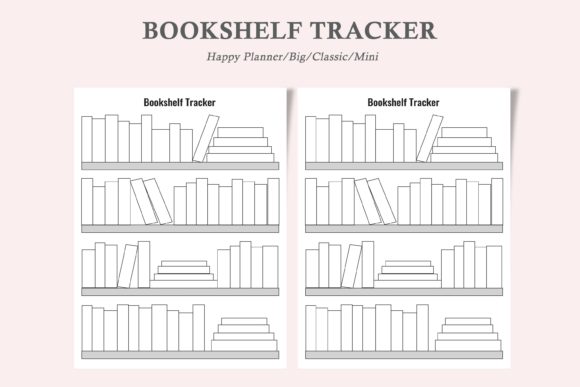
Sizes: Happy Planner Big, Classic, Mini | Files: PDF, JPEG
Best for: Happy Planner users who want a bookshelf page and a list of books to read.
- Bookshelf tracker
- Reading wish list and books to read
- Happy Planner Classic, Mini, and Big sizes
- Professional, minimalist, ink-friendly design
- Editable PDF
The minimalist design leaves room for your own stickers and colors. Print a new page every time you need more. Choose it if you want a bookshelf spread in your planner. Skip it if you want review pages.
BEST POCKET SIZE
32. Pocket Books Reading Planner
This pocket-size reading journal lets you write the main info about every book and give it a rating. Its minimalist interior is made to motivate you to read more.
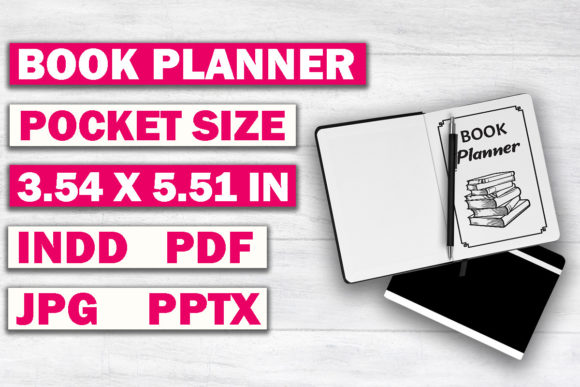
Size: 3.54×5.51 in | Files: InDesign, PowerPoint, PDF, JPG
Best for: readers who want a tiny book log to carry everywhere.
- Reading journal with book title, author, and genre
- Books to read pages
- Bookshelf with book ratings and reading progress
- PowerPoint file to add or remove pages
- Pocket size 3.54×5.51 inches
The small format fits in a bag or coat pocket. The PowerPoint file makes it easy to add or remove pages. Choose it if you want a log you can carry everywhere. Skip it if you like large pages.
Inserts keep things practical, and sometimes you just want something pretty. The last group brings cozy autumn designs: a bookshelf to color and bookmarks that track your list.
Aesthetic and Seasonal Book Trackers
Cozy fall designs: a hand-drawn bookshelf to color and two printable bookmark trackers.
COZIEST PICK
33. Autumn Bookshelf Reading Tracker
This hand-drawn bookshelf has pumpkins, autumn leaves, books, candles, and botanical details. Write the titles of finished books on the blank spines and color them in.
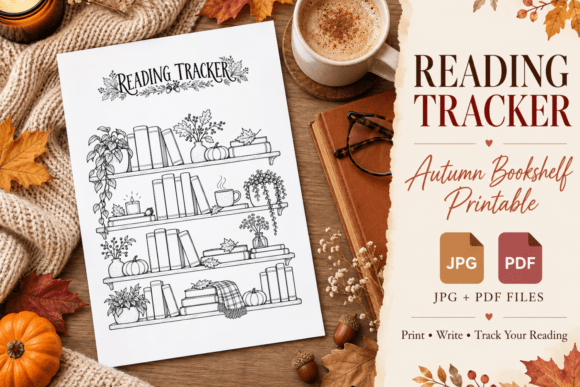
Design: Black-and-white, hand-drawn | Files: JPG, PDF
Best for: readers who want a cozy fall page to color as they read.
- Hand-drawn bookshelf design
- Pumpkins, autumn leaves, candles, and botanical details
- Blank book spines for your titles
- Color the spines as you finish books
- JPG and print-ready PDF
The black-and-white design lets you choose your own autumn colors. It works well in reading journals, book logs, and bullet journals. Choose it if you love seasonal spreads. Skip it if you want a tracker for the whole year.
BEST BOOKMARK
34. Neutral Fall Book Tracker Bookmark
This printable bookmark helps you track your books and rate your reads. It has soft earthy tones and delicate autumn foliage.
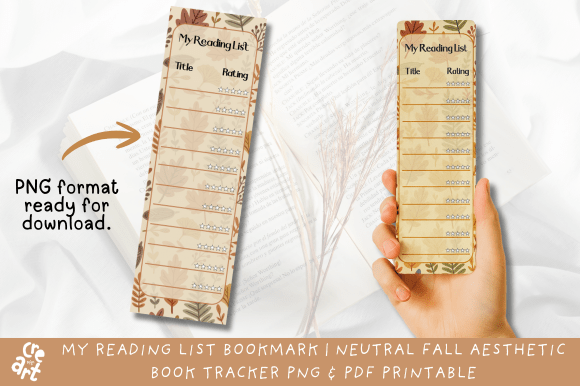
Size: 2.5×8 in | Files: PNG, PDF with 4 bookmarks
Best for: readers who want a calm, neutral bookmark that doubles as a reading list.
- Track your books and rate your reads
- Soft earthy tones and autumn foliage
- One PNG bookmark, 2.5×8 inches
- PDF with 4 bookmarks on one sheet
- 300 DPI for printing
The bookmark stays inside your current book, so your list is always with you. It is easy to print and cut at home. Choose it if you like neutral designs. Skip it if you want room for long notes.
BEST GIFT IDEA
35. Autumn Leaf and Pumpkin Book Tracker Bookmark
This My Reading List bookmark has warm autumn colors with soft leaf and pumpkin patterns. Use it to list your books, rate them, and keep track of your favorite reads.
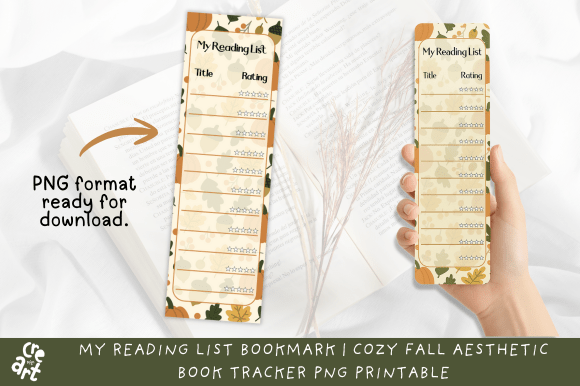
Size: 2.5×8 in | Files: PNG, PDF with 4 bookmarks
Best for: fall readers and anyone looking for a small gift for a bookworm friend.
- List your books and rate them
- Warm autumn colors
- Leaf and pumpkin background
- Standard 2.5×8 inch bookmark size
- PDF with 4 bookmarks grouped on one page
Print one for yourself and a few more to tuck into gifts for friends. You can use your favorite paper type. Choose it if you want a cheerful fall design. Skip it if you prefer a neutral look.
Create Your Own Book Tracker with AI Studio

If none of these feel quite right, you can generate your own book tracker pages from scratch with an AI design tool: your own colors, your own bookshelf, your own reading style.
Types of Book Trackers
Book trackers come in a few main formats, and each one suits a different kind of reader:
- Printable reading logs are one-page PDFs with a line for each book. You print a new page whenever the old one fills up.
- Printable reading planners combine logs, wish lists, challenges, and review pages in one set.
- Book journals give every book its own review page, often with a table of contents or numbered pages.
- Editable Canva planners let you restyle the pages before printing or using them on a tablet.
- Notion and Google Sheets trackers sort your books, count pages, and build charts automatically.
- Inserts and bookmarks are small trackers for a Happy Planner, a pocket notebook, or the book you are reading now.
Comparison Table
| Type | Best For | Main Features | Format |
|---|---|---|---|
| Printable Trackers and Logs | Writing by hand | Reading logs, page trackers, challenges | PDF, PNG, JPG |
| Book Journals | Detailed reviews | A review page for every book | PDF, PPT |
| Canva Planners | A custom design | Editable pages, challenges, series pages | Canva, PDF |
| Notion and Google Sheets | Automatic stats | Dashboards, charts, filters, goals | Notion, Google Sheets |
| Happy Planner and Pocket | Ring planners and small notebooks | Book logs and bookshelf inserts | PDF, JPEG |
| Aesthetic and Seasonal | Cozy fall reading | Color-in bookshelf, bookmark trackers | PNG, JPG, PDF |
Ways to Use a Book Tracker
A book tracker becomes more fun when you give it a small job. Try one of these:
- Color a bookshelf. Fill in one spine for every book you finish and watch the shelf grow over the year.
- Log pages, not just books. Write down how many pages you read each day to build a steady reading habit.
- Run a yearly challenge. Pick a goal, such as 25 or 52 books, and tick off one box per finished book.
- Keep a wish list. Add every recommendation to a books-to-read page so you never forget a title.
- Review the month. At the end of each month, choose your favorite book and copy one quote worth keeping.
If you would rather draw your own, our book tracker ideas guide shows how to make a book tracker in five steps.
How to Set Up a Book Tracker
Getting started takes only a few minutes. Follow these five steps:
- Choose your format. Decide between a printable page, a book journal, a Canva planner, or a digital tracker.
- Start with two pages. A reading log and a books-to-read list are enough for the first month.
- Add your current book. Write the title, author, and start date today, while the habit feels new.
- Set a simple goal. Choose a number of books or pages for the year and add a challenge page if you like.
- Update after each book. Fill in the finish date and rating as soon as you close the last page.
For more page ideas, see our reading journal ideas.
FAQ
What is a book tracker?
A book tracker is a page or template for recording the books you read. Most include the title, author, dates, and a rating, and many add a wish list, challenges, or space for short reviews.
What is the difference between a reading log and a book tracker?
A reading log is usually a simple list with one line per book or reading session. A book tracker is a wider term that can include logs, bookshelves to color, challenges, and review pages.
What should I include in a book tracker?
Start with the title, author, start date, finish date, and rating. Then add a books-to-read list, a yearly goal, and a short note or favorite quote for each book if you enjoy writing.
Is a printable or digital book tracker better?
A printable book tracker is better if you enjoy writing by hand and decorating pages. A digital tracker in Notion or Google Sheets is better if you want automatic counts, charts, and filters.
How do I use a Notion book tracker?
Open the template link, duplicate it into your own Notion workspace, and add a new entry for each book. Update the status and pages as you read, and the views keep your list organized.
Can I track audiobooks in a book tracker?
Yes. You can add a format column to any tracker, or use a tracker made for audiobooks to set listening goals and keep track of what you have listened to.
Final Thoughts
A book tracker turns your reading into something you can see: a growing shelf, a full log, or a chart that climbs every month. Choose a printable page if you love pen and paper, a book journal if you like writing reviews, a Canva planner if you want your own design, or a Notion or Google Sheets tracker if you like numbers. Start with one page today and add more as the habit grows.
This post contains affiliate links. If you buy through them, we may earn a small commission at no extra cost to you. Learn more.