20 Book Tracker Ideas and How to Make a Book Tracker You’ll Keep Using
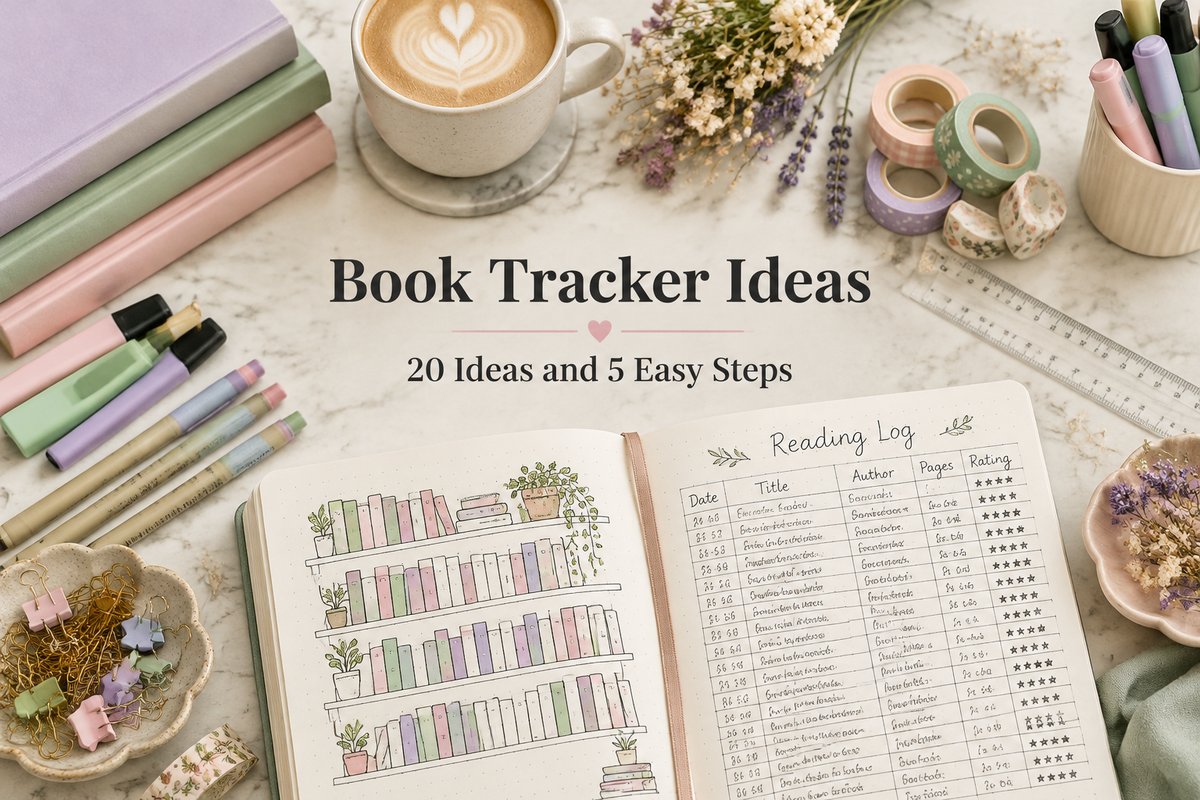
A book tracker is the simplest way to see your reading life at a glance: a page, spread, or spreadsheet where every book you read gets a spot. It can be as plain as a list of titles or as playful as a bookshelf you color in, one spine at a time.
This guide collects 20 book tracker ideas for notebooks, planners, and screens, then shows how to make a book tracker in five steps. You will also find a quick paper-or-digital comparison, tips for keeping the habit going, and two ready-made templates if you would rather not draw.
Quick navigation
Table of Contents
What Can a Book Tracker Track?
Before you pick a layout, decide what you actually want to remember. Most readers choose two or three of these:
- Finished books. Title, author, and the date you closed the last page.
- Reading progress. Pages or minutes read each day, or how far you are in a long book.
- Your opinion. A star score, a heart, or one line about how the book made you feel.
- Books to read next. Recommendations you do not want to forget.
- Patterns. Genres, formats, authors, or how many books you read each month.
Pick only what you will enjoy filling in. A tracker with three columns you update every week is better than a beautiful spread you abandon in February.
20 Book Tracker Ideas to Try
These book tracker ideas range from five-minute pages to spreads you can decorate all year. Mix and match them in one notebook, or choose a single favorite.
Bookshelf and Visual Trackers
- Classic bookshelf. Draw a few empty shelves and color one spine for each finished book, using the main color of its cover.
- Stacked books. Instead of shelves, draw one tall stack that grows from the bottom of the page.
- Cozy reading nook. Sketch an armchair and a lamp beside the shelves for a page that feels like home.
- Book jars. Draw a big jar and add a small colored book or circle for every story you finish.
- Seasonal shelf. Decorate the shelf with pumpkins in autumn or snow in winter, and start a new one each season.

Reading Logs and Progress Trackers
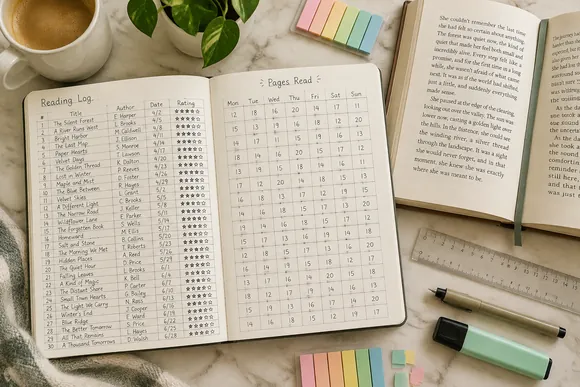
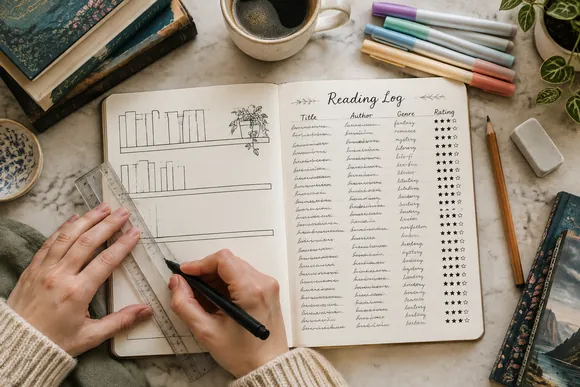
- Simple reading log. A table with title, author, start date, finish date, and a score.
- Pages-read tracker. A grid for the month where you write how many pages you read each day.
- Reading streak. Thirty-one small boxes; fill one in every day you read, even for five minutes.
- Monthly wrap-up. A small box per month with the books you finished and your favorite one.
- Format tracker. Separate columns or colors for print books, ebooks, and audiobooks.
Challenges and Series Trackers
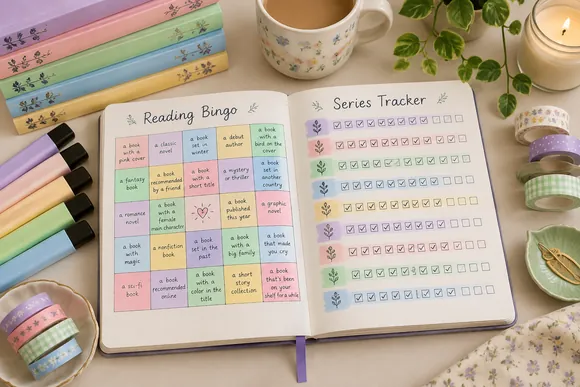
- Book series tracker. One row per series with a box for each book, so you always know which one comes next.
- Reading bingo. A five-by-five grid of prompts, such as a book with a blue cover or a book set by the sea.
- 52-book challenge. Fifty-two small squares, one for each week of the year.
- Genre wheel. A circle split into genres that you color a little more each time you read one.
- Alphabet challenge. One line for each letter, filled with a title or author that starts with it.
Creative Pages for Book Lovers
- To-be-read list. A page of book spines or a long scroll where you write every recommendation.
- Did-not-finish list. A short list of books you put down and why, so you learn what you do not enjoy.
- Favorite quotes. Copy the lines that stayed with you, with the book and page number.
- Book-to-movie page. Note adaptations you have watched and whether the book or the film won.
- Year in books. A final spread with your total, your favorite book, and the cover colors of everything you read.
If you want more spread ideas for a full reading notebook, our reading journal ideas guide walks through cover pages, review pages, and monthly wrap-ups.
How to Make a Book Tracker in 5 Steps
Whether you use a bullet journal, a printed page, or a spreadsheet, the process is the same:
Step 1: Choose Where It Lives
A book tracker bullet journal spread is relaxing to draw and easy to decorate. A printable page saves time, and a Notion or Google Sheets tracker counts everything for you. Choose the place you already open every week.
Step 2: Pick Your Columns
Write down the details you chose earlier, such as title, author, dates, and a score. Keep it to four or five, so filling in a book takes less than a minute.
Step 3: Draw or Print the Layout
Use a ruler for a neat table, or draw empty shelves for a bookshelf reading tracker. Leave more rows or spines than you think you need; it feels good to see space waiting for new books.
Step 4: Add Your Current Book
Fill in the book you are reading right now, today. The first entry makes the tracker real and turns it into a habit.
Step 5: Update It After Every Book
Keep a pen inside your notebook or a shortcut on your phone. Add the finish date and score as soon as you finish, before you start the next story.
That is all it takes. Once the basic tracker feels easy, add one idea from the list above, such as a series tracker or a reading streak.
Paper or Digital: Which Book Tracker Suits You?
Both work well; the best choice depends on how you like to read and record.
| Type | Best For | Pros | Cons |
|---|---|---|---|
| Bullet journal spread | Creative readers who like drawing | Fully custom, easy to decorate | Takes time to draw |
| Printable template | Readers who want to start today | Ready layout, print as many as you need | Less personal than drawing |
| Notion tracker | Readers who plan everything in Notion | Sorting, filters, linked pages | Needs some Notion setup |
| Google Sheets tracker | Readers who love numbers | Automatic totals and charts | Less cozy to fill in |
Tips to Keep Your Book Tracker Going
- Keep it where you read. A tracker on the nightstand gets filled in; one on a shelf gets forgotten.
- Use one color code. Decide once what each color means, for example a genre or a score, and stick to it.
- Do not backfill for hours. If you missed a few books, add only the titles and move on.
- Start fresh each year. A new tracker in January feels like a clean shelf waiting to be filled.
Two Book Tracker Templates to Skip the Drawing
Every idea in this guide works with a blank notebook. If you would rather start tonight, these two templates cover the most popular trackers:
BEST BOOKSHELF PAGE
Bookcase Book Tracker for Planners
This book tracker shows bookcases filled with books that you color in as you read, with plants and cute bookshelf decor around them. It comes in four popular planner sizes.
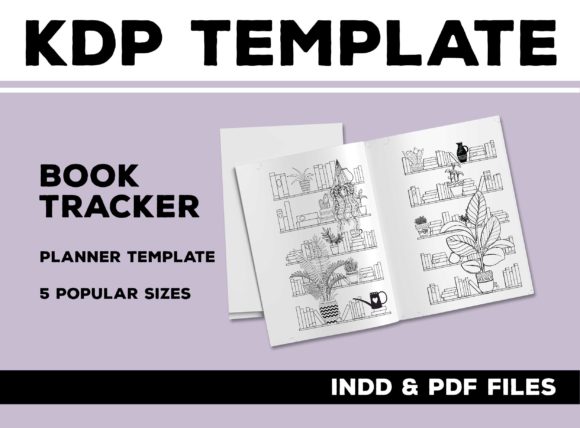
Sizes: A6, B6, A5, Half Letter | Files: PDF, InDesign
Best for: planner users who want a ready bookshelf to color. It is the layout from Step 3, already drawn.
- Bookcases filled with books to color in as you read
- Plants and bookshelf decor in the design
- 4-page PDF with 2 blank pages for a spread
- Editable InDesign file
- Available in A6, B6, A5, and Half Letter
The two-page spread gives the bookcases plenty of room even in a small planner. The InDesign file lets you change the style if you use that program. Choose it if you love visual trackers. Skip it if you want a full reading planner.
BEST PROGRESS TRACKER
Printable Reading Tracker, Monthly and Yearly
This set includes a monthly tracker and a yearly tracker for logging how many pages you read each day. It is made for anyone building a consistent reading habit.
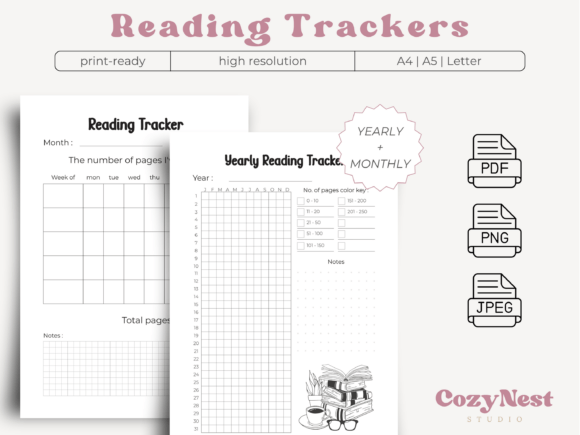
Versions: Monthly and yearly | Sizes: A4, A5, Letter
Best for: readers who want to track daily pages. It keeps the habit from Step 5 going.
- Monthly tracker and yearly tracker
- Record the number of pages read each day
- A4, A5, and Letter sizes
- PDF, PNG, and JPEG files
- Safe margins for binding
Watching the daily numbers grow over the month is a simple way to stay motivated. The pages can be printed at home or used in digital format. Choose it if your goal is reading every day. Skip it if you want space for reviews.
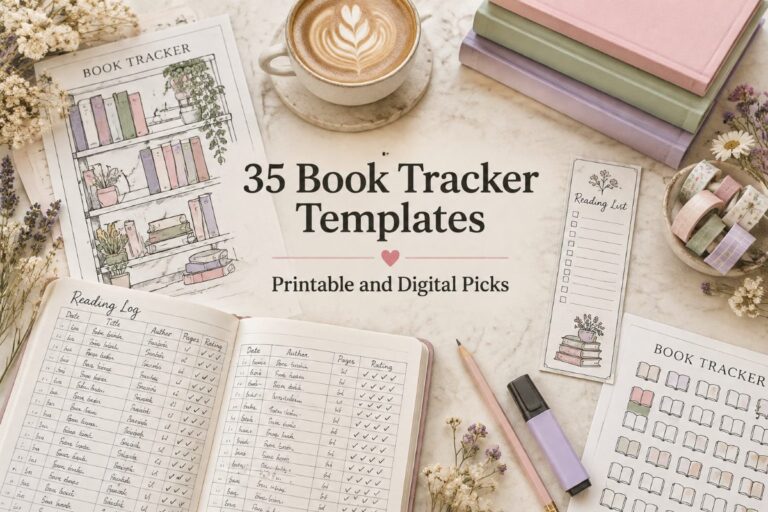
For 35 more options, from simple reading logs to Notion and Google Sheets trackers, see our full roundup of book tracker templates.
FAQ
How do I make a book tracker in a bullet journal?
Draw a few empty shelves or a simple table on a two-page spread, then add a book each time you finish one. A ruler and two or three colored pens are all you need.
What is the best way to keep track of books you have read?
The best way is the one you will keep using. Many readers combine a simple log for the facts with a visual page, such as a bookshelf, for the fun overview of the year.
Should I track books I did not finish?
It helps. A short did-not-finish list shows which genres or styles are not for you, which makes choosing your next book easier.
Can I make a book tracker in Google Sheets?
Yes. Create columns for title, author, dates, pages, and score, then add a simple sum or chart. Ready templates also come with dashboards that count everything automatically.
How many books should I put on a bookshelf tracker?
Draw a few more spines than you expect to read in a year. If you finish them all, add a second shelf or a bonus page.
Final Thoughts
A book tracker does not need to be complicated to be satisfying. Choose where it lives, pick a few columns, and add your current book today. Then try one new idea at a time, a colored bookshelf, a series tracker, or a reading streak, and watch your reading year fill the page.
This post contains affiliate links. If you buy through them, we may earn a small commission at no extra cost to you. Learn more.