Digital Scrapbook Kits vs Scrapbook Elements vs Scrapbook Paper: What Each One Is and What to Buy First
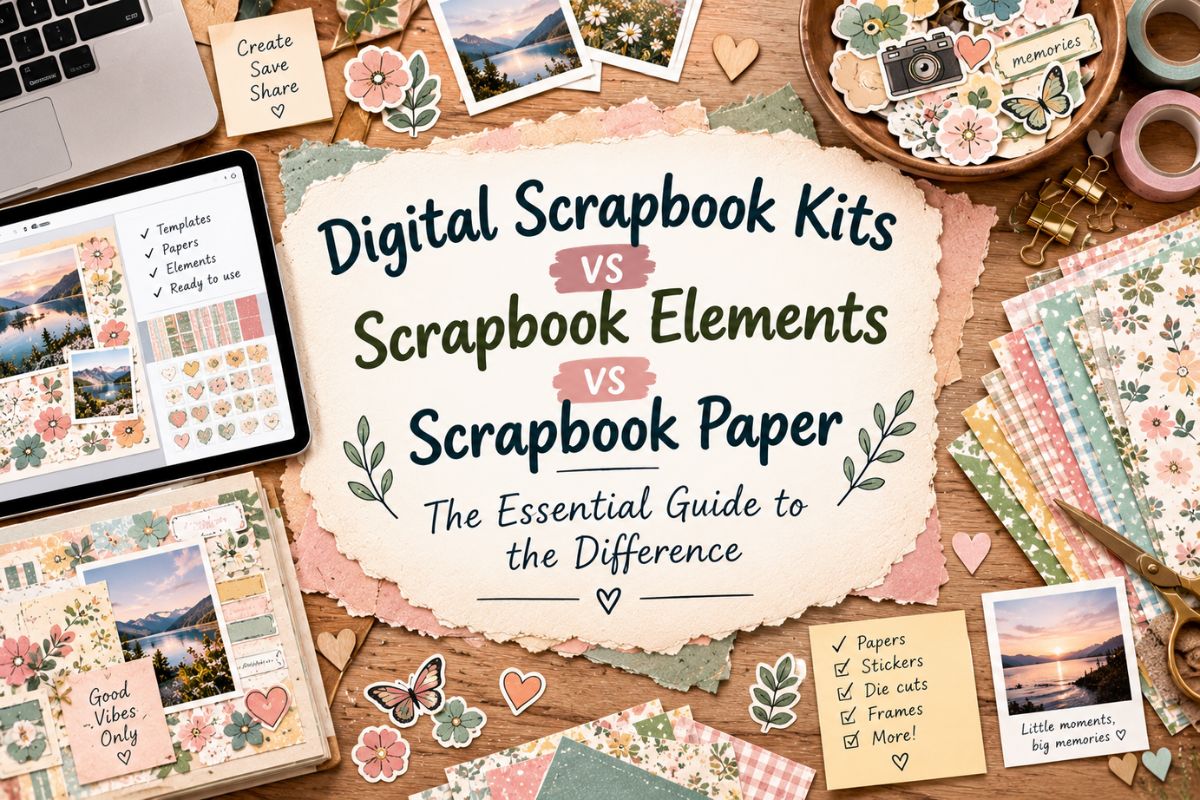
Digital Scrapbook Kits vs Scrapbook Elements vs Scrapbook Paper — shop for supplies for more than five minutes and you’ll run into all three of these terms, often used as if they mean the same thing. They don’t — and once you see how they actually relate to each other, deciding what to buy gets a lot easier.
Quick navigation
Table of Contents
Digital Scrapbook Kits vs Scrapbook Elements vs Scrapbook Paper: The Quick Answer
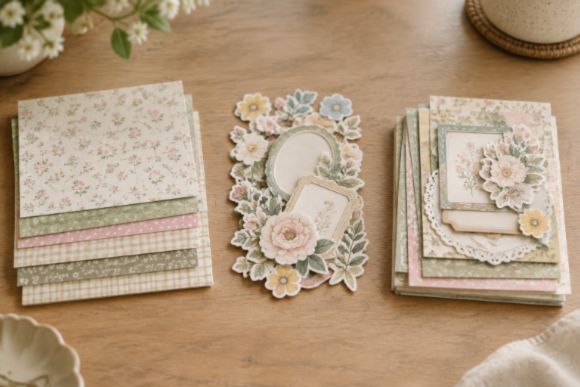
These three aren’t competing options — they’re different pieces of the same craft. Scrapbook paper is the flat background your page sits on. Scrapbook elements are the decorative pieces you layer on top of that background — frames, flowers, word art, and similar embellishments. A digital scrapbook kit is the coordinated bundle that gives you both of those things together, matched to the same theme and color palette, so you’re not hunting for pieces that go with each other.
| Scrapbook Paper | Scrapbook Elements | Digital Scrapbook Kit | |
|---|---|---|---|
| What it is | The background layer | Decorative pieces layered on top | Paper + elements bundled together |
| Sold as | Flat, single-layer images | Individual PNG graphics | A coordinated theme pack |
| Best for | Setting the base look of a page | Adding detail and focal points | A complete, matched starting point |
What Is Scrapbook Paper?
Digital scrapbook paper is the background of your page — a flat, single-layer image, usually patterned or textured, that plays the same role a sheet of physical patterned cardstock would in traditional scrapbooking. It’s the base everything else gets placed on top of, rather than something with any depth or dimension of its own.
On its own, a set of papers gives you color and pattern to build with, but not much else — no frames, no decorative pieces, nothing to layer over your photos beyond the color palette itself.
What Are Scrapbook Elements?
Scrapbook elements are the decorative pieces that go on top of your paper — frames, flowers, ribbons, stitching, word art, and similar embellishments, each sold as an individual transparent graphic. They’re the digital equivalent of the three-dimensional embellishments you’d stick onto a physical scrapbook page, just without any actual thickness to them.
Elements are what turn a plain patterned background into an actual designed page — a photo frame around your picture, a small flower tucked into a corner, a word-art title across the top.
What Is a Digital Scrapbook Kit?
A digital scrapbook kit is a coordinated bundle that combines papers and elements — and often alphabets, word art, or templates too — all matched to the same theme and color palette. Rather than buying paper from one source and hunting for elements that happen to match, a kit hands you a whole matched set built to work together from the start. As one overview of digital scrapbooking puts it, understanding the difference between kits, papers, elements, and templates helps beginners organize files and work more efficiently.
This is really the key relationship to understand: a kit isn’t a different type of product competing with paper and elements — it’s the two of them, already put together for you.
How They Work Together
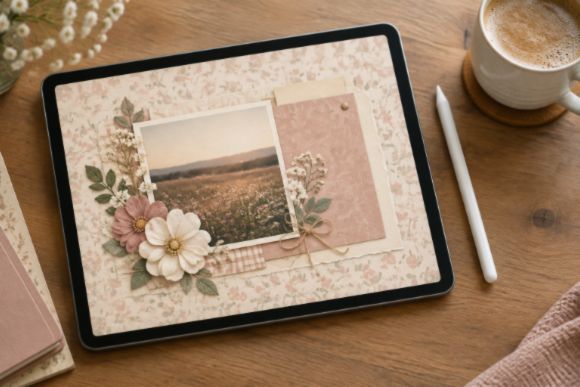
In practice, a finished scrapbook page almost always uses paper as the base and elements layered on top of it — whether those two pieces came from a single kit or were bought separately from different sources. Buying a kit is simply the convenient, all-in-one version of that same process, since the coordination work has already been done for you.
Buying paper and elements separately gives you more control to mix and match across different designers and styles, at the cost of having to do that matching yourself.
Which One Should You Buy First?
A quick way to decide where to start:
- New to digital scrapbooking entirely? Start with a kit — everything already matches, so there’s no coordination to figure out.
- Already have plenty of elements but need a fresh background? Buy paper on its own rather than a whole new kit.
- Have paper you love but want more to layer on top? Elements sold separately fill that gap without duplicating what you already have.
- Want to mix styles from different designers? Buying paper and elements individually gives you that flexibility in a way a single kit can’t.
Ready to Start? Here’s Where to Begin
If you want everything matched and ready to go, our roundup of digital scrapbook kits covers a range of themes and styles.
If you’d rather build your own palette from scratch, these roundups cover paper and elements separately.
FAQ
Can I make a full scrapbook page with just paper?
You can, but it’ll look fairly plain — a background with a photo and maybe some text, without any decorative elements adding depth or a focal point. Most finished pages use at least a few elements alongside the paper.
Do kits ever include more than paper and elements?
Often, yes. Many kits also throw in alphabets, word art, or pre-designed templates, though paper and elements are the two components every kit is built around at minimum.
Is it cheaper to buy a kit or buy pieces separately?
A kit is usually the better value if you want both paper and elements in a matching style, since you’re paying for one coordinated bundle rather than two separate purchases. Buying separately only tends to cost less if you already own one half of the pair and just need the other.
Can I mix elements and paper from different kits?
Yes, there’s nothing stopping you from combining pieces across different kits or designers, as long as the color palettes and styles feel cohesive together on the page.
Final Thoughts
The short version: paper is the background, elements are what you layer on top, and a kit is simply the two of them bundled together for convenience. None of the three is a replacement for the others — they’re pieces of the same page, and which one you reach for first just depends on what you’re already missing.
You May Also Like
This post contains affiliate links. If you buy through them, we may earn a small commission at no extra cost to you. Learn more.