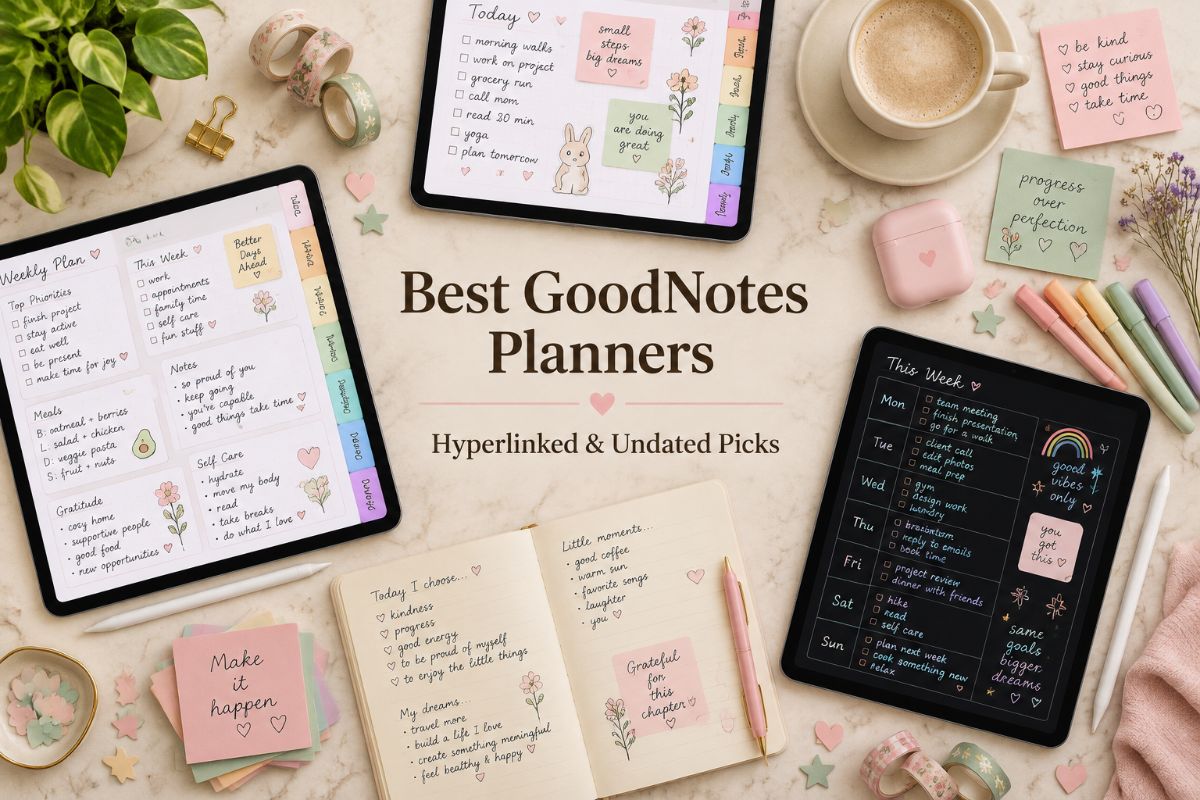
Best GoodNotes Planners: 22 Hyperlinked & Undated Picks
A GoodNotes planner turns your tablet into a planning system, with tabs that jump to any page and a stylus that feels like writing on paper. The hard part is choosing, because the options range from slim 2027 calendars to all-in-one systems with hundreds of pages.
We’ve gathered 22 hyperlinked GoodNotes planners below, grouped by purpose, with dated 2027 and undated options.
Quick navigation
Table of Contents
Quick Picks
- 🏆 Best All-in-One: Customizable All-in-One Digital Planner Bundle
- 📅 Best for Every Day of 2027: 2027 Planner with 365 Daily Pages
- 🔄 Best Two-Year Calendar: Two-Year Planner 2027–2028, Hyperlinked
- 💰 Best for Budgeting: 2027 Monthly Budget Planner
- 🌙 Best Dark Mode: Dark Mode All-in-One Digital Planner, Landscape
- 🧠 Best ADHD-Friendly Layout: Ultimate Digital Planner, Blue (ADHD-Friendly)
- ✨ Want Your Own Unique Planner? See AI Studio
How to Choose a GoodNotes Planner
A GoodNotes digital planner is a PDF that you import into the app and write on with a stylus. Because the file is what you work in, a few details make a big difference:
- Dated or undated? Dated 2027 planners are ready on the first day. Undated planners leave the calendar open, so you can start in any month.
- How many pages? A short planner of 20 to 40 pages opens fast and covers one need. A 400-page planner gives you a page for every day, but it is a bigger file.
- Portrait or landscape? Portrait feels like a notebook. Landscape suits calendars and wide layouts.
- Are the tabs hyperlinked? Tabs and buttons that jump to any page save a lot of scrolling in a long file.
- Is your app supported? Every GoodNotes planner below lists GoodNotes by name. Many also list Notability, Xodo, or Samsung Notes.
If you are new to the app, our GoodNotes setup guide shows how to import a planner, use the tabs, and copy pages.
Dated 2027 GoodNotes Planners
Planners with the dates already in place, from a two-year calendar to a page for every day of 2027.
TWO-YEAR PLANNER, 2027–2028
1. Two-Year Planner 2027–2028, Hyperlinked
Instead of buying a new planner every December, you get 24 dated months in one file. Each spread page holds two month grids, so you flip less and see more. Side tabs on every page and an index take you straight to any section in GoodNotes.
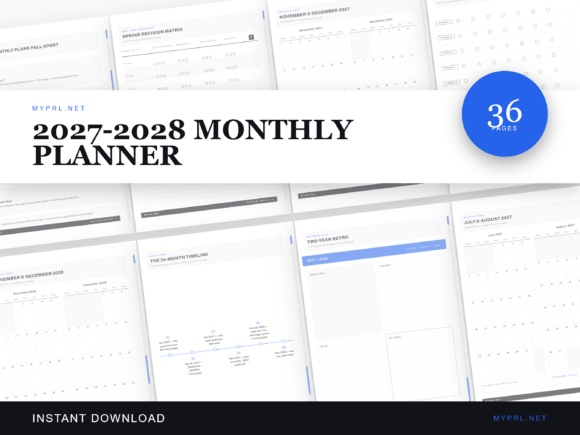
Pages: 36 (US Letter) | Dates: January 2027 to December 2028 | Format: Hyperlinked PDF | Apps: GoodNotes, Notability, Xodo
Best for: anyone who wants one slim file that covers two years and keeps the big picture above the month-to-month.
- Getting-started pages on using a two-year planner
- Year-at-a-glance pages for 2027 and 2028
- 24 dated month pages with two grids per page
- 2027 and 2028 holiday tables checked by weekday
- Year goal tables, a 24-month timeline, a monthly review, and a two-year retro
It is a monthly planner, so it has no daily or weekly pages. Pair it with a notebook page or a weekly layout from another file if you plan by the day. Choose this one if you want a calendar that lasts and a place to keep long-term goals.
2027–2028 MONTHLY PLANNER
2. 2027–2028 Monthly Planner for GoodNotes
This planner is built around 24 dated month grids, two to a page, so a whole season fits on one screen. Holiday tables for 2027 and 2028 are checked against the real weekdays, which helps when you plan long weekends and trips.
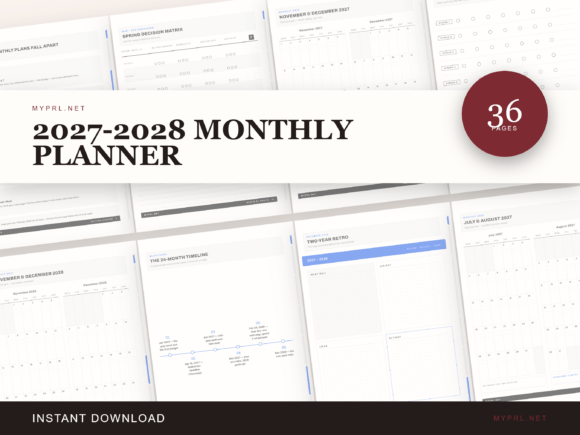
Dates: 2027 and 2028 | Layout: Two month grids per page | Format: Hyperlinked PDF | Apps: GoodNotes, Notability, Xodo
Best for: people who plan mostly by the month and want the simplest dated calendar that works through 2028.
- 24 dated month grids, two per page
- Weekday-verified holiday tables for 2027 and 2028
- Year goal pages
- Monthly review pages
- Side tabs that jump between sections
There are no daily or weekly spreads, which keeps the file light and quick to open in GoodNotes. If you want something similar with a few more pages, compare it with the two-year planner above.
MINIMALIST WEEKLY PLANNER
3. 2027 Weekly Planner, Minimalist
This GoodNotes weekly planner is made for people who plan the week first. Twelve dated month grids sit beside 18 dated week spreads, each with a priorities area and AM/PM time blocks. Tabs on the side jump between sections in GoodNotes.
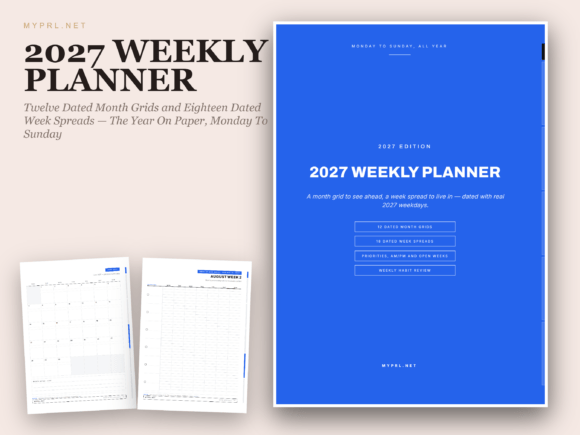
Pages: 36 | Year: 2027, Monday to Sunday | Format: Hyperlinked PDF + PNG pages | Apps: GoodNotes, Notability, Xodo
Best for: weekly planners who want a quiet, minimalist layout with room for priorities and a short review.
- 12 dated month grids aligned to the real 2027 weekdays
- 18 dated week spreads with priorities and AM/PM blocks
- Weekly habit review pages
- A year-in-review at the end
- Includes each page as a PNG image, as well as the PDF
Eighteen week spreads do not cover the whole year, so treat it as a plan for your busiest weeks or add pages with your app’s duplicate tool. It is a good fit if you want weekly planning without stickers or decoration.
DAILY PLANNER WITH SCORECARDS
4. 2027 Daily Planner with Quarter Scorecards
The daily pages in this planner start on Friday, January 1, 2027, and sit between month grids, weekly spreads, and project pages. Quarter scorecards and a full-year lookback help you step back and see how the year is going.
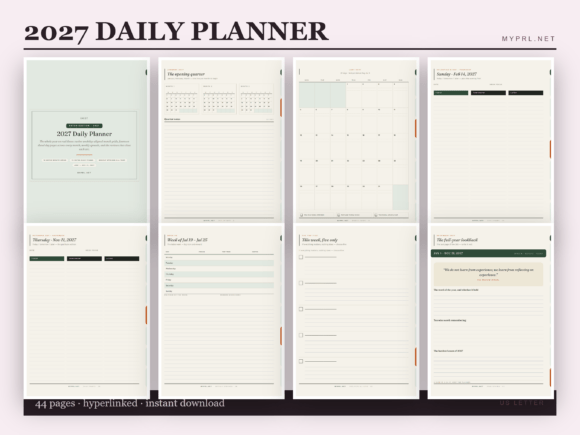
Pages: 44 | Year: 2027, starting Friday, January 1 | Format: Hyperlinked PDF + PNG pages | Apps: GoodNotes, Notability, Xodo
Best for: anyone who likes a daily page but also wants month, project, and quarter views around it.
- 12 month grids aligned to real weekdays
- 14 dated daily pages
- Weekly spreads and project pages
- Quarter scorecards
- A full-year lookback
Fourteen daily pages are a sample of the year rather than every day, so copy a page in GoodNotes when you need more. It works well as a daily layout you can reuse, with the dated pages as a guide.
365 DATED DAILY PAGES
5. 2027 Planner with 365 Daily Pages
This is the longest dated planner in this list. It gives you 365 daily pages with weekday-checked dates and holidays pre-marked, plus 12 month grids and 12 monthly reviews. Side tabs help you jump to a month instead of scrolling through hundreds of pages.
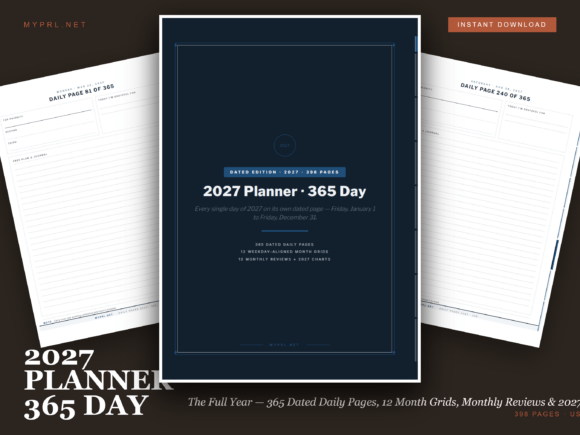
Pages: 398 | Year: 2027 | Format: Hyperlinked PDF + PNG pages | Apps: GoodNotes, Notability, Xodo
Best for: people who want a page for every single day of 2027, with holidays already marked.
- 365 dated daily pages with holidays pre-marked
- 12 month grids
- 12 monthly review pages
- A year-in-review
With nearly 400 pages the file is larger than most, so give it a moment to open on an older tablet. Choose it if you write something every day and do not want to duplicate pages yourself.
OFFICE WEEKLY PLANNER
6. 2027 Office Weekly Planner
This planner is written for the working week. Each month grid has office goal rows, and nine dated week spreads give you priorities and a row for each day. Quarter-close and audit reminders sit alongside a weekly setup-and-shutdown checklist.
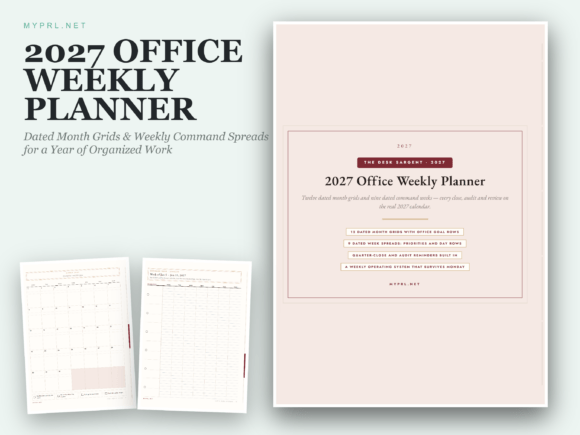
Pages: 26 | Year: 2027 | Format: Hyperlinked PDF + PNG pages | Apps: GoodNotes, Notability, Xodo
Best for: office and desk workers who want to plan the work year by month, week, and quarter.
- 12 dated month grids with office goal rows
- 9 dated week spreads with priorities and day rows
- Quarter-close and audit reminders
- A weekly setup-and-shutdown checklist
- Aligned to the real 2027 calendar
It is a short planner, so it suits a focused work routine better than a full life system. If you also want home, health, or money pages, look at the all-in-one planners further down.
A calendar is only part of planning. If your bigger question is where your goals and money are heading, the next three planners are short and focused on exactly that.
GoodNotes Planners for Goals and Money
Short, focused planners for turning goals into weekly steps and keeping an eye on your budget.
GOAL ACTION PLANNER
7. 2027 Goal Action Planner
This planner moves from big ideas to small actions. Vision boxes cover six areas of life, goal pages come with trackers, and quarterly sprint plans break each goal into pieces. Monthly pages ask for your top five and add a habit grid.
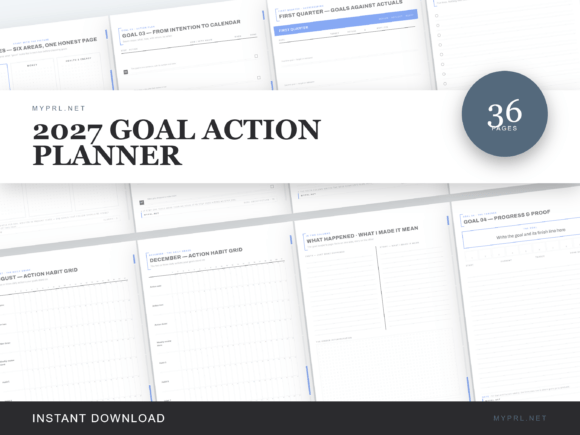
Pages: 22 | Year: 2027 | Format: Hyperlinked PDF + PNG pages | Apps: GoodNotes, Notability, Xodo
Best for: people who set goals every January and want a simple way to turn them into weekly steps.
- Vision boxes across six life areas
- Five goal pages with trackers
- Quarterly sprint plans
- Monthly top-five spreads with habit grids
- Quarterly reflections
It focuses on goals instead of calendars, so use it alongside a dated planner. It works well as a second tab in GoodNotes, kept next to your weekly pages.
FINANCIAL GOAL PLANNER
8. 2027 Financial Goal Planner
The planner starts with a baseline of your numbers, then breaks the year into four quarters with goal pages and action plans. Six monthly money checks compare your plan with what really happened, and the last pages draft next year’s plan.
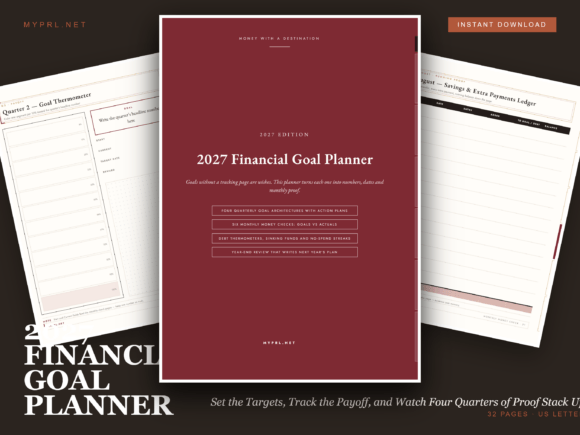
Pages: 22 | Year: 2027 | Format: Hyperlinked PDF + PNG pages | Apps: GoodNotes, Notability, Xodo
Best for: anyone who wants one place for money goals, debt, and savings across the whole year.
- A numbers-first baseline page
- Quarterly goal pages with action plans
- Six monthly money checks against actuals
- Debt payoff bars and sinking-fund ladders
- No-spend streak counters
It is about goals and progress rather than daily spending, so it pairs well with a budget planner such as the next one. A good choice if debt payoff or saving for a big purchase is the goal.
MONTHLY BUDGET PLANNER
9. 2027 Monthly Budget Planner
Each month gets a ledger that compares your plan with your actual spending. A debt thermometer and sinking-fund ladders show progress at a glance, and category wall charts help you see where the money goes.
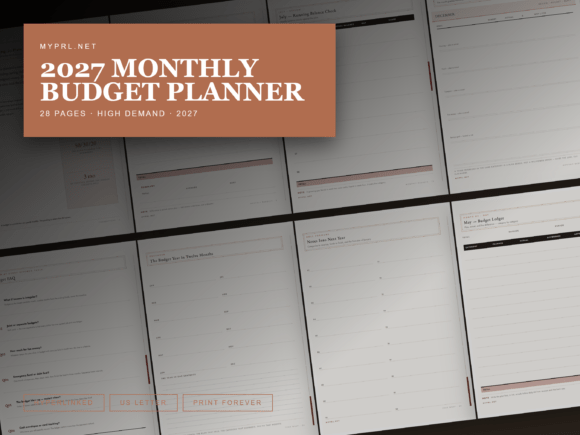
Pages: 21 | Year: 2027 | Format: Hyperlinked PDF + PNG pages | Apps: GoodNotes, Notability, Xodo
Best for: beginners who want to try zero-based budgeting with plain explanations and clear pages.
- Monthly ledgers with plan-versus-actual totals
- A debt thermometer
- Sinking-fund ladders
- Zero-based budgeting explained in plain terms
- Two quick-reference chart pages and a budget year in review
Fill it in by hand with your stylus in GoodNotes, then use the year in review to see what changed. It does not connect to bank accounts, so you will enter numbers yourself.
Short planners are quick to open in GoodNotes, but some people want everything in one file. The next group collects the all-in-one systems with many layouts and color choices.
All-in-One GoodNotes Planners
Larger systems with dated 2027 and undated versions, many layouts, and a choice of colors.
ALL-IN-ONE PLANNER BUILDER
10. Customizable All-in-One Digital Planner Bundle
This bundle comes with a customization tool, so you build your planner from the options you like instead of taking one fixed design. You pick orientation, tab colors, weekly and daily layouts, and start dates, then use the planner in GoodNotes with thousands of embedded hyperlinks.
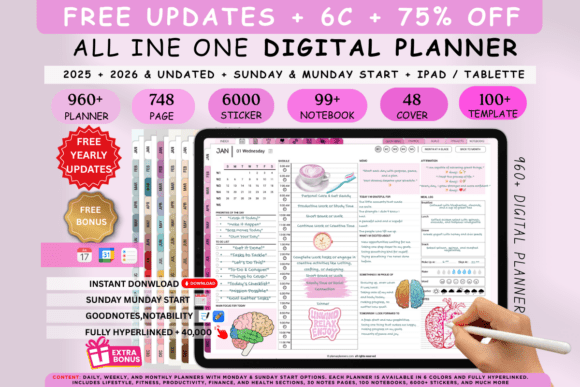
Years: 2027 and undated | Colors: 5 | Format: Hyperlinked PDF | Apps: GoodNotes, iPad, Notability
Best for: planners who want to choose their own layout, tab colors, and start day, and keep the same system year after year.
- Dated 2027 and undated options
- 5 colors and 48+ covers
- 6,000 planner combinations with Sunday and Monday starts
- 63+ templates for lifestyle, wellness, finance, productivity, and fitness
- 10 hyperlinked sections, 10 notes styles, a dashboard, and 100 digital notebooks
There are step-by-step video tutorials, which helps if building your own planner sounds like a lot. The number of choices is the point, so this suits you more if you enjoy customizing than if you want one ready-made file.
BEIGE ALL-IN-ONE PLANNER
11. All-in-One Digital Planner, Beige
This is the beige edition of the customizable planner bundle. You choose from daily, weekly, and monthly layouts, change tab colors and start dates, and keep dated 2027 and undated options in one purchase.
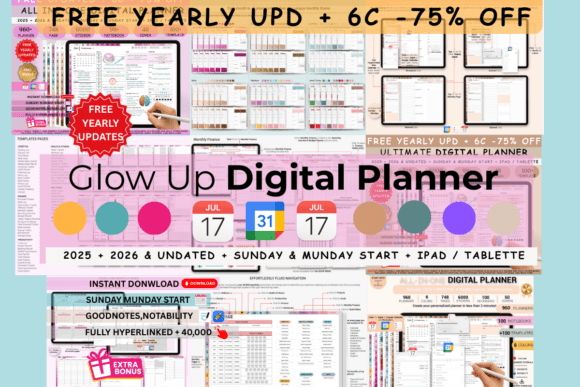
Years: 2027 and undated | Theme: Beige | Format: Hyperlinked PDF | Apps: GoodNotes, iPad, Notability
Best for: people who like warm neutral colors and want a calm, earthy look in their planner.
- Customization tool for orientation, tabs, layouts, and start dates
- 48+ covers in classic and modern styles
- 63+ templates across lifestyle, wellness, finance, productivity, and fitness
- A dashboard and 10 hyperlinked sections
- Pre-cropped digital stickers and 100 digital notebooks
The layouts match the other planners in this bundle family, so pick this one for its color. Neutral palettes also make stickers and handwriting stand out.
BLUE ALL-IN-ONE PLANNER
12. All-in-One Digital Planner, Blue
The blue version of the customizable bundle gives you the same builder, with options for daily, weekly, and monthly pages, tab colors, and orientations. Embedded hyperlinks connect the dashboard, sections, and note pages.
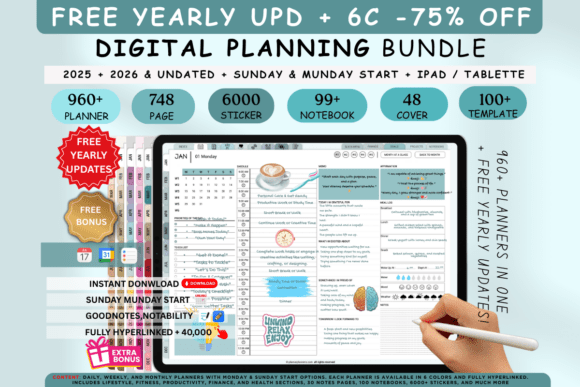
Years: 2027 and undated | Theme: Blue | Format: Hyperlinked PDF | Apps: GoodNotes, iPad, Notability
Best for: anyone who wants a clean, cool-toned planner with tabs that stand out.
- Customizable layouts, tab colors, and start dates
- Dated 2027 and undated versions
- 48+ covers
- 63+ templates for lifestyle, wellness, finance, productivity, and fitness
- Digital notebooks and pre-cropped stickers
As with the other planners in this bundle family, the main difference is the color, so compare the cover images and choose the palette you will enjoy looking at all year.
BUNDLE WITH 6 COLOR OPTIONS
13. All-in-One Digital Planner Bundle, 6 Colors
This bundle offers six colors instead of five, along with dated and undated planners. You can change layouts, orientations, tab colors, and start dates, and follow YouTube video tutorials to set everything up.
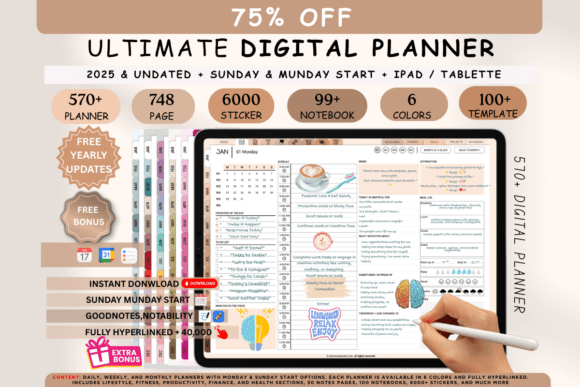
Years: 2027 and undated | Colors: 6 | Format: Hyperlinked PDF | Apps: GoodNotes, iPad, Notability
Best for: people who want a customizable bundle and prefer six colors to choose from.
- 6 colors and 48+ covers
- Dated 2027 and undated versions
- Over 6,000 daily and weekly layouts
- 63+ templates, a dashboard, and 10 hyperlinked sections
- 6,000+ digital stickers and 100+ digital notebooks
It is a good starting point if you want to see how much a planner can be customized before you commit to a theme.
BOHO ALL-IN-ONE PLANNER
14. All-in-One Digital Planner, Boho
The boho edition packs the customizable bundle into a softer, earthier look. Templates are grouped by category, so you can find what you need quickly in GoodNotes.
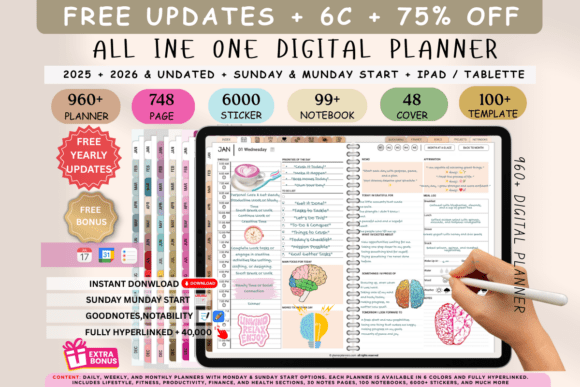
Years: 2027 and undated | Colors: 6 | Format: Hyperlinked PDF | Apps: GoodNotes, Notability, iPad
Best for: fans of a boho look who also want lifestyle, wellness, and finance pages in one file.
- Lifestyle: 16 templates, including meal planners, grocery lists, and habit trackers
- Wellness: 9 templates, including a mood tracker and a sleep log
- Fitness: 13 templates, including workout journals
- Finance: 14 templates, including a budget planner and a debt tracker
- Productivity: 11 templates
The category list makes this a good choice if you know what you want to track. Over 6,000 pages are available, so you can build a short planner or a long one.
BLUE UNDATED PLANNER
15. Undated Digital Planner, Blue
This hyperlinked planner is undated, so you can start in any month and keep using the file. The listing mentions yearly, monthly, weekly, and daily pages, plus goal, budget, fitness, and wellness layouts.
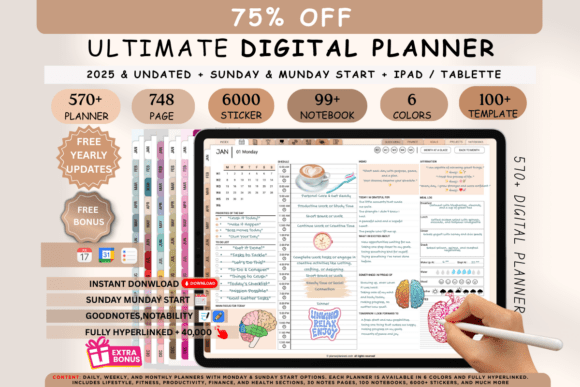
Type: Undated | Theme: Blue | Format: Hyperlinked PDF | Apps: GoodNotes, Notability, iPad, Android tablets
Best for: tablet users who want a blue undated planner with yearly through daily layouts.
- Undated, hyperlinked PDF
- Yearly, monthly, weekly, and daily pages
- Goal, budget, fitness, and wellness templates
- Pre-cropped digital stickers and editable cover pages
- Digital notebook set and note page templates
The listing is mostly a keyword list, so check the preview images for the exact layouts before you buy. It could suit you if you want a simple blue look and no fixed year.
If you use more than one device, or you want a planner with a stronger visual theme, the next four planners are made for that.
Multi-Device Planners with Themes
Planners with a distinct look that also open on Android, Mac, and Windows.
ULTIMATE ALL-IN-ONE PLANNER
16. Ultimate All-in-One Digital Planner, 6 Colors
This ultimate planner works on iPad, Android tablets, Mac, and Windows. It syncs with Apple Calendar and Reminders, gives you four weekly and four daily layouts, and lets you choose a Monday or Sunday start.
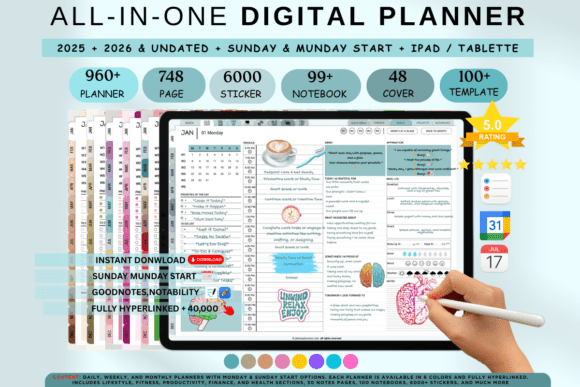
Years: 2027 and undated | Themes: 6 colors | Format: Hyperlinked PDF | Apps: GoodNotes, Notability, Samsung Notes, Xodo
Best for: iPad, Android, Mac, and Windows users who want a full planner with calendar sync and free updates.
- Dated 2027 and undated versions
- 6 color themes
- 40,000+ hyperlinks for navigation
- 4 weekly layouts and 4 daily templates
- Free yearly updates stated in the listing
Free yearly updates mean the same purchase can carry you into the following years. Because it runs on several systems, it is a flexible pick if you switch between devices.
JEWEL TONES ALL-IN-ONE PLANNER
17. Ultimate Digital Planner, Jewel Tones
The jewel tones edition has a bold, luxurious palette with the same planning system as the ultimate bundle. It includes hourly daily pages with priorities, a wellness tracker, and journaling, plus weekly views with habit trackers and reflections.
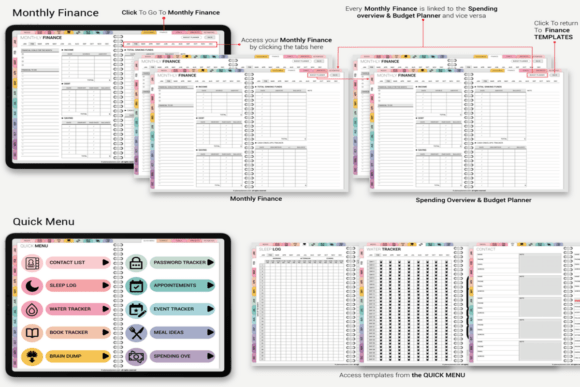
Years: 2027 and undated | Theme: Jewel tones | Format: Hyperlinked PDF | Apps: GoodNotes, Notability, Samsung Notes, Xodo
Best for: people who want deep sapphire, emerald, amethyst, and ruby colors instead of pastels.
- Sapphire, emerald, amethyst, and ruby color palette
- Syncs with Apple Calendar and Reminders
- 40,000+ hyperlinks
- Layouts made for visual thinkers and neurodivergent users
- Thousands of stickers and 48+ covers
Dark, rich colors look striking on a tablet screen. If you prefer a lighter look, choose one of the beige or blue options above.
BOHO ALL-IN-ONE PLANNER
18. Ultimate Digital Planner, Boho
This boho edition has natural textures and artistic accents. It covers daily, weekly, and monthly layouts and includes a full financial tracker section, so you can manage budgets and appointments in the same file.
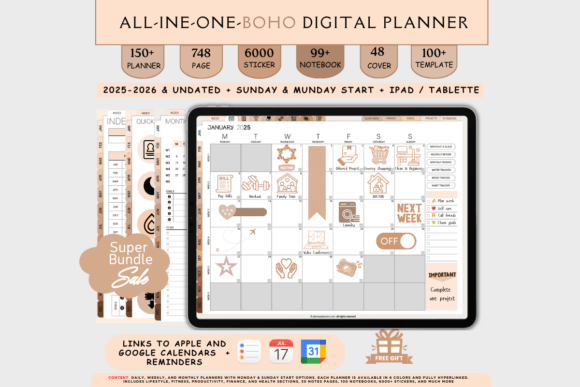
Years: 2027 and undated | Theme: Boho | Format: Hyperlinked PDF | Apps: GoodNotes, Notability, Samsung Notes, Xodo
Best for: anyone who wants warm earthy colors and a full finance, wellness, and project toolkit.
- Boho theme with earthy tones
- Daily templates with hourly planning and journaling
- Weekly views with habit trackers and reflections
- Monthly calendars, dated and undated
- Syncs with Apple Calendar and Reminders
Over 6,000 layout combinations give you a lot of freedom. Boho is also the softest of the themes in this family.
BLUE ADHD-FRIENDLY PLANNER
19. Ultimate Digital Planner, Blue (ADHD-Friendly)
The blue edition focuses on calm and focus. The listing describes ADHD-friendly layouts with habit trackers and time-blocking, linked by more than 40,000 hyperlinks.
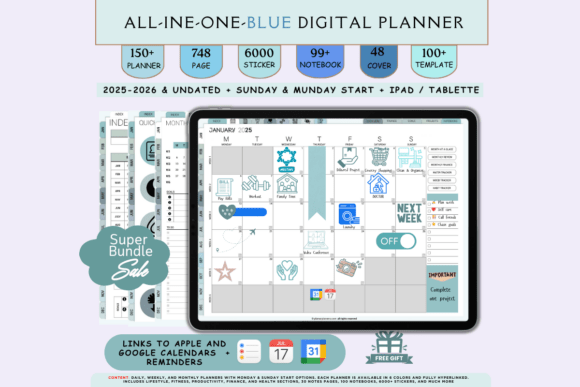
Years: 2027 and undated | Theme: Blue | Format: Hyperlinked PDF | Apps: GoodNotes, Notability, Samsung Notes, Xodo
Best for: people who want clear structure, habit trackers, and time blocking in a calming blue theme.
- Blue theme designed for focus
- 4 weekly layouts and 4 daily planning templates
- Habit trackers and time-blocking templates
- Apple Calendar and Reminders sync
- Thousands of stickers and 48+ covers
It works on iPad, Android, Mac, and Windows, which makes it easy to open on whatever device you have nearby.
The last three planners are about how your planner looks and fits your tablet: dark mode, a notebook-style portrait page, and a rainbow theme.
Portrait, Landscape and Dark Mode Planners
Pick the orientation or the theme that suits how you hold your tablet.
DARK MODE LANDSCAPE PLANNER
20. Dark Mode All-in-One Digital Planner, Landscape
This landscape planner uses a dark background with rainbow accents, which many people find comfortable in low light. It is fully hyperlinked and includes daily, weekly, and monthly planning with Apple and Google calendar integration.
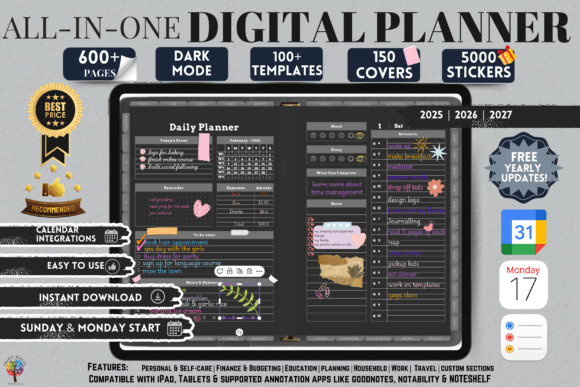
Years: 2027 and undated | Orientation: Landscape | Format: Hyperlinked PDF | Apps: GoodNotes, Notability, Penly, Xodo
Best for: night-time planners who want a dark theme that is easy on the eyes.
- Dark mode theme with rainbow accents
- 86 templates across personal, wellness, study, finance, goals, household, work, and travel
- 10 custom sections and 12 notepaper templates
- 5,000+ stickers and 150 covers
- Free yearly updates stated in the listing
Dark pages can make some pen colors look different, so test your usual ink on one page first. Choose this one if you plan in the evening.
DAILY PLANNER, PORTRAIT
21. Daily Digital Planner, Portrait
This portrait planner has over 500 hyperlinked pages, from yearly overviews to daily layouts, with quarterly planning and a set of notes templates. It integrates with Apple Calendar, Reminders, and Google Calendar.
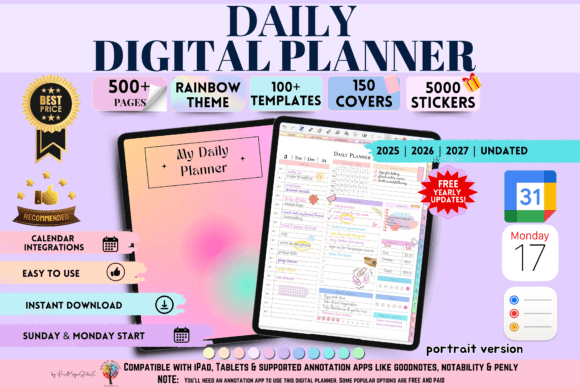
Pages: 500+ | Orientation: Portrait | Format: Hyperlinked PDF | Apps: GoodNotes, Notability, Penly, Noteshelf, Xodo
Best for: people who like a portrait page that opens like a notebook and a clean, minimalist daily layout.
- Yearly, quarterly, monthly, weekly, and daily layouts
- 20 custom sections you can label
- Multiple notes templates
- 2027 and undated versions
- Free yearly updates stated in the listing
The listing points out that GoodNotes and Notability are paid apps, while Xodo is a free option for Android and iOS. Check that your app supports a file this size.
RAINBOW ALL-IN-ONE, PORTRAIT
22. All-in-One Digital Planner, Portrait
This rainbow-themed planner offers over 86 templates for goals, finance, meals, self-care, and more. It comes with 5,000+ stickers and 150 covers, plus 12 note paper templates, and works with Apple and Google calendars.
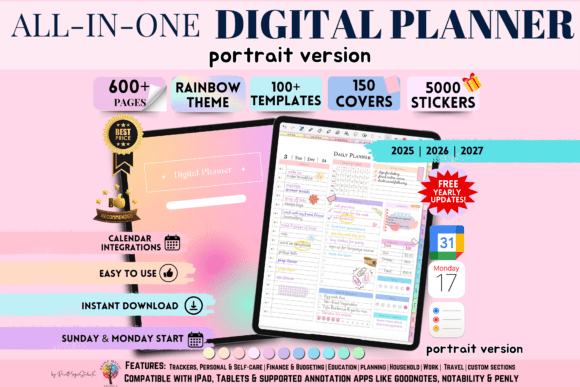
Orientation: Portrait | Templates: 86+ | Format: Hyperlinked PDF | Apps: GoodNotes, Notability, Penly, Noteshelf, Xodo
Best for: anyone who wants a colorful portrait planner with a large sticker and cover library.
- Rainbow theme
- 86+ pre-designed templates
- 5,000+ stickers and 150 covers
- 12 note paper templates
- Unlimited page duplication and free yearly updates stated in the listing
It is made only in a portrait version, so it is the better pick if your tablet usually stays upright.
Create Your Own Custom Digital Planner with AI Studio

If none of these feel quite right, you can generate a custom digital planner from scratch with an AI design tool: your own layout, your own colors, your own sections.
Dated vs Undated GoodNotes Planners
This is the choice that shapes everything else in a GoodNotes planner:
- Dated planners have the weekdays and months in place, so you can start writing at once. They belong to one year, or two in the case of a two-year planner.
- Undated planners leave the calendar pages open. You write the dates yourself, begin in any month, and reuse the same file.
- Bundles often include both, so you can use a dated 2027 planner now and keep the undated one for later.
Comparison Table
| Type | Best For | Main Features | Format |
|---|---|---|---|
| Dated 2027 Planners | A ready-made calendar | Month, week, or day pages, up to 398 pages | Hyperlinked PDF |
| Goals and Money | Goals, debt, and budgets | Short planners with trackers and reviews | Hyperlinked PDF |
| All-in-One | One system for everything | Many layouts, colors, covers, and stickers | Hyperlinked PDF |
| Multi-Device Themes | A strong look and several devices | Jewel tones, boho, blue, calendar sync | Hyperlinked PDF |
| Portrait and Dark Mode | A specific orientation or theme | Portrait, landscape, and dark pages | Hyperlinked PDF |
How to Open a Planner in GoodNotes
Once you have your GoodNotes planner PDF, the steps are short:
- Open GoodNotes and go to your Documents.
- Tap “+ New” and choose “Import”, then select the planner file.
- Open the planner. If the tabs do not respond, switch to Read-only mode, or touch and hold a link and choose Open Link.
- Copy the pages you need. Use the page sidebar to select, copy, and paste weekly or daily pages.
- Add stickers. Use the Elements tool to place stickers, or import your own.
The free plan lets you edit up to three notebooks, so a large planner may take one of them. Check your plan before you buy a very long file.
FAQ
What is the best GoodNotes planner?
It depends on how you plan. For a ready-made calendar, choose a dated GoodNotes planner. For a flexible system, choose an all-in-one planner with undated pages. For a focus on money or goals, a short planner is easier to use.
Do I need a paid GoodNotes account for a digital planner?
Not always. The free plan allows editing in up to three notebooks, so one planner can fit. A very large planner may open more smoothly on a paid plan, so check the listing and your plan.
Are GoodNotes planners hyperlinked?
The planners in this list are. Tapping a tab, month, or section name jumps to that page, so you do not need to scroll through a long file.
Can I use these planners in other apps?
Yes. Many list Notability, Xodo, or Samsung Notes as well, and some work on Android, Mac, and Windows. The listing shows which apps are supported.
Do GoodNotes planners work on Android?
GoodNotes is available on iOS, Android, Windows, and the web. A planner that is a standard PDF can be imported on those devices, but check each listing for the devices it names.
What is the difference between a dated and an undated planner?
A dated planner has the calendar for a particular year already in place. An undated planner leaves the dates for you to write in, so you can start any day and reuse it.
How do I add more pages to my planner?
Open the page sidebar, select the page you like, copy it, and paste it before or after another page. You can repeat this as often as you need.
Final Thoughts
The best GoodNotes planner is the one you will open every day, and a hyperlinked GoodNotes planner makes that easier because every tab is one tap away. A short, focused planner can be easier to keep up with than a huge system, while an all-in-one planner gives you room to grow. Choose the look and size that fit your week, import the file, and start with a single page.
This post contains affiliate links. If you buy through them, we may earn a small commission at no extra cost to you. Learn more.