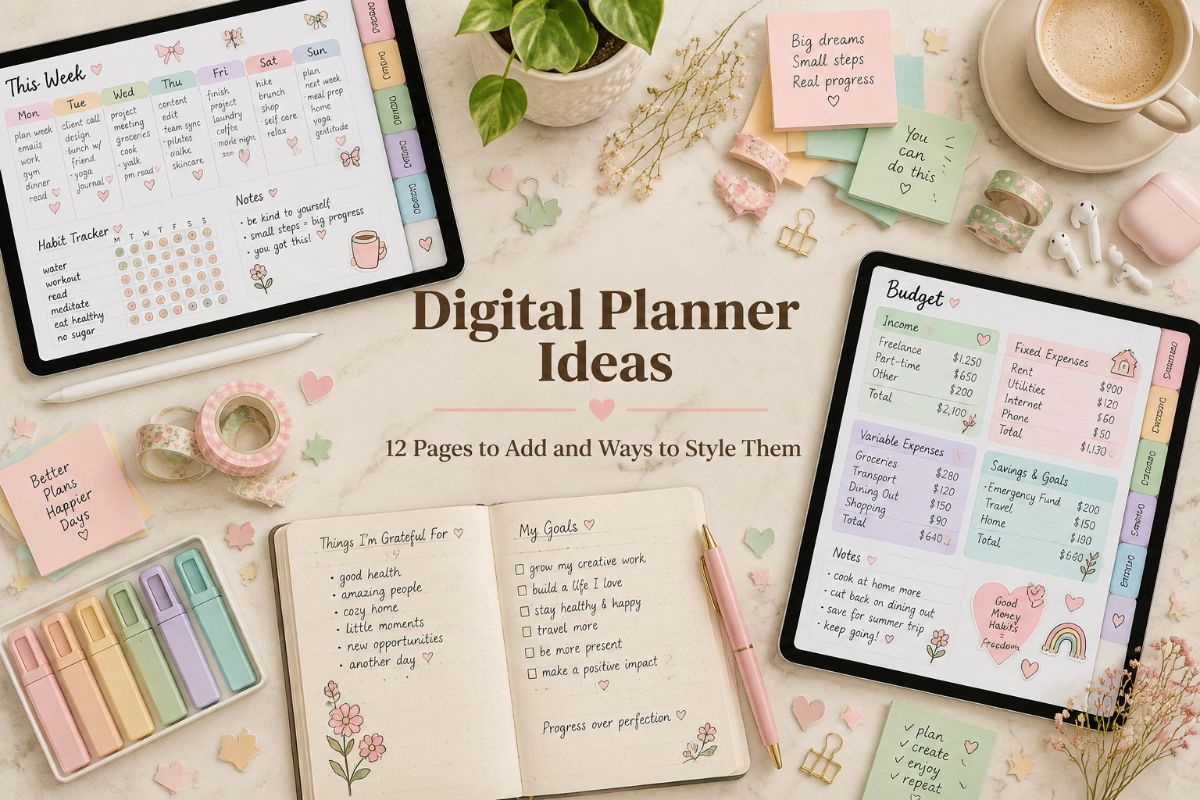
Digital Planner Ideas: 12 Pages to Add and Ways to Style Them
Digital planner ideas can turn a blank PDF into a planner you enjoy opening. Whether you are starting with a ready-made file or building pages in your app, the right layouts and a little styling make the difference between a planner you use and one you forget.
This guide gives you 12 digital planner page ideas, from weekly spreads to budget pages, plus simple ways to style them. You will also find how to choose the ideas that fit your week, and two planners that already include them.
Quick navigation
Table of Contents
12 Digital Planner Page Ideas to Try
The best digital planner ideas are the ones you will use every week, so start with two or three and add more as you go. Each of these digital planner ideas works as a page you can copy, rename, and reuse.
1. Weekly Spread
A weekly spread is the page you will open most. Divide it into seven boxes, or give each day a row, and add a small area for the week’s one big goal. Write only what has a time or a deadline, and leave the details for the daily page.
2. Daily Schedule
A daily page works best when it stays short: an hourly schedule on one side, a top-three list on the other, and a notes box underneath. If you like to plan by blocks of time, color the blocks for work, family, and rest so the day is easy to read at a glance.
3. Habit Tracker
A habit tracker gives you a grid with a row for each habit and a box for each day. Start with three habits, such as water, a walk, and reading, and color a box when you finish. Seeing a chain of colored boxes is a gentle push to keep going.
4. Budget and Bill Tracker
Money is the idea that most often turns a planner from pretty to useful. Add a monthly budget page, a bill checklist, and a simple spending log. Listing due dates in the same planner as your calendar helps you avoid late fees.
5. Meal Planner and Grocery List
Plan the week’s dinners on one page and write the grocery list beside it. Because you can copy the page in your app, you can reuse a good week instead of starting over. A short list of go-to recipes on the side saves time on busy evenings.
6. Brain Dump Page
A brain dump is an empty page where you write everything on your mind before you sort it. Afterward, circle what matters this week and move it to your weekly spread. It is a good idea for days when your head feels crowded.
7. Mood and Gratitude Log
A short daily log gives you a moment to pause. Choose a mood from a small set of colors, and write one thing that went well. After a month, the page shows patterns that are easy to miss day to day.
8. Goals and Vision Board
Give your goals a page of their own: three goals for the season, with a first step for each. A vision board page pairs well with it, since you can paste in images, stickers, or a few words that describe what you are working toward.
9. Reading and Watch List
A reading log and a watch list turn a pile of recommendations into a plan. Write the title, the date you finished, and a line about what you thought. The same format works for books, films, shows, and podcasts.
10. Travel Planner
A travel page keeps dates, bookings, packing lists, and places to see in one spot. Start with a checklist of what to book, then add a day-by-day outline. It also works as a keepsake once the trip is over.
11. Project Planner
For a bigger task, such as a move, a course, or a small business launch, use a project page. Write the end goal at the top, split it into steps, and give each step a date. Check it once a week and move the steps that slipped.
12. Monthly Reset Page
A monthly reset is a single page at the start of each month. Look back at what worked, pick two or three focus items, and note any dates that will shape the weeks ahead. It takes about ten minutes and gives the month a clear direction.
Digital Planner Aesthetic Ideas: How to Style Your Pages
Once the pages are in place, these digital planner aesthetic ideas make the planner feel like yours. They change how your planner looks without changing how it works:
- Pick a palette. Soft pastels feel calm, neutrals feel clean, and bold colors help busy pages stand out. Stay with three or four colors for a polished look.
- Choose a cover. A cover sets the mood every time you open the planner. Some planners include alternate covers, and you can import your own as a first page.
- Use stickers with a purpose. Place a sticker where it helps: a small icon next to a deadline, a banner above a goal, or a sticker for each habit. Because digital stickers can be placed as many times as you like, you can reuse the ones you love.
- Color-code your tabs. Colored side tabs make it easy to tell sections apart, and they help you find a page without scrolling.
- Keep handwriting readable. A fine pen and one or two ink colors look tidy. Save highlighters for dates and deadlines.
If you want to try these ideas in an app, our GoodNotes setup guide shows how to import a planner, add stickers, and copy pages.
How to Choose the Right Digital Planning Ideas for You
You don’t need to use every one of these digital planner ideas. Choose by how your week actually runs:
- Busy schedule? Start with a weekly spread and a daily schedule.
- Want to build routines? Add a habit tracker and a mood log.
- Watching your money? Add a budget and bill tracker.
- Planning a big goal? Use a goals page, a project planner, and a monthly reset.
Try your chosen digital planner ideas for two weeks. Keep the pages you open often and delete the rest.
Which Digital Planner Fits These Ideas?
You can build these digital planner ideas yourself, but a planner with ready-made layouts saves the setup. Here are two that match the ideas above, one for a soft aesthetic style and one for money:
BEST AESTHETIC LOOK
That Girl Digital Planner 2027 for GoodNotes
Built around the “That Girl” idea of consistent habits and intentional routines, this 2027 planner mixes daily, weekly, and monthly pages with goal setting and self-reflection. More than 15,000 hyperlinks make navigation quick, and an index page connects every lifestyle section. Four quarterly overviews and monthly reflection questions help you review your progress as the year goes on.
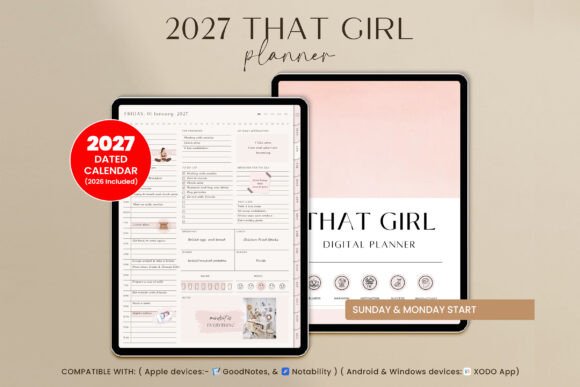
Pages: 550+ | Year: 2027 | Orientation: Portrait | Week start: Monday or Sunday | Apps: GoodNotes, Notability, Xodo
Best for: women who want a boho, chic planner that combines goals, wellness, and finances in one aesthetic routine. It fits the style ideas in this guide: boho colors, wellness pages, and a clean dashboard.
- That Girl section: bucket list, positive habits, affirmations, reading journal, and skincare routine
- Productivity: project planner, 30-day challenge, mind map, and travel planner
- Wellness: wheel of life, meal planner, workout log, period tracker, and gratitude jar
- Finance: monthly budget, subscription and debt trackers, and a 52-week savings challenge
- Dashboard with monthly goals, vision board, healthy habits, and reflection
- 6 note paper styles and 5 custom notes pages with tabs
It works on iPad and Android tablets, and any page can be duplicated or removed. Choose this one if you want a soft, stylish planner that treats self-care and money as part of the plan; skip it if you prefer a minimal, text-only layout.
BEST FOR BUDGETING
Digital Budget Planner, Hyperlinked
This budget planner has more than 10,000 hyperlinks, so any page of any month is two taps away. Each month includes 11 templates, from a monthly budget page and daily spending logs to a bill tracker and a savings tracker. A weekly check-in and a yearly overview let you look back and see your progress over time.
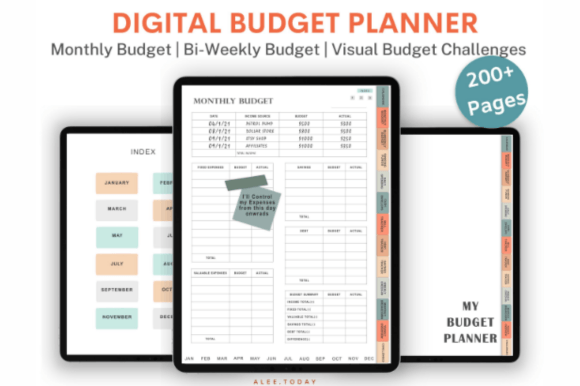
Pages: 200+ | Hyperlinks: 10,000+ | Extras: 200+ pre-cropped stickers | Apps: GoodNotes, Noteshelf, Notability
Best for: anyone who wants to track spending, bills, and debt month by month on a tablet. It fits the budget page idea in this guide, with ready-made monthly, weekly, and daily spending pages.
- Bi-weekly budget page, sinking funds, cash envelopes, and a debt tracker
- 12 hyperlinked trackers and challenges, including mortgage, car loan, student loan, and debt payoff
- Savings funds for a house, rainy day, car repair, medical costs, vacations, and job loss
- Monthly budget breakdown and yearly overview page
A minimalist design keeps the numbers easy to read. Extract the zipped folder and import the files into GoodNotes, Noteshelf, or Notability. Choose this one if money is your main planning goal; skip it if you want daily or weekly task pages.
If you plan to use these ideas in GoodNotes, see our list of the best GoodNotes planners.
Want more digital planner ideas in ready-made form? See options, from simple layouts to ADHD and business planners, in our full list of digital planners, grouped by style and purpose.
FAQ
How many pages should a digital planner have?
It depends on how much you want to track. A short planner of 40 to 70 pages covers the basics, while an all-in-one planner can have 500 pages or more. More pages are not better, because a large file can be slower to open, so choose the layouts you will use.
What size should digital planner pages be?
The pages should match your tablet screen. Some planners are sized for a 13-inch iPad Pro, and the page scales to other tablets with a similar shape. Check the page size in the listing before you buy.
Is it better to choose a portrait or a landscape digital planner?
Portrait feels like a notebook and suits long lists and handwriting. Landscape opens like a spread and suits calendars and wide layouts. Choose the way you usually hold your tablet.
Can I add my own pages to a digital planner?
Yes. In most annotation apps you can import extra pages, copy a page you like, and delete the ones you don’t use. In GoodNotes, for example, you can add these digital planner ideas as pages with the Add Page option.
Can I reuse digital planner stickers?
Yes. A digital sticker can be placed on as many pages as you like, so one sticker pack goes a long way. Keep them in a collection in your app so they are easy to find.
Final Thoughts
The best digital planner ideas are simple, and the best digital planner ideas are the ones you use: a few pages you use every week, a style you enjoy, and room to change things as your life changes. Start with a weekly spread and one tracker from this list of digital planner ideas, add a palette and a cover you like, and let the rest grow from there. A planner that looks good and fits your routine is one you will open again tomorrow.
This post contains affiliate links. If you buy through them, we may earn a small commission at no extra cost to you. Learn more.