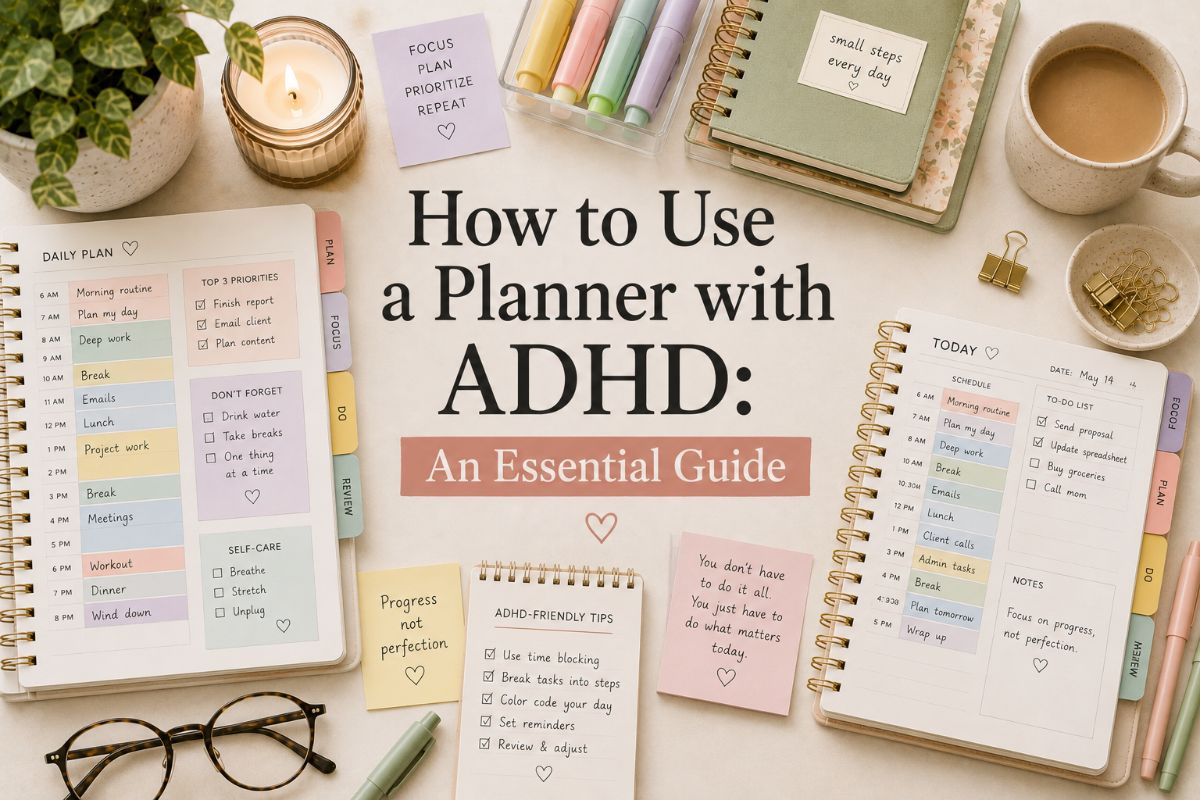
How to Use a Planner with ADHD: 6 Simple Habits That Actually Stick
Most people with ADHD have a planner graveyard: a drawer of lovely notebooks that lasted about two weeks. That isn’t a character flaw. A standard planner quietly asks you to estimate time accurately, remember to open it, and keep up a streak, and those are exactly the skills ADHD tends to make hard.
The good news is that learning how to use a planner with ADHD comes down to a few small habits, not a perfect system. This guide walks through six of them, from your first brain dump to what to do when you miss a week.
Quick navigation
Table of Contents
How to Use a Planner with ADHD: The Quick Version
If you only have a minute, here’s the whole system in six lines:
- Dump everything out of your head before you plan anything.
- Pick three priorities for the day, not thirty.
- Shrink the first step until it feels almost too small to bother with.
- Make time visible with generous estimates, buffers, and timers.
- Attach your planner to a habit you already do every day.
- Expect missed days and have an easy way to restart.
Step 1: Start With a Brain Dump

Before you fill in a single time slot, get everything out of your head and onto paper: tasks, appointments, errands, worries, half-formed ideas. Don’t sort it yet. When everything lives in your memory, it’s easy to forget half of it, and a planner that starts empty can feel like homework.
A nonprofit organization, CHADD, suggests using your planner as a place to note ideas and important thoughts as they come, rather than relying on memory to hold them. Once the dump is done, sort it into three piles: must do, should do, and later.
Step 2: Pick Your Top 3 for the Day
From the must-do pile, choose just three things for today. Write them at the top of the page, where you’ll see them first. An endless daily list is one of the fastest ways to make a planner feel overwhelming.
Keep the big brain dump separate from your daily agenda. Everything else isn’t forgotten; it’s just parked somewhere that isn’t competing for your attention right now.
Step 3: Shrink the First Step
Tasks like clean the garage or write the report are too vague to start. Break them down until the first step is almost silly: carry the recycling out, open the document and write one sentence.
Starting is often the hardest part, so give yourself a first step that takes about five minutes. Momentum usually does the rest.
Step 4: Make Time Visible
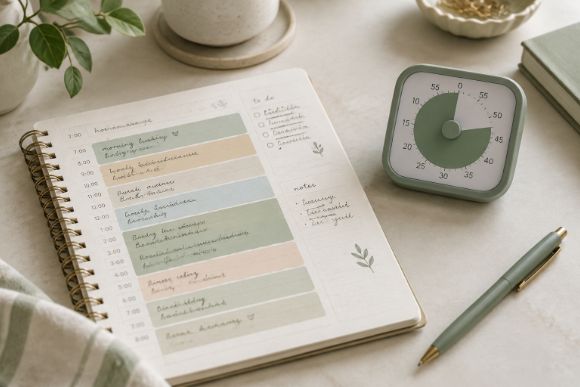
Many people with ADHD find it hard to judge how long things take, so plans end up packed with more than one day can hold. A common rule of thumb is to take your first estimate and add at least a quarter to a half more time before you write it down.
Leave 10 to 15 minutes between blocks so one overrun doesn’t topple the whole day, and use a timer or visual countdown to make the passing minutes feel real. If you like blocks, our guide on how to time block your day goes into more detail.
Step 5: Tie Your Planner to a Habit You Already Have
A planner only helps if you open it, which is a habit problem more than a planning problem. Attach it to something you already do daily: open it while your coffee brews, or review it when you sit down for dinner.
Keep it somewhere visible, like next to the coffee maker or on your desk, and set a phone alarm with a specific name like Time for my daily plan. CHADD suggests checking your planner about three times a day: in the morning, around midday, and in the evening.
Step 6: Plan for Missed Days
You will skip days. Everyone does. A row of blank pages can start to feel like evidence that you’ve failed, which is why many people with ADHD prefer undated planners that make restarting free.
Make your restart easy: when you come back, skip the catch-up and do a five-minute brain dump, pick today’s top three, and keep going. Consistency beats perfection.
Common Mistakes to Avoid
- Overfilling the day. Three priorities and a few buffers beat a packed schedule you’ll abandon by noon.
- Copying someone else’s system. A layout that works for another person may not suit how your brain works. Pick one you enjoy looking at.
- Changing everything at once. Adjust one thing at a time, such as adding a timer or a color code, until the system fits.
- Using the brain dump as the daily list. Keep the big dump separate so your daily page stays short.
- Quitting after a gap. A missed week isn’t a failed attempt, it’s a normal part of using a planner.
Ready to Start? Here’s Where to Begin
Once you know how to use a planner with ADHD, picking one gets easier. Our roundup covers planners for every need, from simple focus pages to full-year systems, with Notion, OneNote, and spreadsheet options too.
FAQ
How long should I spend planning each day?
About 5 to 10 minutes is plenty. If it’s taking much longer, you’re probably over-planning. A quick brain dump, your top three, and a glance at the schedule is the goal.
Should I use a paper or digital planner with ADHD?
Either can work, so pick the one you enjoy using. Paper stays visible and doesn’t compete with notifications, while digital planners offer reminders and timers and are easy to carry.
What if I keep forgetting to open my planner?
Attach it to a habit you already have, keep it somewhere you’ll see it, and set a phone alarm with a specific name. If you forget anyway, just restart with a five-minute brain dump.
Can a planner replace professional ADHD support?
No. A planner is an organizing tool that can make daily life easier, but it isn’t a diagnosis or a treatment. If ADHD symptoms are affecting your work, school, or relationships, it’s worth talking to a healthcare professional.
Final Thoughts
Learning how to use a planner with ADHD isn’t about willpower. It’s a short list of habits: dump your thoughts, pick three priorities, shrink the first step, make time visible, tie the planner to a daily habit, and restart without guilt when you miss a day. Start with just one or two and let the system grow from there.
You May Also Like
This post contains affiliate links. If you buy through them, we may earn a small commission at no extra cost to you. Learn more.