34 Best Monthly Planner Templates for Every Style.
A monthly planner gives you the bird’s-eye view that a daily page can’t: the whole month on one spread, with room for deadlines, events, and goals. It’s a simple format, but the choice is huge, from dated 2027 pages to undated sheets and tablet-ready designs.
We’ve gathered 34 monthly planner templates below, grouped by style and purpose, so you can skip the endless scrolling. Whether you want a dated year, a multi-year planner, or something flexible and pretty, there’s a layout for it.
Quick navigation
Table of Contents
Quick Picks
- 🏆 Best Overall: 2027 Monthly Planner (120 Pages)
- 📚 Most Comprehensive: 365 Days 2027 Planner Canva Template
- 📅 Best for Long-Term Planning: 2027-2031 Monthly Planner
- 🔄 Best Undated Option: Digital Undated Monthly Planner
- 📱 Best for Tablets: Boho Hyperlinked Digital Monthly Planner
- ✨ Want Your Own Unique Planner? See AI Studio
How to Choose the Right Monthly Planner
The right pick depends on how far ahead you plan and how you like your pages to look.
- Want a dated year of monthly pages? The 2027 planners are set up with the right weekdays already in place.
- Want to change the fonts, colors, or layout? The Canva editable planners let you edit the pages before you print them.
- Planning several years at once? The multi-year planners cover two to five years in one file.
- Prefer to start any month you like? The undated and flexible planners have no fixed year.
- Plan on a tablet, or want a pretty or purpose-built design? The digital, cute, and niche picks cover that.
2027 Monthly Planners
Dated planners for the year ahead, from simple two-page months to full planning systems.
TWO-PAGE MONTHS
1. 2027 Dated Monthly Planner on Two Pages
This planner gives each month of 2027 its own two-page spread, so a busy month does not get squeezed into one small grid. It runs from January to December and leaves room for appointments, work schedules, family plans, and deadlines. The larger layout also makes handwritten notes easier to read.
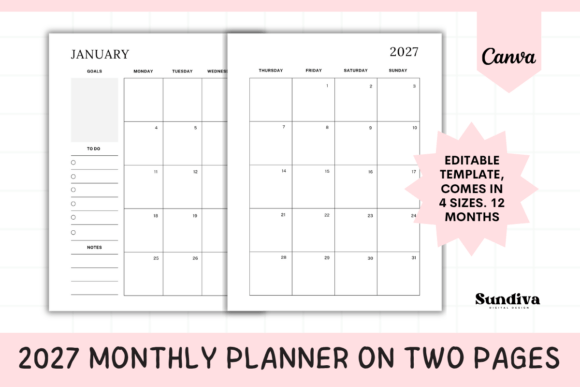
Year: January–December 2027 | Layout: One month across two pages | Sizes: A4, US Letter, A5, Half Letter | Files: Printable PDF + Canva template
Best for: people with a full month to fit in, who want a large, uncramped grid with space for goals and notes.
- 12 dated monthly layouts, each spread across two pages
- Goals, To Do, and Notes sections for every month
- Printable PDF and an editable Canva template
Choose this if you want the whole month visible at once, with space to write. Skip it if you prefer a compact planner that uses a single page per month. Having four paper sizes in one purchase makes it easy to match the pages to a binder, a clipboard, or a desk.
LINED & UNLINED
2. 2027 Monthly Planner Printable PDF
This planner uses a spacious two-page layout for every month of 2027, with room for appointments, tasks, reminders, and goals. You can choose a lined version for neat handwriting or an unlined one for sketches and free-form lists. Both are plain black and white, which keeps home printing simple.
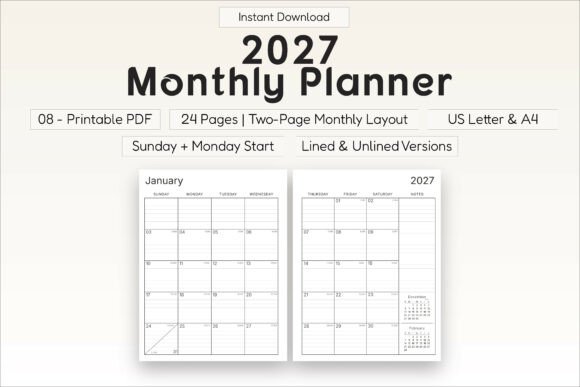
Pages: 24 | Sizes: A4 and US Letter | Week starts: Sunday or Monday | Format: Printable PDF, black and white
Best for: anyone who wants a simple black-and-white monthly planner that prints cheaply and works with any pen.
- Lined and unlined versions
- Mini calendars for the previous and next month
- Notes space on every month
- Julian dates for those who count days of the year
Choose this if you want a no-frills monthly planner that does the basics well. Skip it if you want color, habit trackers, or extra planning pages. Because the pages are plain, you can add your own stickers or color-coding.
120-PAGE PLANNER
3. 2027 Monthly Planner (120 Pages)
This planner is built around seeing the big picture while still planning each week in detail. It opens with a year at a glance and a goals section, then gives every month its own color theme and structured pages. Work, study, family life, and personal routines can all share the same system.
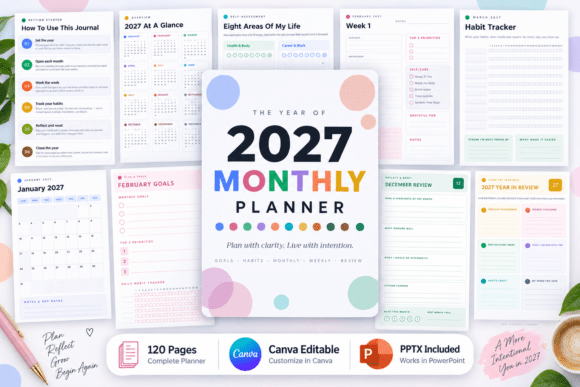
Pages: 120 | Structure: 12 months + 60 weekly spreads | Calendars: Monday-start mini calendars
Best for: people who want monthly planning plus weekly detail in one printed planner.
- Personal information page and a year at a glance (January–June and July–December)
- Goals and vision pages for six life areas: personal growth, career, health, money, relationships, and learning
- Important dates and birthdays page, plus a yearly habit tracker
- 60 weekly spreads and monthly review pages
- Year-end reflection
Choose this if you want a ready-made system rather than a blank calendar. Skip it if you only need a simple month grid, since the extra sections add pages you may not use. The color theme for each month also makes it easy to find your place when you flip through.
COMPLETE SYSTEM
4. 2027 Monthly Planner Complete System
This planner starts with a personal page where you add your name, your word for 2027, and how you want the year to feel. From there it moves through yearly goals, monthly calendars, and weekly plans. Habit, mood, and budget pages sit alongside them, so personal and money planning share one book.
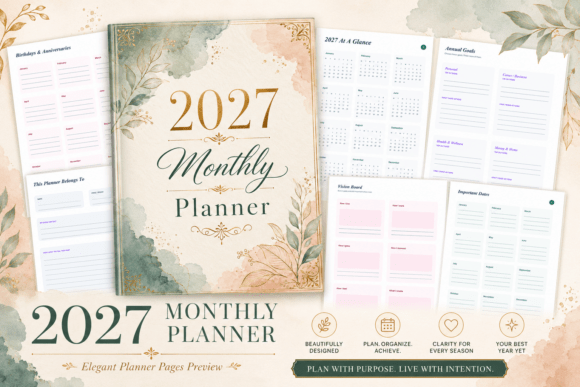
Pages: 120 | Size: US Letter, 8.5 × 11 in | Format: Printable PDF + Canva-editable pages
Best for: anyone who wants goals, habits, mood, and budget tracking in one monthly-led planner, with the option to edit it.
- Year-at-a-glance calendar
- Annual goals for personal, health and wellness, money and home, and career areas, each with a top outcome and first three actions
- Vision board, important dates, birthdays, anniversaries, and a 2027 bucket list
- Monthly calendars, weekly plans, and priority pages
- Habit, mood, and budget trackers, plus reflection pages
Choose this if you like to start the year with a clear intention and track more than appointments. Skip it if you want a light planner, because 120 pages is a lot of structure. Since the pages are editable in Canva, you can remove sections you will not use before printing.
MINIMAL BUNDLE
5. 2027 Monthly Planner Bundle
This bundle covers every month of 2027 with a simple calendar page and spacious date boxes. Extra notes pages sit alongside for tasks, ideas, and reminders. The look is minimal, so it suits home, work, or study without feeling busy.
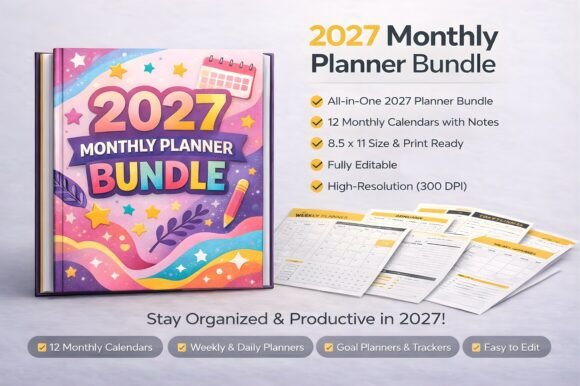
Year: January–December 2027 | Formats: PDF, JPG, PNG, and a Canva link | Apps: GoodNotes, Notability
Best for: people who want clean, minimal monthly pages with plenty of space in each date box.
- 12 monthly calendar pages
- Monthly overview pages with large date boxes
- Notes pages for tasks, ideas, and reminders
- Dotted notes pages for journaling or creative planning
Choose this if you want a plain monthly calendar with a few notes pages and several file types to work with. Skip it if you want goal or habit sections built in. You can print the pages or write on them in a tablet app.
MONDAY START
6. 2027 Monthly Planner (Start Monday)
This planner keeps things simple with a minimalist monthly overview built around a Monday start. It gives you a clear place for tasks, appointments, and deadlines across the year. The structure suits school, office, and home planning alike.
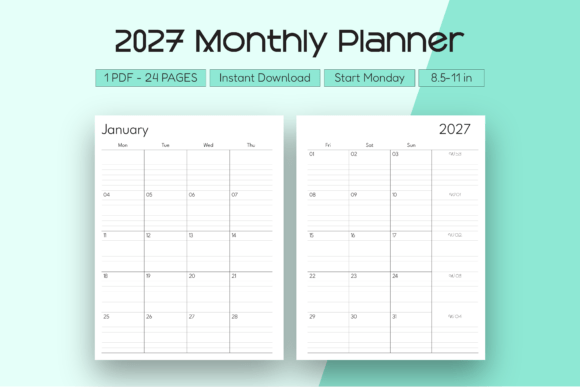
Year: 2027 | Week starts: Monday | Layout: Minimalist monthly overview
Best for: students and professionals who start the week on Monday and want a simple monthly view.
- Monthly pages for 2027 with a Monday start
- Space for important dates and deadlines
- Goal-setting area for personal or work targets
Choose this if you want a monthly view that matches a Monday-to-Sunday week. Skip it if you want extras like habit trackers or budget pages, since the focus here is the month overview. Its simple design also leaves you free to add color-coding or stickers.
LANDSCAPE LAYOUT
7. 2027 Monthly Planner Landscape (Monday Start)
This planner turns the monthly page on its side, giving you a wide view of the month that fits a desk or a tablet held sideways. Every week starts on Monday. The clean design keeps appointments, tasks, and goals easy to scan.
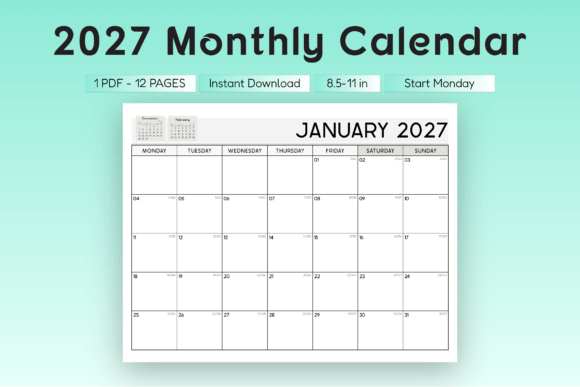
Year: January–December 2027 | Orientation: Landscape | Week starts: Monday | Format: High-resolution PDF
Best for: anyone who prefers a wide, horizontal month and plans on paper or on a screen.
- Space for appointments, tasks, and goals on every month
- Clean, functional layout
- Suitable for printing or for use in a digital planner
Choose this if wide boxes suit your handwriting better than tall ones. Skip it if you want extras like habit trackers or budget pages, because this planner focuses on the monthly view. Landscape pages also pair well with a landscape-oriented binder or a tablet.
COLORFUL 40-PAGE PLANNER
8. 2027 Monthly Planner Colorful
This colorful planner combines monthly calendars with space for goals, to-do lists, and a weekly focus for each month. Habit and budget pages sit next to project planning and brain-dump sheets, so it covers more than dates. The modern layout is bright but organized.
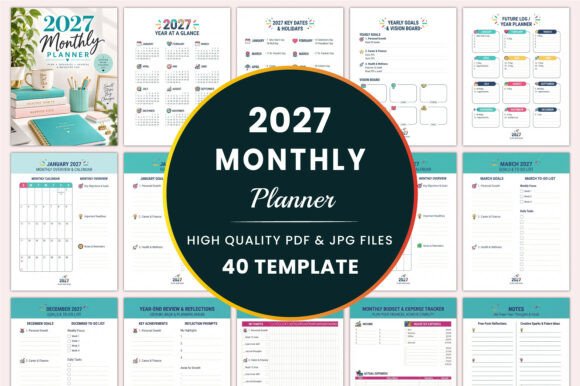
Pages: 40 | Size: US Letter, 8.5 × 11 in | Format: PDF | Style: Colorful, modern layout
Best for: people who want a bright planner that mixes monthly pages with goals, habits, and budgeting.
- 2027 year at a glance, key dates, and holidays
- Yearly goals, vision board, and a future log
- January–December monthly calendars with goals and to-do lists
- Monthly habit tracker and a budget and expense tracker
- Contacts, password tracker, project and task planner, and notes pages
- Year-end review and reflection
Choose this if you want one planner that handles dates, money, and projects together. Skip it if you want a minimal black-and-white look, since color is part of the design. Its short length keeps the book light and easy to carry.
PDF + POWERPOINT
9. 2027 Monthly Planner Large Size
This large-format planner comes as a PDF and an editable PowerPoint file. Each month takes a two-page spread, with space for quick notes and to-do lists. The front pages collect personal details, emergency contacts, and medical information in one place.
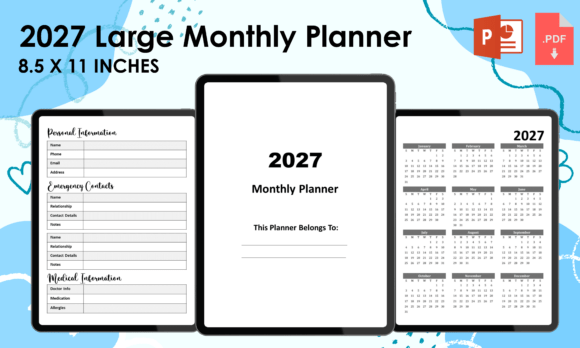
Pages: 59 | Size: 8.5 × 11 in, with bleed | Formats: PDF and PowerPoint
Best for: people who want personal information, emergency contacts, and password pages in their monthly planner, and who would rather edit in PowerPoint.
- Welcome page and personal information
- Emergency contacts and medical information
- 12 monthly calendars, January to December 2027
- Important dates and birthday log
- Contact pages and a password log
- 2027 US federal holidays
Choose this if you want a household-style planner with reference pages at the front. Skip it if you do not use PowerPoint, since that is the editable format. The pages are set up with a bleed margin, so check your printer settings before you print.
READY-TO-PRINT
10. 2027 Monthly Planner with Holidays
This is a ready-made 2027 monthly planner with holidays already marked, so there is nothing to set up before you start. Space for hole punches on both sides means the pages go straight into a binder. You can print it at home or at a local print shop.
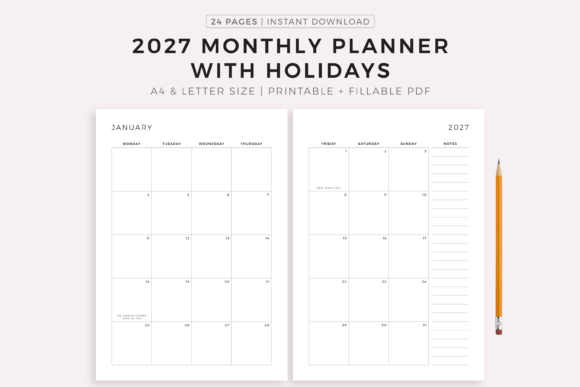
Year: 2027 | Sizes: A4 and US Letter | Extra: Fillable A4 version
Best for: anyone who wants a ready-to-print monthly planner with holidays marked and nothing to set up.
- Holidays marked on the 2027 calendar
- Print as many copies as you need
- Design text and colors that stay fixed
Choose this if you want a finished design that you print and fill in by hand. Skip it if you want to change fonts or colors, because the text and colors cannot be altered. The fillable version is the one to pick if you prefer typing your entries.
HORIZONTAL CALENDAR
11. 2027 8.5 x 11 Calendar Monthly Planner
This is a printable 2027 calendar template with one horizontal page for each month. It is meant to be used as it is, or added to if you want to build your own planner around it. It prints at 8.5 × 11 inches or smaller, so it works on a home printer.
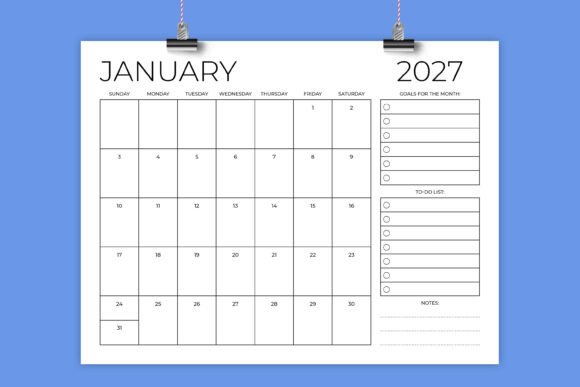
Pages: 12, one per month | Size: 8.5 × 11 in, horizontal | Resolution: 300 dpi
Best for: people who want a plain, calendar-style page they can print as it is or build on.
- 12 individual printable JPG and PDF files
- A complete 12-page PDF
- Transparent PNG files
- The editable INDD file used to create the calendar (font files are not included)
Choose this if you like a calendar-style page and want several file types to work with. Skip it if you do not have Adobe InDesign, since that is the program the editable file needs; the JPG, PDF, and PNG files work without it. It is a calendar first, so it has no goal or habit sections.
If you would rather change the fonts, colors, or layout yourself, the next five planners come as Canva templates you can edit before printing.
Canva Editable Monthly Planners
Templates you can open in Canva to change the fonts, colors, and layout before you print or use them.
CANVA TEMPLATE
12. 2027 Monthly Planner Canva Template
This template starts with a welcome page, personal and emergency information, and the 12 months of 2027. Each month gets a two-page spread with space for quick notes and to-do lists. The whole design is editable through the Canva link.
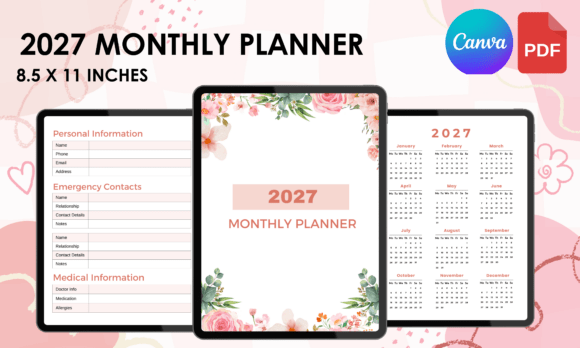
Size: 8.5 × 11 in, with bleed | Files: PDF, PNG (300 DPI), Canva link | Editing: 100% editable in Canva
Best for: people who want a household-style monthly planner they can fully customize in Canva.
- Welcome page, personal information, emergency contacts, and medical information
- 12 monthly calendars, January to December 2027
- Important dates and birthday log
- Contact pages and a password log
- 2027 US federal holidays and space for notes
Choose this if you want to rename sections, change colors, or remove pages before you print. Skip it if you do not want to work in Canva, because the editing happens there. The PDF and PNG files let you print the planner without changing anything.
MONTHLY, WEEKLY & DAILY
13. 2027 Monthly Planner Canva Editable
This short planner brings three planning levels together: a month view, a week view, and a day view. You can change fonts, colors, and layout in Canva to match your own style. The clean design keeps the focus on tasks, goals, and important dates.
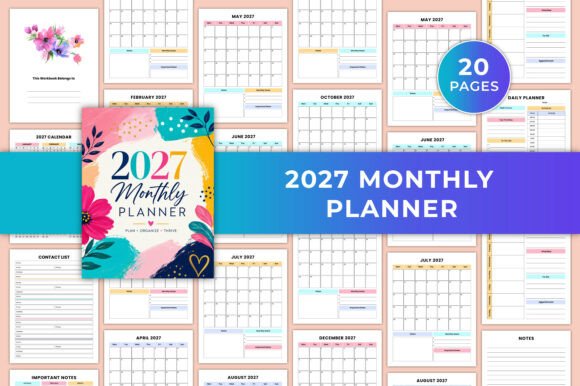
Pages: 20 | Size: US Letter, 8.5 × 11 in | Files: Canva template, PDF, JPG, PNG | Color: CMYK, no bleed
Best for: students and busy professionals who want monthly, weekly, and daily pages in one short, editable planner.
- 2027 yearly calendar
- January–December monthly planner
- Weekly planner and daily planner
- Contact list and notes pages
Choose this if you want a quick, light planner with all three views and the option to customize it. Skip it if you need a separate page for every week and day, since 20 pages is a compact set of layouts. The CMYK color setting is useful if you plan to print professionally.
FLORAL AGENDA
14. 2027 Agenda Planner Canva Template
This agenda planner has a clean floral look and a lot of structure for its size. It combines a yearly calendar with goal setting, habit tracking, and a look back at the year, and it is editable in Canva. The 6 × 9 inch format is small enough to carry in a bag.
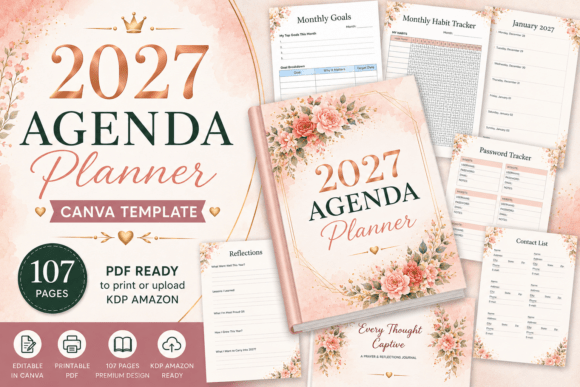
Pages: 107 | Size: 6 × 9 in | Files: Canva template, PNG, print-ready PDF
Best for: anyone who wants a smaller, floral agenda-style planner with goal, habit, and reflection pages.
- This Book Belongs To page, 2027 calendar, holiday list, and year at a glance
- Password tracker, contact list, birthday reminder, and important dates
- Annual goals, monthly goals, and a monthly habit tracker
- 2027 monthly planner
- Year in review, reflection and growth, and a Looking Ahead to 2028 page
- Notes pages
Choose this if you like a compact, decorative planner that mixes monthly pages with reflection. Skip it if you want a minimal black-and-white layout, because the floral design is part of the template. The long page count leaves plenty of room for notes.
YEARLY, MONTHLY, WEEKLY & DAILY
15. 365 Days 2027 Planner Canva Template
This planner covers the full range, from yearly and monthly overviews to weekly and daily pages. Weekly reflections and monthly reviews help you look back, and monthly inspiration quotes add a little motivation. Because it is a Canva file, you can change the design to suit your style.
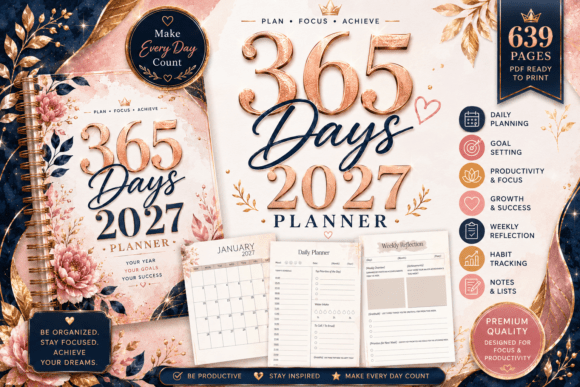
Pages: 49 different pages | Size: 8.5 × 11 in, with bleed | Files: Canva template, PNG, 639-page PDF
Best for: people who want every planning level in one file, with the freedom to edit it.
- This Book Belongs To, 2027 calendar, and holidays
- Year at a glance, yearly planner, and 2027 monthly planner
- Weekly planner and weekly reflection
- Daily planner and monthly review
- Password tracker, contact list, birthday reminder, and notes pages
Choose this if you want to plan everything from the year to the day in a single planner. Skip it if you only want monthly pages, since the longer PDF includes weekly and daily spreads as well. The long PDF is ready to print, and the Canva file lets you adjust the layout first.
BLANK-CANVAS LAYOUT
16. Blank Canvas Monthly Planner
This printable monthly planner is built as a blank canvas, so you decide how each month looks and what goes into it. It is a good base if you already know the layout you want. The open design suits people who like to start simple and add their own touches.
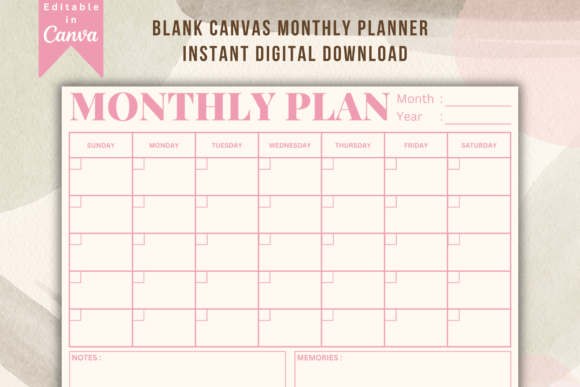
Edit in: Canva (link in the zip file) | Print files: Ready-to-print PDFs | Paper sizes: Several
Best for: people who want an open monthly layout they can set up and style themselves in Canva.
- Customizable PDF that opens in Canva
- Canva link included in the zip file
- Ready-to-print PDFs for various paper sizes
Choose this if you enjoy personalizing a layout before you print it. Skip it if you want a finished design with goals and trackers already in place. If you want ready-made sections, pick one of the fully designed planners above.
Planning one year ahead is not for everyone. The next six planners stretch across two, three, or even five years in a single file.
Multi-Year Monthly Planners
One file that covers two, three, or five years, so you can plan ahead without buying a new planner each January.
TWO-YEAR PLANNER
17. 2027-2028 Monthly Planner
This planner puts 24 dated months into one file, so you do not need a new planner in 2028. Holiday tables for both years are checked against the real weekdays, which helps when you plan long weekends and trips. Year goal pages and monthly reviews add some structure to the calendar.
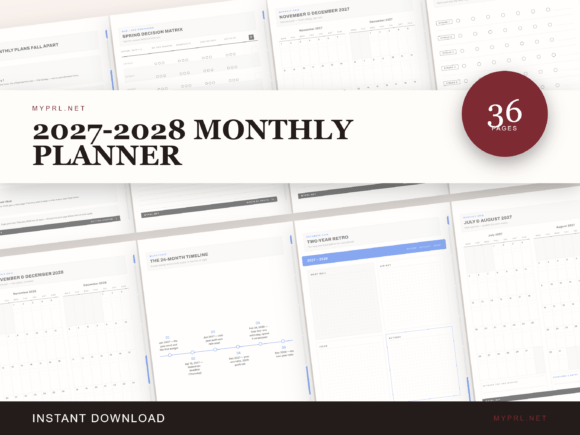
Dates: January 2027–December 2028 | Layout: Two month grids per page | Format: Hyperlinked PDF + PNG pages | Apps: GoodNotes, Notability, Xodo
Best for: anyone who wants one monthly planner that lasts two years.
- 24 dated month grids, two per page
- Weekday-checked holiday tables for 2027 and 2028
- Year goal pages
- Monthly review pages
- Side tabs that jump between sections
Choose this if you plan mostly by the month and want to print once. Skip it if you need weekly or daily pages, because this planner focuses on the month view. The hyperlinked tabs save time if you open it on a tablet.
FIVE-YEAR PLANNER
18. 2027-2031 Monthly Planner
This is a five-year monthly planner with 60 dated month grids. A milestone timeline lets you map longer goals across the years, and yearly kickoff and checkpoint pages break them into steps. Review pages help you check progress along the way.
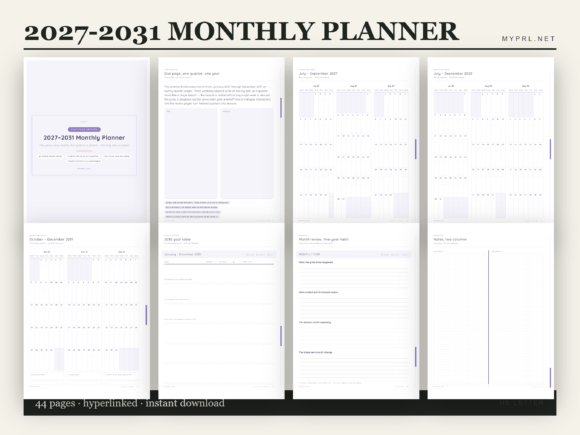
Dates: 2027–2031 (leap day 2028 included) | Months: 60 dated month grids | Format: Hyperlinked PDF + PNG pages | Apps: GoodNotes, Notability, Xodo
Best for: people who think in years and want long-term goals next to their monthly dates.
- 60 dated month grids across 2027–2031
- Five-year milestone timeline
- Yearly kickoff and checkpoint pages
- Review pages
Choose this if you like to see long-term goals sitting beside the month you are in. Skip it if you prefer to start fresh each year, because a five-year file commits you to one layout. The side tabs make it easy to jump to the year you need.
THREE-YEAR PRINTABLE
19. 2027-2029 Monthly Planner Printable
This printable gives each of the 12 months of 2027, 2028, and 2029 its own two-page spread. The minimalist design leaves space for notes and important dates, so you can fill the pages your own way. It is meant for long-term planning across work, study, and personal life.
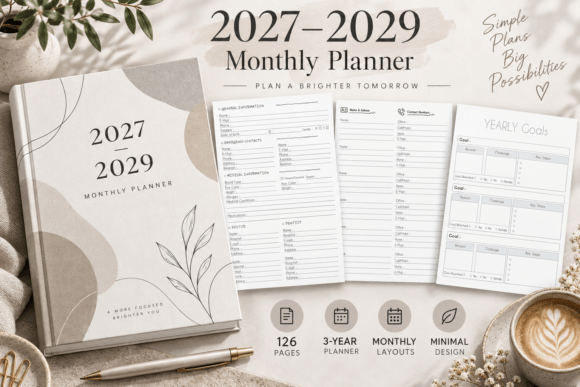
Years: 2027, 2028, and 2029 | Layout: One month per two-page spread | Format: High-resolution PDF + PNG (300 DPI) | Apps: GoodNotes, Notability
Best for: people who want three years of clean monthly pages without extra sections.
- 36 monthly spreads across three years
- Space for notes and important dates
- Printer-friendly margins
- Works as a printable or in digital planner apps
Choose this if you want a plain three-year calendar with room to write. Skip it if you want goal or review pages, because this version keeps to the monthly layout. For the best print result, use Actual Size (100%) with printer margins enabled.
FIVE YEARS WITH GOALS
20. 5 Year Monthly Planner 2027-2031
This five-year planner gives every month from January 2027 to December 2031 a calendar page of its own. Each month also has space for goals and priorities, which makes it more than a date reference. The clean, simple layout is aimed at long-term planning for work, family, and personal milestones.
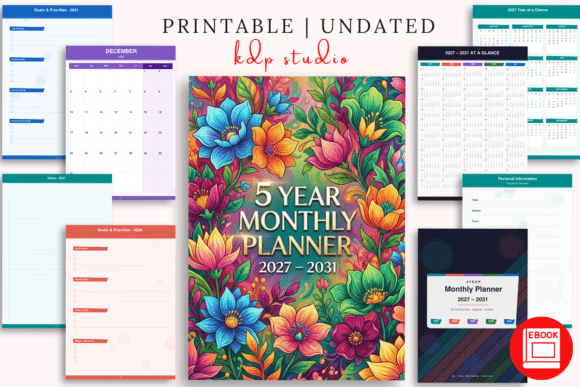
Years: January 2027–December 2031 | Format: Printable PDF
Best for: people who want goals and reflection built into a five-year monthly layout.
- Monthly calendar pages for five years
- Monthly goal setting for priorities and important tasks
- Notes and planning pages
- Monthly reflection to review progress
Choose this if you want to set goals every month and look back on them. Skip it if you want daily or weekly pages. Seeing so many years in one file can also make it easier to space out big plans.
FIVE-YEAR PRINTABLE
21. 2027-2031 Monthly Planner Printable
This printable covers five full years, with 12 months each for 2027 through 2031, in a clean minimalist layout. Every month gets a two-page spread with space for notes and important dates. It is built for people who think ahead and want long-term commitments in one place.
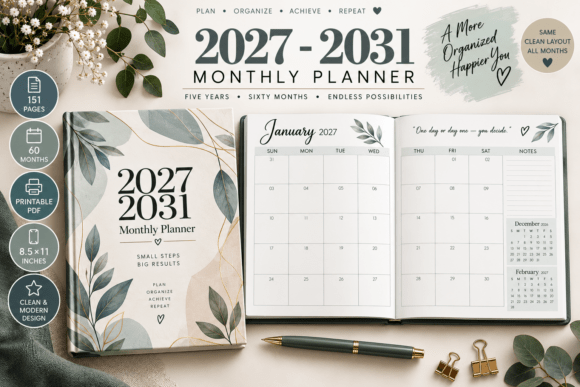
Years: 2027 through 2031 | Layout: One month per two-page spread | Format: High-resolution PDF + PNG (300 DPI) | Apps: GoodNotes, Notability
Best for: people who want five years of simple monthly pages for print or a tablet.
- 60 monthly spreads
- Space for notes or important dates
- Printer-friendly margins
- Works with GoodNotes, Notability, and similar apps
Choose this if you want long-range planning without extra sections to fill. Skip it if you need goal prompts, because this layout focuses on dates and notes. Print at Actual Size (100%) with printer margins enabled for the best result.
POCKET SIZE
22. 2027-2031 Pocket Calendar Printable
This pocket-size planner measures 4 × 6.5 inches, small enough to carry in a bag or jacket. It gives you a monthly overview for each of the five years, from 2027 to 2031. Year calendars sit at the front so you can check a date at a glance.
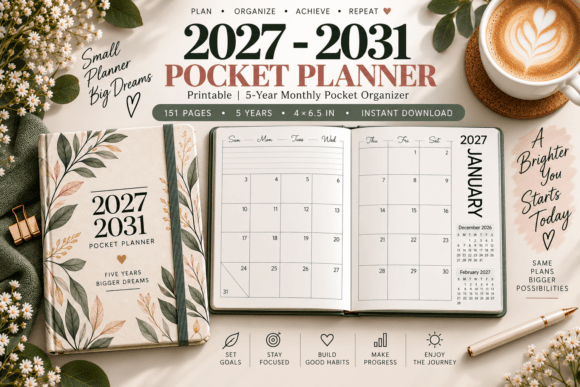
Size: 4 × 6.5 in | Years: 2027–2031 | Format: High-resolution PDF (300 DPI)
Best for: people who want a portable planner for appointments and reminders on the go.
- Personal information page
- Year calendars for 2027–2031
- Pocket monthly pages for every year, one month per two-page spread
- Contacts pages
- Bill reminder and Remind Me sections, plus notes and ideas pages
Choose this if you want a small planner that goes everywhere. Skip it if you like a lot of writing space, since pocket pages are small. Printing at actual size keeps the pocket format intact.
Prefer not to tie a planner to any one year? The following six leave the dates open, so you can begin in any month and reuse the pages.
Undated & Flexible Monthly Planners
No fixed year, so you can start in any month and use the pages again whenever you like.
UNDATED BUNDLE
23. Digital Undated Monthly Planner
This bundle gives you 14 undated monthly templates, so you can begin in any month and reuse the pages as often as you like. Both Sunday and Monday starts are included. It is aimed at people who plan on a screen.
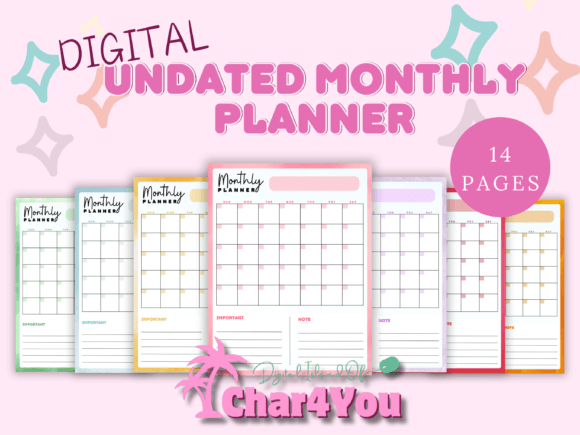
Templates: 14 | Week starts: Sunday or Monday | Colors: 7
Best for: people who plan on a tablet or computer and want undated pages in a choice of colors.
- Digital monthly templates that you can reuse
- Undated pages: start in any month
- Color choices: red, orange, green, purple, pink, yellow, and blue
Choose this if you want to match your planner to a color you like. Skip it if you want a dated calendar with holidays already marked. Digital nomads, busy professionals, and creative entrepreneurs are the audience it has in mind.
10 UNDATED VERSIONS
24. Undated Monthly Planner with Checklist
This minimalist undated planner comes in 10 different calendar versions, so you can choose the one that suits how you plan. As the name says, it includes a checklist for tasks. Because the months are undated, you can start in any month.
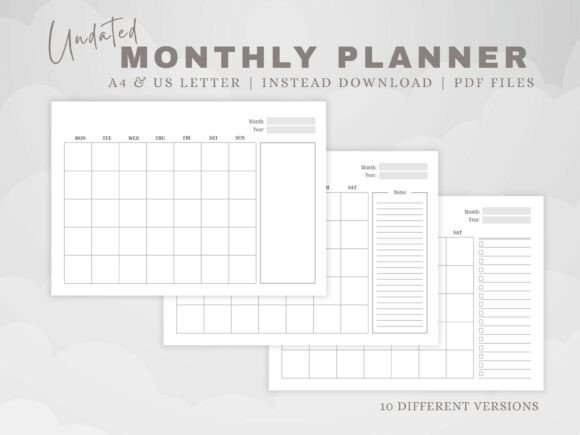
Versions: 10 calendar layouts | Files: 2 PDFs, 10 pages each | Sizes: A4 and US Letter
Best for: people who want a few undated layouts to try before committing to one.
- Two PDF files with 10 pages each
- A4 and US Letter paper sizes
- Suitable for planning, note taking, or doodling
- Printable or digital use
Choose this if you want to test several layouts without buying a large planner. Skip it if you want goals, trackers, or holidays included. The two paper sizes mean you can print for either standard.
UNDATED LANDSCAPE
25. Undated Monthly Planner (Landscape)
This planner uses a horizontal layout and has no dates, so you can start any month in any year. A minimalist design leaves room for notes, priorities, and reminders next to the calendar. The high-resolution PDF suits both printing and digital planners.
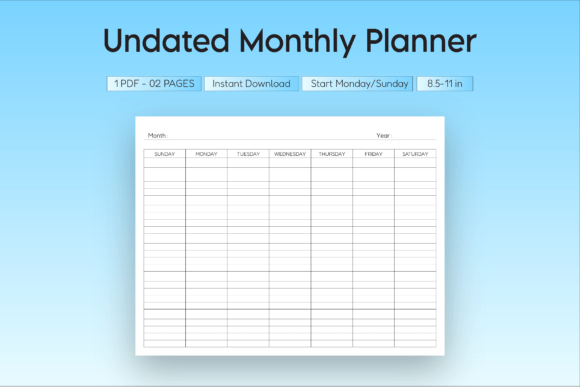
Orientation: Landscape | Dates: Undated | Format: High-resolution PDF
Best for: anyone who wants a flexible, horizontal monthly page they can use in any year.
- Room for notes beside the calendar
- A priorities area
- A reminders area
Choose this if you want a monthly page that you can use again in any year. Skip it if you want weekdays and holidays already printed. Teachers, students, and professionals can all use the same layout.
FILLABLE PDF
26. 50 Monthly Planner Pages (Editable PDF)
This is an interactive PDF with 50 monthly pages, where you type straight into fields on the page. Some fields calculate totals automatically, so goals, expenses, and habits add up without a calculator. The pages are reusable, which suits personal, business, or digital planning.
Pages: 50 | Format: Fillable PDF form | Apps: Adobe Acrobat Reader or another form-capable reader
Best for: people who want to type into their monthly pages and have totals calculated for them.
- Monthly overview pages
- Budget trackers
- Goal planners
- Monthly summary pages
- Auto-calculating fields
Choose this if you prefer typing to handwriting, or if you want automatic sums in your budget pages. Skip it if you want a handwritten paper planner, since the fillable fields are the point of the file. Make sure your PDF reader supports forms, because the calculating fields depend on it.
14 DESIGNS
27. Ultimate Monthly Planner Bundle
This bundle offers 14 monthly planner designs, from clean grids to artistic and floral styles. Each one is built to show the whole month at a glance. Goals, to-do lists, and notes sections add some structure to the visual variety.
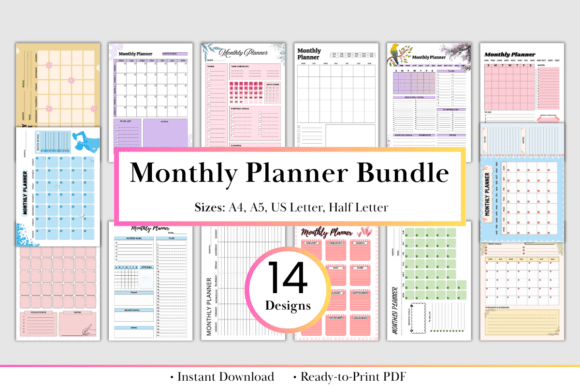
Designs: 14 | Sizes: A4, A5, US Letter, Half Letter | Resolution: 300 DPI
Best for: people who like to change the look from month to month, or want the same planner in several sizes.
- Clean grid layouts and floral designs
- Goals, to-do lists, and notes sections
- Space for key dates, monthly projects, and personal milestones
Choose this if you want variety and a choice of paper sizes in one purchase. Skip it if you want one fixed design with a full planning system around it. It suits a school semester, a business project, or household events.
ONE-PAGE INSERT
28. Monthly Planner Calendar (Undated)
This undated planner shows the whole month on a single page, formatted as a monthly insert. You can start in any month and reuse the page as often as you like. The schedule view keeps the month simple instead of turning planning into a chore.
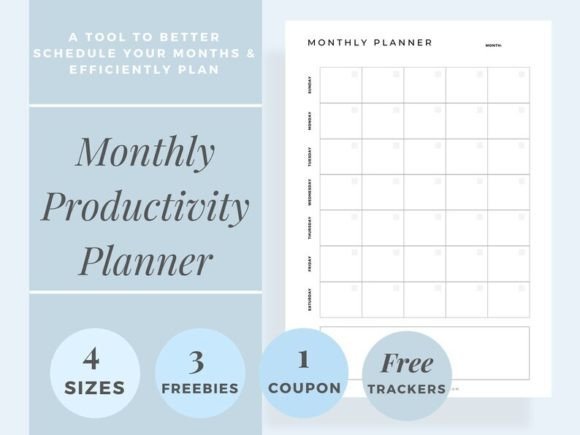
Dates: Undated | Layout: One-page month at a glance | Format: PDF
Best for: anyone who already has a binder or planner and needs undated monthly pages to put in it.
- Undated monthly schedule
- One-page month at a glance
- Works as inserts and refills
Choose this if you want monthly pages that slot into a planner you already use. Skip it if you need a full system with goals and trackers. As an insert, it adds to a planner rather than replacing it.
The last six are for planning on a tablet, or for a planner with a bit more personality, from hyperlinked boho pages to zodiac signs.
Digital, Cute & Niche Monthly Planners
Planners for tablets, plus a few with a distinctive look or purpose.
BOHO DARK MODE
29. Boho Hyperlinked Digital Monthly Planner
This undated digital planner has a minimalist boho look in earthy tones, with a dark night-mode design. Each month shows six weeks, and the week starts on Monday. Hyperlinked month buttons run along the top, so one tap takes you to any month.
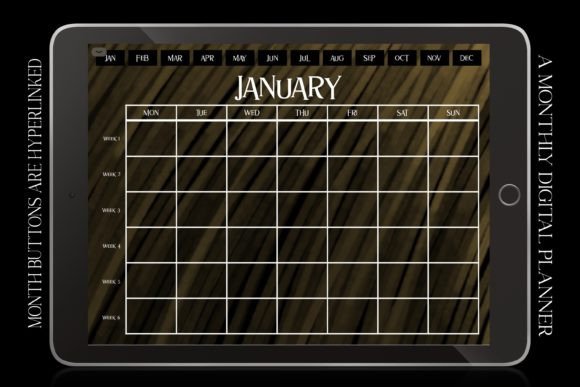
Pages: 12 monthly pages, 6 weeks each | Week starts: Monday | Orientation: Landscape | File: PDF, 6669 × 5000 px
Best for: tablet planners who like a retro, earthy look on a dark background.
- Undated, so you can begin in any month
- Twelve monthly pages in landscape
- Works with GoodNotes on iPad, Notability, Noteshelf, OneNote, and Xodo
Choose this if you plan on a tablet and prefer a dark background. Skip it if you plan to print, because this planner is built for annotation apps. Its earthy style suits people who like a calm, retro look.
DENIM GRUNGE DARK MODE
30. Denim Grunge Digital Monthly Planner
This undated digital planner pairs a retro blue denim look with a grunge texture and a dark night mode. Each month shows six weeks, the week starts on Monday, and hyperlinked month buttons along the top jump between months. It is made for planning on a tablet.
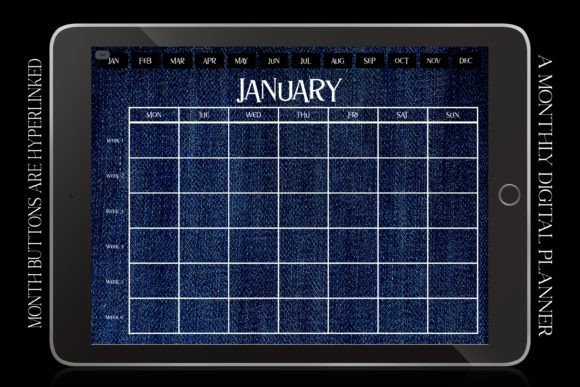
Pages: 12 monthly pages, 6 weeks each | Week starts: Monday | Orientation: Landscape | File: PDF, 6669 × 5000 px
Best for: tablet planners who want a bold, casual denim look on a dark background.
- Undated, so you can begin in any month
- Twelve landscape monthly pages
- Works with GoodNotes, Notability, Noteshelf, OneNote, and Xodo
Choose this if you want a bolder, more casual look than a standard calendar page. Skip it if you prefer a soft or minimal style. Because it is built for annotation apps, it is not aimed at printing.
COLORFUL PRINTABLE
31. Colorful Monthly Planner Printable
This colorful printable includes a blank monthly calendar in two styles, lined and unlined. A monthly habit tracker and a note page come with it. It is made for a binder or a wall, so you can print what you need.
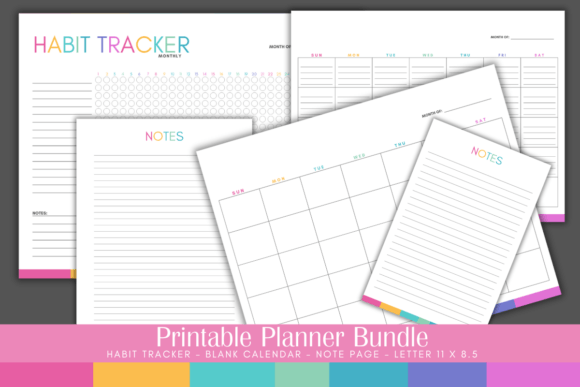
Files: ZIP with 4 PDFs | Sizes: Letter and Half Letter | Editing: Not editable or fillable
Best for: people who want a colorful, binder-ready monthly calendar with a habit tracker.
- Blank calendar, lined and unlined, in Letter size
- Monthly habit tracker in Letter size
- Note page in Half Letter and Letter
Choose this if you want a bright, ready-to-print set for a binder or a wall. Skip it if you want to type into the pages or change the design, because the four PDFs are not editable or fillable. The blank calendar leaves you free to write in the dates for any month.
ZODIAC THEME
32. Timeless Monthly Planner of Zodiac Signs
This monthly planner pairs each of the 12 months with a zodiac sign illustration. It is undated, so you fill in the dates yourself and can use it at any time of year. Four versions come in different color palettes.
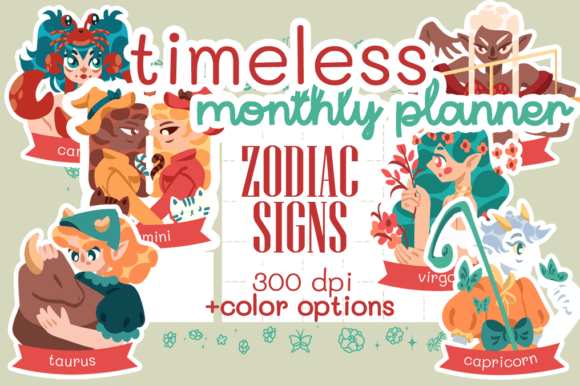
Months: 12, each with a zodiac illustration | Dates: Undated | Palettes: 4 | Format: Four high-resolution PDFs
Best for: anyone who enjoys astrology and wants a planner with personality.
- 12 zodiac illustrations, one for each month
- Four color palettes
- Timeless layout with no fixed year
Choose this if you want a planner that looks different from a standard calendar. Skip it if you prefer a plain, work-style layout. Having four palettes means you can pick the one that fits your desk or binder.
FLORAL THEME
33. Monthly Planner Floral Theme
This floral-themed planner is made for A5 and Personal-size planners. Each month has a planner page, goals, a to-buy list, and a to-do list. The PDF is formatted for double-sided printing.
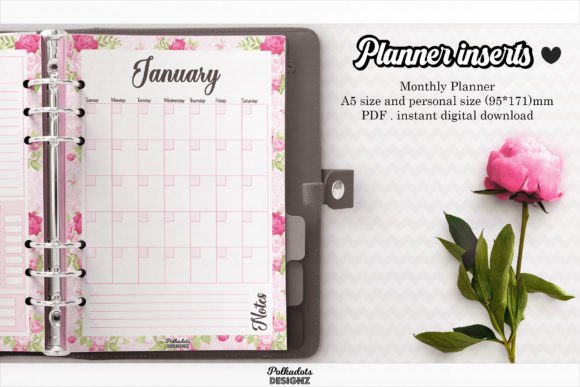
Sizes: A5 and Personal (95 × 171 mm) | Format: PDF | Printing: Double-sided, at 100%
Best for: people who use a Personal-size or A5 planner and like a soft floral style.
- Monthly planner page
- Goals, to-buy list, and to-do list
- Bills to pay
- Birthdays and events
- Notes
Choose this if you use a Personal-size or A5 binder and want pages that fit it. Skip it if you prefer Letter-size pages. Print at actual size, or scale to 100 percent, so the pages fit your planner.
SELF-CARE FOCUS
34. Self Care Monthly Planner Template
This monthly planner focuses on self-care. It helps you track your self-care activities, set achievable goals, and reflect on your progress over time. It is meant to support both mental and physical well-being and to build a sustainable routine.
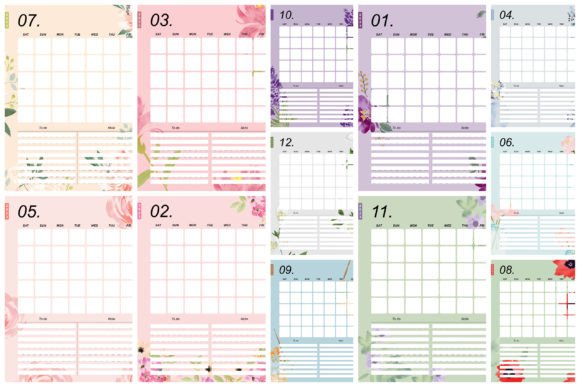
Size: Letter | Format: JPG
Best for: people who want a monthly page that puts well-being first.
- Self-care activity tracking
- Space for goals
- Space to reflect on progress
Choose this if you want a monthly page built around self-care rather than appointments. Skip it if you need a standard calendar with a full planning system. The file is a JPG, so it prints like any image file.
Create Your Own Custom Monthly Planner with AI Studio

If none of these feel quite right, you can generate a custom monthly planner from scratch with an AI design tool: your own layout, your own colors, your own sections.
What Makes a Good Monthly Planner?
A good monthly planner gives you a clear view of the whole month and enough room to write in it. That usually means a full month grid, space for important dates and deadlines, a spot for goals or priorities, and a notes section. Extras like habit trackers, weekly spreads, or budget pages are a bonus. Like any tool for time management, it only helps if you keep using it, so choose a layout you’ll still open in month three.
Comparison Table
| Type | Best For | Main Features | Format |
|---|---|---|---|
| 2027 Monthly Planners | A dated year of monthly pages | Two-page months, lined and unlined, weekly spreads, trackers, holidays | PDF/PNG |
| Canva Editable | Customizing fonts, colors, and layout | Monthly, weekly, and daily pages, agenda and 365-day planners | Canva link, PDF, PNG |
| Multi-Year Planners | Planning two to five years ahead | Dated month grids, holiday tables, goal and review pages, pocket size | PDF/PNG, hyperlinked |
| Undated & Flexible | Starting any month, reusing pages | Sunday and Monday starts, landscape, fillable PDF | PDF, fillable |
| Digital, Cute & Niche | Tablets, style, or a special purpose | Hyperlinked digital pages, zodiac, floral, self-care | PDF/JPG |
Understanding Monthly Planner Types
- 2027 monthly planners are dated, with the right weekdays already in place.
- Canva editable planners come with a link, so you can change fonts, colors, and layout.
- Multi-year planners cover two to five years in a single file.
- Undated planners let you start in any month and reuse the pages.
- Digital planners are made for tablets and annotation apps.
- Cute and niche planners put the design or a specific purpose first.
How to Start Using a Monthly Planner in 5 Steps
A few small choices at the start make a monthly planner much easier to keep up:
- Pick your layout. Decide on a Sunday or Monday start, lined or unlined pages, and the paper size that fits your binder or desk.
- Get the file ready. Print it, open it in a tablet app, or edit it in Canva first (the next section shows how).
- Set up a color key. Choose one color each for work, family, and deadlines, so the month reads at a glance.
- Mark the heavy weeks. Circle the weeks with travel, deadlines, or events, so you can avoid booking too much on top of them.
- Set a monthly reminder. A repeating alert on your phone for the last day of the month reminds you to turn the page.
How to Print or Open Your Monthly Planner
The steps depend on how your planner is delivered:
- On paper: Print at Actual Size (100%) and switch off “fit to page.” Choose the A4 or Letter version that matches your paper, and flip on the long edge for double-sided printing.
- In Canva: Open the Canva link, make a copy in your own account, edit the fonts and colors, then export the pages as a PDF for printing.
- On a tablet: Import the PDF into an app such as GoodNotes, Notability, or Xodo. If the tabs do not respond, switch to read-only mode.
FAQ
What is a monthly planner used for?
A monthly planner gives you a bird’s-eye view of the month. It’s where you put appointments, deadlines, events, and goals so you can see busy stretches coming. Many people pair it with weekly or daily pages for the details.
What is the difference between a monthly planner and a calendar?
A calendar mainly shows dates and events. A monthly planner adds space to plan, such as goals, priorities, notes, and to-do lists, so it works as a planning tool instead of just a date reference.
Should I choose a dated or undated monthly planner?
A dated planner has the right weekdays and holidays already filled in. An undated one lets you start in any month and skip nothing if you miss a few weeks. Check each listing above to see which one you’re getting.
How do I use a monthly planner?
Start by adding fixed dates such as appointments, birthdays, and deadlines. Then write down two or three goals for the month and break them into smaller tasks. A quick review at the start and end of each month keeps the plan useful.
Can I use a printable monthly planner on a tablet?
Often yes. PDFs and PNGs can be opened in annotation apps like GoodNotes, Notability, or Xodo, and fillable PDFs let you type straight into the page. Hyperlinked planners also let you jump between months with a tap.
Final Thoughts
Whether you want a dated 2027 planner, a multi-year system, an undated set of pages, or a design made for your tablet, there’s a monthly planner above built for it. The right one is the one that makes your month easy to see and that you’ll actually fill in.
This post contains affiliate links. If you buy through them, we may earn a small commission at no extra cost to you. Learn more.