How to Make a Vision Board That Keeps Your Goals in Sight
A vision board is a collage of pictures and words that shows the life you are working toward: your goals, the places you want to see, and the person you want to become. Looking at it every day keeps those goals in front of you, so small daily choices start to point in the same direction.
This guide shows how to make a vision board in seven simple steps, on paper or on your phone. You will also find 25 vision board ideas for every area of life, tips for a digital board, ideas for a vision board party, and two ready templates if you want to skip the cutting and gluing.
Quick navigation
Table of Contents
What You Need to Make a Vision Board
You do not need much. Choose the version that suits you:
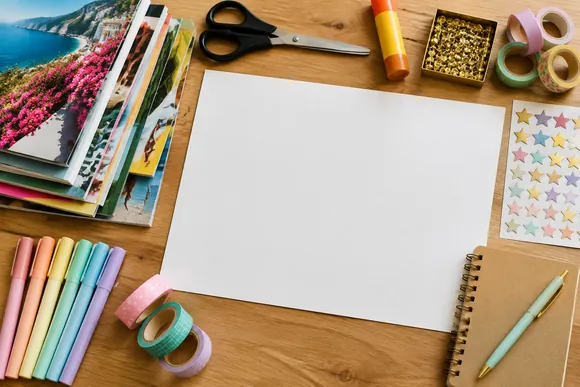
- For a paper board: a poster board or corkboard, old magazines or printed photos, scissors, a glue stick or pins, markers, and a few stickers or washi tape strips.
- For a digital board: a phone, tablet, or computer, a free design app such as Canva, and a folder of saved pictures from your camera roll or Pinterest.
How to Make a Vision Board in 7 Steps
Step 1: Reflect on What You Want
Set aside half an hour with a notebook. Write down what you want to feel, have, and do in the next year. Think about career, money, health, home, relationships, and personal growth, then circle the three to five goals that matter most.
Step 2: Turn Goals into Words
Write each goal as a short positive phrase, like “I run a 5K” or “My savings grow every month.” These words will sit next to your pictures and make the board easier to read.
Step 3: Collect Images That Match
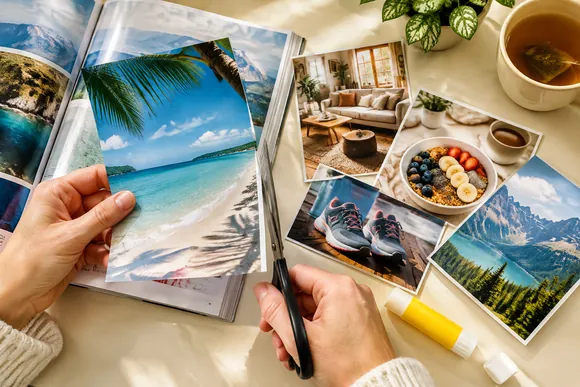
Cut pictures from magazines, print photos, or save pins into one Pinterest board. Look for images that show the feeling of each goal, not just the object. Collect more than you need, because you will remove some later.
Step 4: Pick a Layout
Place your main goal in the center and arrange the other areas around it, or split the board into sections, one for each part of life. A simple grid also works well if you like a tidy look.
Step 5: Arrange Before You Glue
Lay everything out first and move pieces around until the board feels balanced. Remove anything that does not fit your goals, even if the picture is pretty.
Step 6: Add Words and Details
Glue or pin the images, then add your phrases, a few affirmations, and small details like stickers or dates you are aiming for.
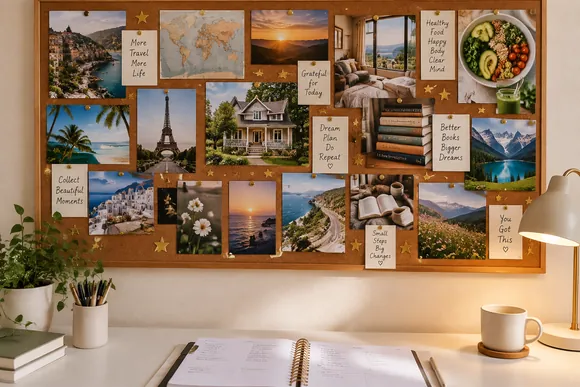
Step 7: Put It Where You Will See It
Hang the board above your desk, inside your wardrobe door, or next to your bed. A board you look at every day works far better than one stored in a drawer.
25 Vision Board Ideas for Every Area of Life
Not sure what to put on your board? These vision board ideas cover the most popular goals. Pick a few from each area or focus on just one:
Career and Money
- A photo of your dream workspace or office
- A savings goal written as a number with a progress bar to color in
- A logo or name for the business you want to start
- A picture of a course, certificate, or skill you want to learn
- Words like “debt free” or “promotion” in bold letters
Health and Self-Care
- Healthy meals and colorful smoothie bowls
- Running shoes, a yoga mat, or a favorite sport
- A calm bedroom and the words “eight hours of sleep”
- Clear skin, a bath, and a simple skincare routine
- A glass of water and a walk outdoors
Home and Travel
- Your dream home, room, or garden
- A cozy reading corner or a tidy kitchen
- A map with pins on places you want to visit
- A beach, a mountain, or a city skyline
- A passport or a suitcase ready to go
Relationships and Family
- Photos of the people you want to spend more time with
- A family dinner, a picnic, or a game night
- Two hands holding coffee cups for date nights
- A pet you want to adopt
- Words like “more kindness” or “call mom every Sunday”
Personal Growth
- A stack of books you want to read
- A journal and a pen for a daily writing habit
- A musical instrument, paints, or a craft you want to try
- A sunrise for early mornings
- Your favorite affirmations in large letters
For a journal to go with your board, see our manifestation journals, grouped by method and focus.
How to Make a Digital Vision Board
- Open a template. Start with a ready vision board template in Canva so the layout is already done.
- Add your pictures. Upload photos from your phone or choose images from the app library.
- Add your words. Type short goal phrases and affirmations in a clear font.
- Save it as a wallpaper. Set the board as your phone lock screen or desktop background, so you see it many times a day.
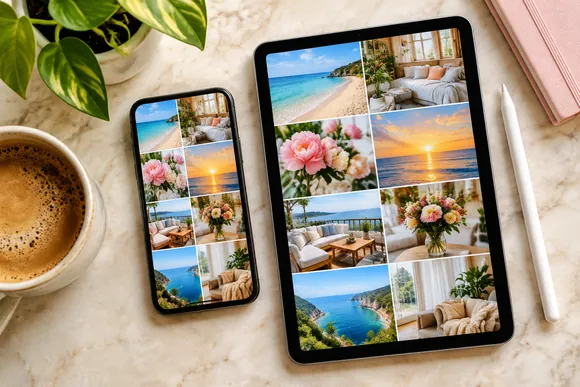
A digital board is also easy to print later, so you can have both.
Vision Board Party Ideas
- Ask every guest to bring a stack of old magazines to share.
- Set up a table with poster boards, scissors, glue, markers, and stickers.
- Start with ten quiet minutes of writing goals before anyone starts cutting.
- Finish with a short show-and-tell, where each person shares one goal.
Tips to Make Your Vision Board Work
- Be specific. A picture of a certain city works better than a general travel photo.
- Look at it daily. Spend one minute with your board each morning and think about one small step.
- Pair it with action. Write one task for each goal in your planner every week.
- Update it when life changes. Swap pictures when you reach a goal or when a goal no longer feels right.
Not sure if you need a vision board or a mood board? Our vision board vs mood board guide explains the difference.
Two Vision Board Templates to Start With
If you would rather fill in a ready layout than build one from scratch, these two templates make it easy:
BEST FOR GOAL SETTING
Aesthetic Vision Board Template Canva
This fully editable Canva template helps you visualize goals, stay motivated, and plan with intention. It works for personal growth, school goals, self-care, and future planning.
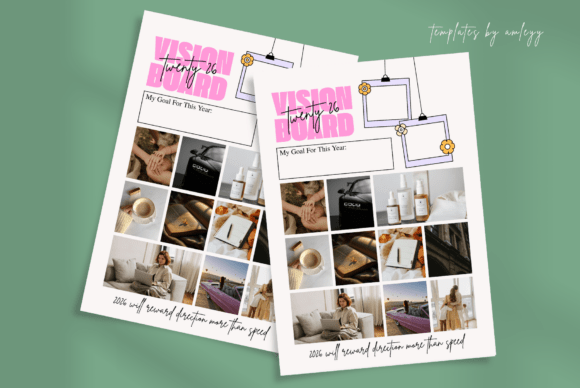
Includes: 1 PNG + Canva PDF link | Edit in: Canva
Best for: readers who want a ready layout for a digital vision board.
- 1 editable vision board template PNG
- 1 Canva PDF file with a direct access link
- High-resolution design for print and digital use
- Change colors, fonts, images, and text
- No design skills needed
You can use it as a daily reminder of what you are working toward, or as part of a planner, journal, or manifestation routine. Print it out or use it on your tablet or phone. Choose it if you want one simple, aesthetic board. Skip it if you want extra pages for reflection.
BEST FOR REFLECTION
Self-Care Vision Board | Canva Template
This six-page Canva template is made for manifesting your goals and reflecting on your self-care journey. It is fully editable in a free Canva account.
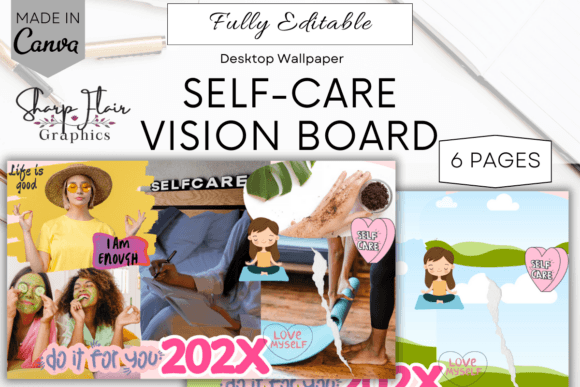
Pages: 6 | Edit in: Canva | Bonus: Desktop wallpaper 1920×1080 px
Best for: readers who like to reflect on what they want before they start the board.
- 1 sample vision board for inspiration
- 1 editable template for your own vision
- 2 reflection question sheets
- 2 blank reflection sheets for journaling and ideas
- Edit the font, text, elements, background, size, and color
Use it digitally, or download it as a PDF from Canva and print it. Choose it if you want reflection pages next to your board. Skip it if you only need a single collage page.
For more options, browse our full list of vision board templates, sorted by what they’re best for.
FAQ
What should I put on my vision board?
Add pictures and words that show your most important goals, such as career, money, health, home, travel, and relationships. Choose images that show how reaching each goal will feel.
When is the best time to make a vision board?
Many people make one at the start of a new year, but any time works. A birthday, a new season, or a big life change are all good moments to start.
Should I make a vision board on paper or digitally?
A paper board is more hands-on and looks lovely on a wall. A digital board is easy to edit and can live on your phone screen. Choose the one you will look at most often.
How many goals should a vision board have?
Three to five main goals keep the board clear and focused. You can add small supporting pictures around each goal.
Where should I put my vision board?
Put it somewhere you look every day, like above your desk, next to your mirror, or as your phone wallpaper.
Final Thoughts
Making a vision board is a simple way to turn goals into something you can see. Reflect on what you want, collect pictures that match the feeling, arrange them with a few clear words, and put the board where it greets you every day. Then take one small step toward a goal each week.
This post contains affiliate links. If you buy through them, we may earn a small commission at no extra cost to you. Learn more.