Best Digital Planners: 25 Hyperlinked & Undated Picks
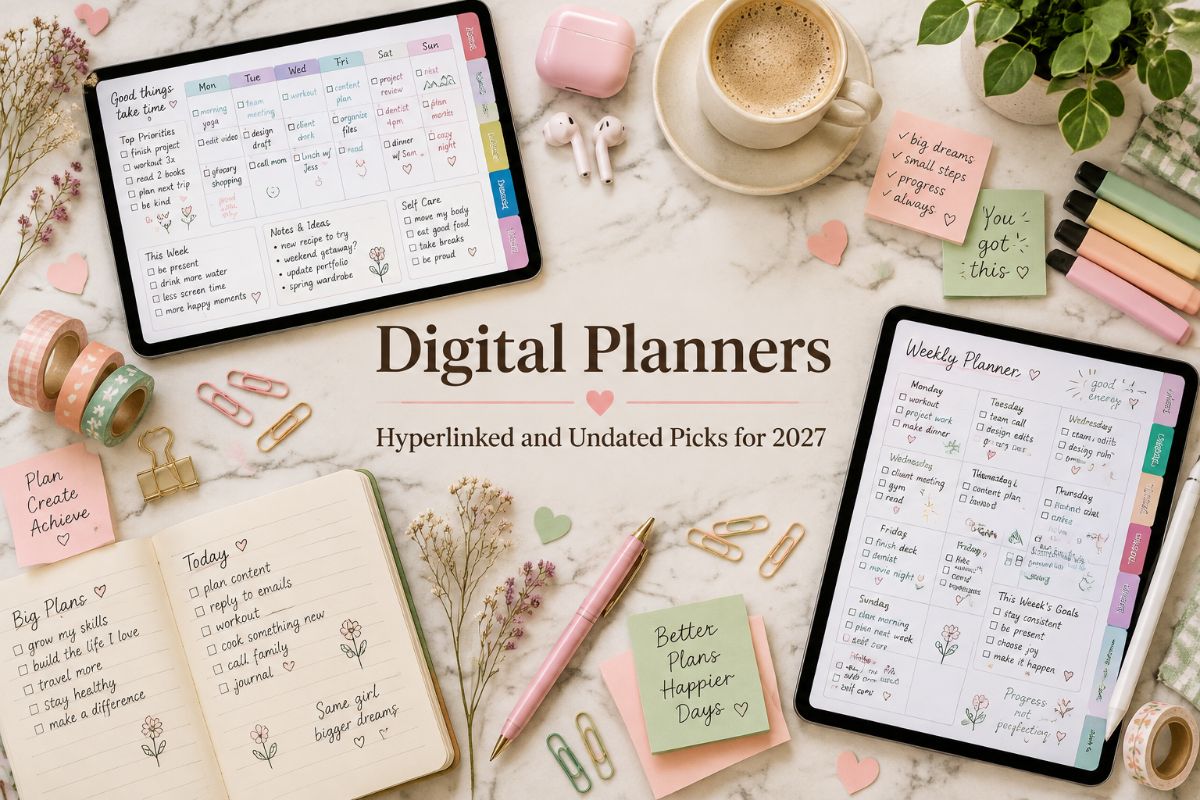
A digital planner puts your calendar, tasks, and goals on a tablet, with tabs that jump to any page and a stylus that feels like writing on paper. The choice is huge, from dated 2027 systems to undated files you can reuse and planners built for one specific need.
We’ve gathered 25 digital planners below, grouped by style and purpose, so you can skip the endless scrolling. Whether you use GoodNotes, Notability, or another annotation app, there’s a layout for it.
Quick navigation
Table of Contents
Quick Picks
- 🏆 Best Overall: All-in-One Digital Planner 2027
- 🔄 Best Undated Option: Undated Digital Planner, Horizontal
- 🌸 Best Aesthetic Look: That Girl Digital Planner 2027 for GoodNotes
- 📱 Best Simple Layout: Simple Digital Planner 2027, Portrait
- 🧠 Best for ADHD: ADHD Digital Planner, Pastel Daily Pages
- 💰 Best for Budgeting: Digital Budget Planner, Hyperlinked
- ✨ Want Your Own Unique Planner? See AI Studio
How to Choose the Right Digital Planner
The right digital planner depends on how you write, what you track, and how long you want to keep using it. Ask yourself these questions before you pick:
- Do you want the dates filled in? Dated 2027 planners are ready on day one. Undated planners let you start any month and reuse the file.
- Which orientation suits your tablet? Portrait feels like a notebook, while landscape opens like a spread.
- What do you want to track? Some planners focus on tasks, others add money, meals, health, or work pages.
- Which app do you use? Check that your annotation app, such as GoodNotes, Notability, Noteshelf, Xodo, or Samsung Notes, is listed as supported.
- How big is the file? Planners with hundreds of pages can be slow to open, and some apps need a paid plan for very large files.
Dated 2027 Digital Planners
Full-year planners with every 2027 date already in place, from all-in-one systems to bundles with stickers and covers.
ALL-IN-ONE 2027 SYSTEM
1. All-in-One Digital Planner 2027
This 2027 planner runs the whole year from a single interactive PDF, with clickable navigation that takes you from the yearly overview to any month, week, or day. Daily pages include a schedule with time blocking and top priorities, while weekly pages add budget, meal, and cleaning sections.
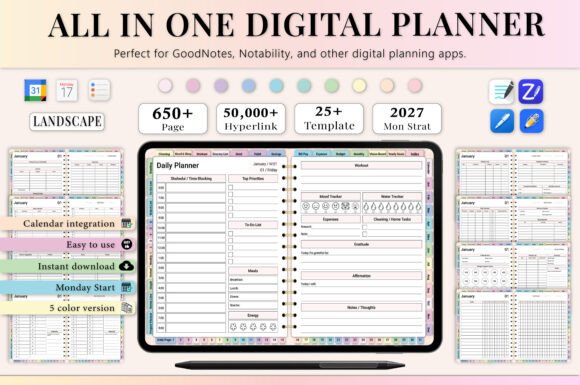
Pages: 655 | Year: 2027 | Format: Hyperlinked PDF | Apps: GoodNotes, Notability, Noteshelf, Xodo, Penly, ZoomNotes, Samsung Notes
Best for: anyone who wants money, meals, workouts, and daily tasks in one tablet planner instead of juggling several apps.
- Yearly pages: year at a glance, important holidays, yearly goals, and a vision board
- Monthly pages with calendar, budget, expense and bill trackers, habit, mood, and sleep trackers
- Daily gratitude journal, affirmations, water tracker, and expense tracking
- Finance pages with a savings challenge and a financial summary
- Premium note templates
Budgeting, wellness, and household routines sit right beside the calendar, so you don’t need a separate budget or habit app. The listing notes that a paid GoodNotes account may be needed to open large planners smoothly, so check your app plan first. Choose this one if you want a single system for the whole year; skip it if you prefer a short, light planner.
BUNDLE WITH STICKERS & COVERS
2. 2027 Bundle Digital Planner for GoodNotes
This 2027 bundle puts a large library of hyperlinked planners in one purchase, each with a Monday or Sunday start. It connects with Apple Calendar, Reminders, and Google Calendar, which helps when your schedule already lives in those apps. Step-by-step instructions show you how to build a planning routine instead of leaving you to work it out alone.
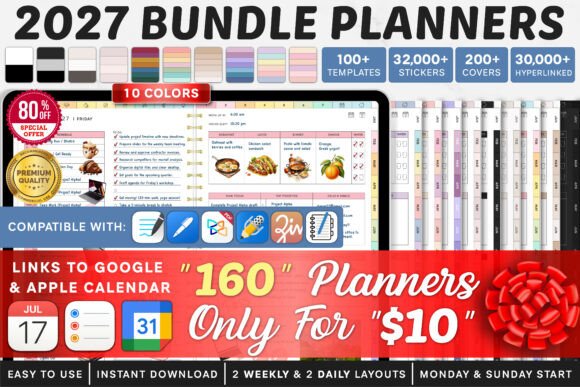
Bundle: 160 hyperlinked planners | Year: 2027 | Week start: Monday or Sunday | Apps: GoodNotes, Notability, Xodo, Noteshelf
Best for: tablet planners who like to decorate their pages and want a ready-made routine that connects with the calendar apps they already use.
- Yearly planning: homepage index, yearly calendar, quarterly overview, yearly goals, year at a glance, and key dates
- 1,340+ pre-cropped digital icons in 14 color palettes
- 480+ pre-cropped stickers: shapes, widgets, notes, and more
- 4,200+ stickers covering fitness, finance, sport, flowers, and more
- 200+ covers, from marble and leather to landscapes and geometric designs
Thousands of hyperlinks keep navigation quick, and every page can be duplicated or removed. You need a PDF annotation app such as GoodNotes, Notability, Xodo, or Noteshelf, and the planner is not designed for OneNote. Choose this one if you enjoy personalizing your planner with stickers and covers; skip it if you want a plain, ready-to-write file.
8 PLANNERS, TWO WEEK STARTS
3. 2027 Digital Planner Set, Monday & Sunday Start
This set includes eight 2027 planners with Monday and Sunday starts, each hyperlinked for quick jumps between pages. Integrations with Apple Calendar, Reminders, and Google Calendar let your digital pages work alongside the apps you already check. A step-by-step guide explains how to build a planning routine, which is useful if you have never used a digital planner before.
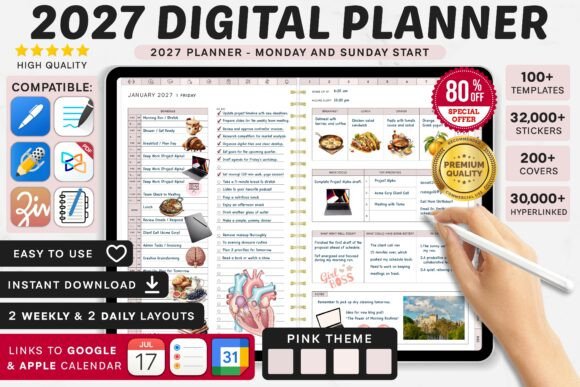
Planners: 8 | Year: 2027 | Week start: Monday or Sunday | Apps: GoodNotes, Notability, Xodo, Noteshelf
Best for: people starting their first digital planner who want guidance, covers, and stickers included from day one.
- Yearly pages: homepage index, yearly calendar, quarterly overview, yearly goals, year at a glance, and key dates
- Free pre-cropped icons (1,340+) and stickers (480+) in 14 color palettes
- 4,200+ extra stickers and 200+ covers
All pages can be duplicated or removed, so the planner can grow or shrink to match your routine. A PDF annotation app such as GoodNotes, Notability, Xodo, or Noteshelf is required, and OneNote is not supported. Choose this one if you want a ready-to-use 2027 setup with room to decorate; skip it if you want a planner without extras.
READY-TO-USE 2027 SET
4. 2027 Hyperlinked Planner Set with Icons and Stickers
Planning for 2027 starts here with a homepage index, a yearly calendar, a quarterly overview, and yearly goals, all one tap apart. The eight planners come with a Monday or Sunday start, so you can match the week to how you work. Calendar integrations with Apple Calendar, Reminders, and Google Calendar mean your appointments don’t have to be typed in twice.
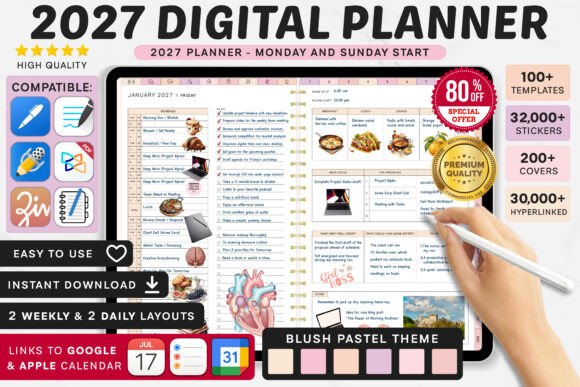
Planners: 8 | Year: 2027 | Week start: Monday or Sunday | Apps: GoodNotes, Notability, Xodo, Noteshelf
Best for: anyone who wants a 2027 planner that opens on a clear home page and can be styled with icons, stickers, and covers.
- Year at a glance and a key-dates page for birthdays, anniversaries, and holidays
- A written guide to building a planning routine
- Icon packs in 14 color palettes and a large sticker collection
- 200+ covers in styles like flowers, marble, and leather
Every page can be duplicated or removed, which makes it easy to keep only the layouts you use. The planner works in PDF annotation apps such as GoodNotes, Notability, Xodo, and Noteshelf, but not in OneNote. Choose this one if you want a structured start to 2027 with plenty of ways to personalize it; skip it if you prefer a bare-bones planner.
BEST AESTHETIC LOOK
5. That Girl Digital Planner 2027 for GoodNotes
Built around the “That Girl” idea of consistent habits and intentional routines, this 2027 planner mixes daily, weekly, and monthly pages with goal setting and self-reflection. More than 15,000 hyperlinks make navigation quick, and an index page connects every lifestyle section. Four quarterly overviews and monthly reflection questions help you review your progress as the year goes on.
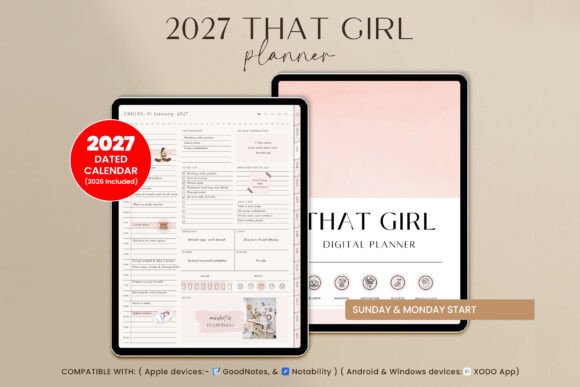
Pages: 550+ | Year: 2027 | Orientation: Portrait | Week start: Monday or Sunday | Apps: GoodNotes, Notability, Xodo
Best for: women who want a boho, chic planner that combines goals, wellness, and finances in one aesthetic routine.
- That Girl section: bucket list, positive habits, affirmations, reading journal, and skincare routine
- Productivity: project planner, 30-day challenge, mind map, and travel planner
- Wellness: wheel of life, meal planner, workout log, period tracker, and gratitude jar
- Finance: monthly budget, subscription and debt trackers, and a 52-week savings challenge
- Dashboard with monthly goals, vision board, healthy habits, and reflection
- 6 note paper styles and 5 custom notes pages with tabs
It works on iPad and Android tablets, and any page can be duplicated or removed. Choose this one if you want a soft, stylish planner that treats self-care and money as part of the plan; skip it if you prefer a minimal, text-only layout.
BEST FOR A NEUTRAL LOOK
6. Digital Planner 2027, Fully Hyperlinked
This 2027 planner focuses on two things: a monthly overview and a weekly breakdown, so no important date slips by. The neutral palette leaves visual room for your own stickers and themes, which makes it a good base if you like to personalize.
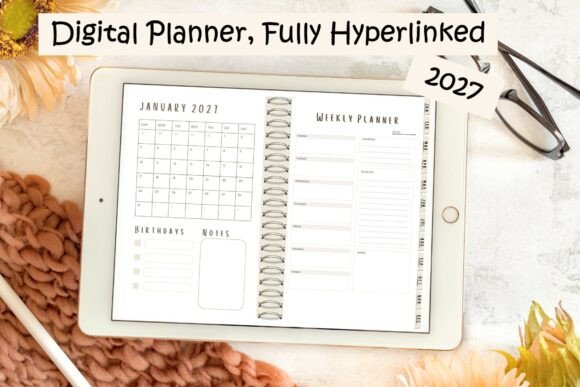
Year: 2027 | Format: Single PDF | Style: Neutral color palette | Devices: Tablet, laptop, or phone
Best for: people who want a simple, calm 2027 planner they can decorate with their own stickers.
- Tap-to-jump navigation across all 12 months
- Monthly synopsis pages and weekly breakdown pages
- Soft neutral colors
It arrives as one universal PDF, so it opens on a tablet, a laptop, or a phone. With a structure this simple, it’s quick to learn and easy to keep up with. Choose this one if you want a quiet layout to make your own; skip it if you need budget, health, and habit pages built in.
MULTI-YEAR RAINBOW PLANNER
7. All-in-One Digital Planner, Rainbow Theme
This rainbow-themed planner packs 86 templates covering personal development, education, budgeting, and travel. It spans three years, and the listing includes free yearly updates so the planner stays current. The bright design makes it easy to see where one section ends and the next begins.
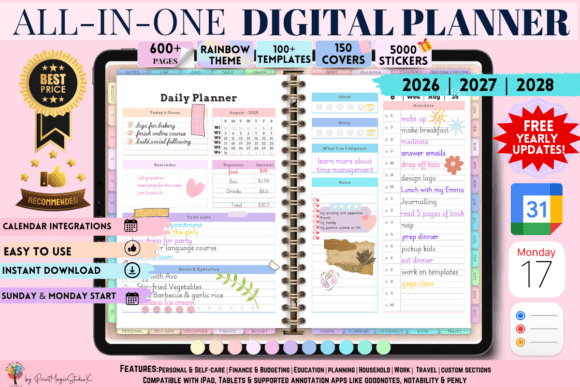
Years: 2026, 2027, and 2028 | Templates: 86 | Extras: 5,000 stickers and 150 covers | Apps: GoodNotes, Notability
Best for: creative planners who want one colorful planner that stays useful beyond a single year and works on both Apple and Google devices.
- Personal section with 16 templates, including a goal tracker, mood log, reading log, bucket list tracker, and dream journal
- Self-discovery journal, personal SWOT analysis, and pet care planner
- 10 custom sections you can arrange yourself
- 12 notepaper templates
Because it works with Apple and Google devices, you can keep the same planner if you change tablets. Large files need a paid GoodNotes account, according to the listing. Choose this one if you like a bright, playful design and want a planner that carries into 2028; skip it if you prefer a muted look.
A long feature list is great until it feels like homework. If you would rather open a planner and just start writing, the next four dated planners keep to the essentials: months, weeks, days, and a stack of note paper.
Simple 2027 Digital Planners for iPad
Dated planners built around months, weeks, days, and note paper, sized to the screen of a 13-inch tablet.
SUBJECT TABS FOR EVERY AREA
8. Digital Life Planner 2027, Portrait
This dated 2027 planner organizes the year around six subject tabs: Digital, Focus, Bills, Habits, Work, and Life. The months run across the top of every page and the tabs sit down the side, so one tap takes you where you need to go. A silver wire binding along the left edge gives each page the look of a notebook.
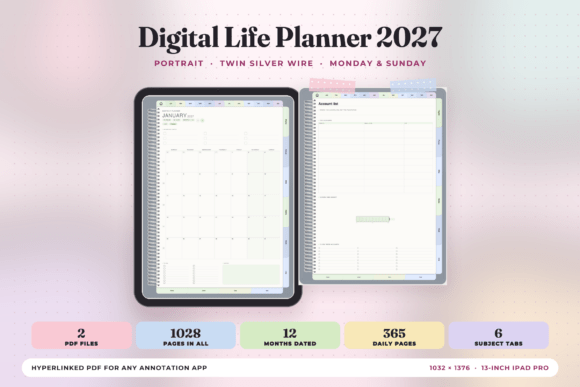
Pages: 513 (Monday) or 515 (Sunday) | Year: 2027 | Page size: 1032 × 1376 pt, sized for a 13-inch iPad Pro in portrait | Files: 2 hyperlinked PDFs
Best for: iPad users who want life areas such as bills, habits, and work sorted under their own tabs.
- 12 month-at-a-glance pages and 12 monthly planners with a seven-day grid, important dates, and notes
- A weekly planner for every week, with a checklist beside each day
- 365 daily pages with an hourly schedule from 6 am to 9 pm and a top 3
- 24 subject templates, four under each tab
- 30 pages of note paper: lined, dot grid, and square grid
The page size is made for the 13-inch iPad Pro and scales to any 4:3 tablet. It opens in any app that supports PDFs and a stylus, needs no internet connection once it’s on your device, and has no watermark on the pages. Choose this one if you like sorting daily life by subject; skip it if you prefer pages without tabs.
TWO-PAGE SPREAD LAYOUT
9. Digital Life Planner 2027, Landscape
The landscape layout shows two pages to a sheet with a silver wire binding down the center, so the planner reads like an open book. It’s dated for 2027 and organized under six tabs: Digital, Focus, Bills, Habits, Work, and Life. Months run across the top, and every tab jumps straight to its page.
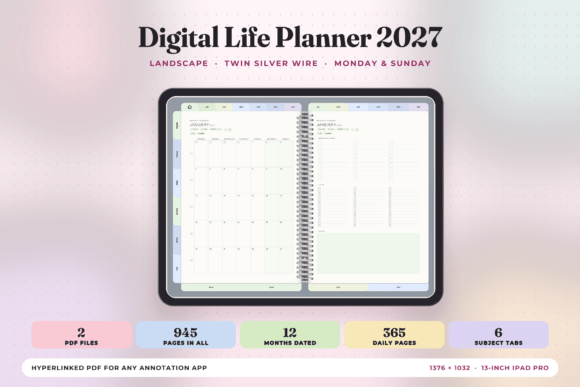
Pages: 472 (Monday) or 473 (Sunday) | Year: 2027 | Page size: 1376 × 1032 pt, sized for a 13-inch iPad Pro in landscape | Files: 2 hyperlinked PDFs
Best for: tablet users who like a landscape planner that opens like a spread on the desk.
- Month-at-a-glance pages for January through December
- Monthly planners with a seven-day grid, important dates, to-do list, and notes
- A weekly row-per-day planner with the week’s one thing at the top
- 365 daily pages, each with an hourly schedule and top 3
- 24 subject templates and 30 pages of note paper
Wins and roll-over tasks have their own space at the foot of each weekly page, which helps with weekly reviews. Open the files in any PDF app with stylus support, with no internet needed and no watermark. Choose this one if you write in landscape and like a spread; skip it if you hold your tablet upright.
SIMPLE COIL-BOUND LOOK
10. Simple Digital Planner 2027, Portrait
This dated 2027 planner is built for people who want a calendar, weekly pages, and daily pages and nothing more. The months run across the top, the calendar sits underneath, and a gold coil down the left edge makes every page look like a notebook.
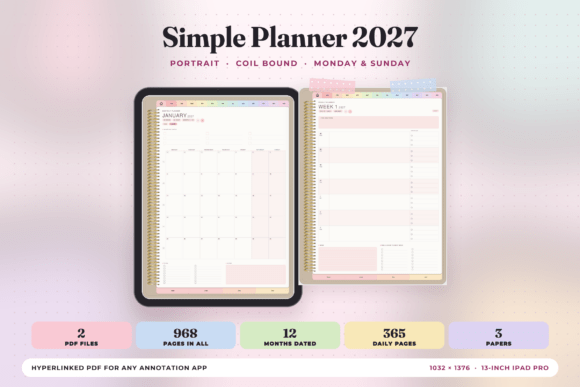
Pages: 483 (Monday) or 485 (Sunday) | Year: 2027 | Page size: 1032 × 1376 pt, sized for a 13-inch iPad Pro in portrait | Files: 2 hyperlinked PDFs
Best for: anyone who wants a plain dated planner with nothing extra to learn.
- 12 month-at-a-glance pages
- 12 monthly planners with a seven-day grid, important dates, to-do list, and notes
- A weekly planner with one row a day, a checklist, wins, and roll-over tasks
- 365 daily pages with an hourly schedule from 6 am to 9 pm
- 30 pages of note paper: lined, dot grid, and square grid
Four note papers along the foot of the page are one tap away. The PDF opens in any app that takes a stylus, with no internet connection needed and no watermark. Choose this one if a short learning curve matters more than extra trackers; skip it if you want built-in habit or budget pages.
10 SECTIONS YOU NAME YOURSELF
11. Simple Digital Planner 2027, Landscape
This dated 2027 planner sits in a ring-binder design, with three gold rings down the center so it opens as a spread. Along with the calendar, it adds ten sections that you name yourself, two pages each, on their own tabs down the left edge. That makes it easy to give a project, a class, or a hobby its own home.
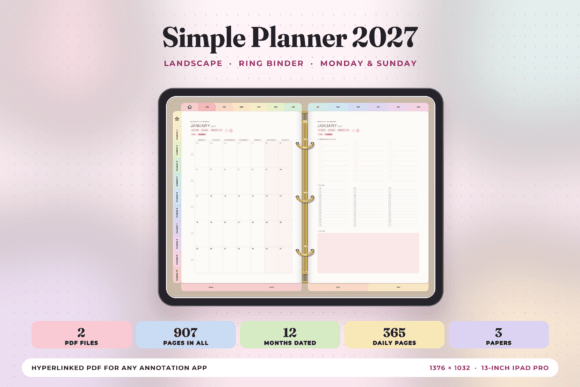
Pages: 453 (Monday) or 454 (Sunday) | Year: 2027 | Page size: 1376 × 1032 pt, sized for a 13-inch iPad Pro in landscape | Files: 2 hyperlinked PDFs
Best for: planners who want a dated 2027 calendar plus blank sections they can label for their own projects.
- 12 month-at-a-glance pages and 12 monthly planners
- A weekly planner with a row for each day, a checklist, and a space for wins
- 365 daily pages with an hourly schedule and top priorities
- 30 pages of note paper: lined, dot grid, and square grid
Months stay on top of every page, so you can jump between them from anywhere in the file. It runs in any PDF app that supports a stylus, with no internet needed and no watermark. Choose this one if you want a flexible planner you can label yourself; skip it if you want every section pre-printed.
Dated planners expire in December, and not everyone wants to buy a new one every autumn. The undated planners ahead let you begin on any day, in any month, and keep the same file for as long as it serves you.
Undated Digital Planners
Planners with no fixed year, so you can start on any day and keep using the same file.
BEST UNDATED OPTION
12. Undated Digital Planner, Horizontal
This undated planner lets you begin in any month and keep using the same file, so a late start never leaves you with empty weeks. Hyperlinked daily, weekly, and monthly pages make navigation quick, and each of the 12 months is its own module. The horizontal layout suits a tablet used in landscape.
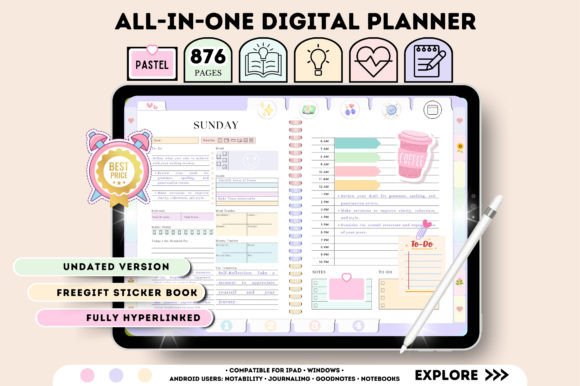
Orientation: Horizontal, 11 × 8.3 in | Dating: Undated | Layout: 12 individual monthly modules | Apps: GoodNotes, Notability, Noteshelf, Xodo, Samsung Notes
Best for: anyone who wants to start on any day and reuse the same planner, without wasted pages.
- Health and fitness: fitness log, period tracker, self-care tracker, blood sugar and blood pressure logs, mood, habit, and water trackers
- Productivity: goal planner, vision board, to-do list, wish list, bucket list, reading log, and TV tracker
- Finance: annual overview, monthly budget, and expense, saving, bill, debt, and spending trackers
- A free five-page sticker book and instructions
Because there are no dates to fill in, you can reuse the file whenever you like. It works in GoodNotes, Notability, Noteshelf, Xodo, Samsung Notes, and other PDF editing apps. Choose this one if you want a long-lasting planner with health and money pages; skip it if you’d rather have your dates pre-filled.
VERTICAL WITH 564 PAGES
13. Undated Digital Planner, Vertical (564 Pages)
This undated vertical planner has 564 pages of hyperlinked daily, weekly, and monthly layouts that you can reuse as often as you like. Lifestyle pages for meals, recipes, and shopping sit beside the usual planning pages, so household tasks have a home too. A free five-page sticker book comes with it.
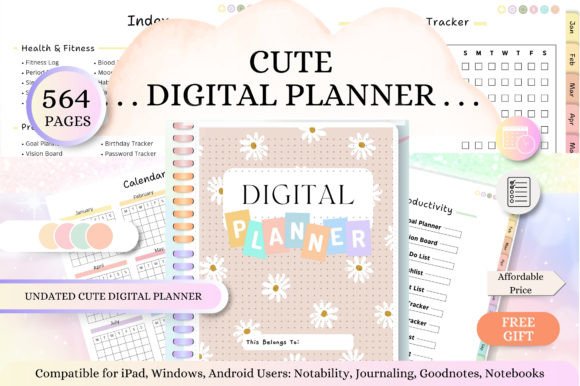
Pages: 564 | Orientation: Vertical, 11 × 8.5 in | Dating: Undated | Apps: GoodNotes, Notability, Noteshelf, Xodo, Samsung Notes
Best for: people who write on a tablet held upright and want a planner that covers home life as well as work.
- Health and fitness: fitness log, period tracker, sleep tracker, mood tracker, habit and water trackers
- Lifestyle: monthly and weekly meal planner, recipe log, kitchen inventory, grocery lists, travel planner, cleaning checklist
- Productivity: goal planner, vision board, birthday tracker, password tracker, contact list, reading log
- Finance: expense, saving, bill, debt, and subscription trackers
Thousands of hyperlinks connect the pages, and instructions are included. Choose this one if you want a portrait planner that handles meals, money, and goals in one file; skip it if you want a short planner with only the basics.
MINIMAL DESIGN WITH A DASHBOARD
14. Undated Digital Planner with Dashboard
This undated planner opens on a dashboard home page, so your most important pages are one tap away. Yearly, monthly, weekly, and daily pages are all included, with a Monday or Sunday start to choose from. The design is deliberately minimal, which keeps the focus on your own writing.
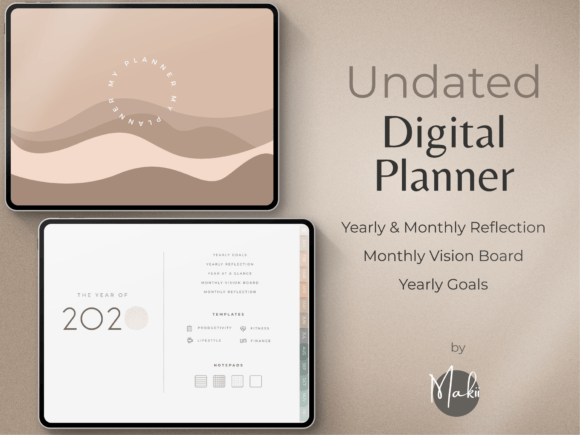
Dating: Undated | Week start: Monday or Sunday | Extras: 250 pre-cropped stickers and planner covers | Apps: GoodNotes, Notability, Xodo, Noteshelf
Best for: minimalists who want a clean undated planner with a home page that gathers the most important things in one place.
- Yearly goals, yearly reflection, and year at a glance
- Monthly vision board and monthly reflection
- Notes pages
- 250 pre-cropped stickers sorted into folders by type, plus modern covers and a start guide
It works on Apple, Android, and Microsoft devices, including tablets and laptops. The listing says it is not designed for OneNote, Kindle, reMarkable, or Chromebooks, not meant mainly for phones, and not made for printing. Choose this one if you want a calm, minimal planner for a tablet; skip it if you plan to print your pages.
CLEAN & COZY STARTER
15. Undated Digital Planner for GoodNotes
This undated planner keeps its toolset short: a monthly calendar, a weekly planner, and pages for habits, goals, and ideas. Navigation tabs connect everything, and the cozy design makes it pleasant to open each day. Because nothing is dated, you can start whenever you’re ready and duplicate pages as you need them.
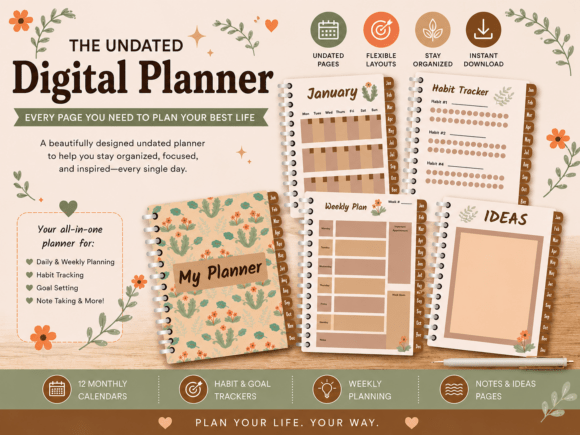
Dating: Undated | Devices: iPad, Android, and Windows tablets | Apps: GoodNotes, Notability, Noteshelf, Xodo, Samsung Notes
Best for: students, professionals, and creatives who want a light undated planner for goals, habits, and ideas.
- Undated monthly calendar and weekly planner
- Habit tracker and goal planner
- Notes pages and brainstorm and ideas pages
- A cover page and easy navigation tabs
It’s well suited to daily planning, time management, and digital journaling. The listing confirms support for GoodNotes, Notability, Noteshelf, Xodo, Samsung Notes, and other PDF annotation apps. Choose this one if you want a simple planner you can set up in minutes; skip it if you need finance or health trackers.
620 PAGES, PORTRAIT
16. iPad Daily Digital Planner, Portrait (620 Pages)
This undated portrait planner has 620 pages, with an index that links to every page. The calendar side covers a year at a glance, 12 monthly pages, a weekly overview, and daily pages, while extra trackers handle the details of everyday life. A sleek, functional design keeps all those pages easy to read.
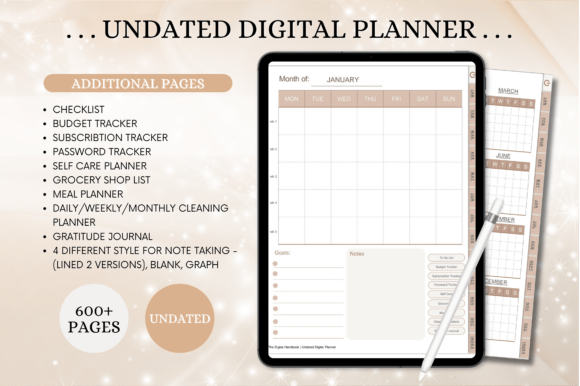
Pages: 620 | Orientation: Portrait | Dating: Undated | Apps: GoodNotes, Notability, Noteshelf, Xodo, Samsung Notes
Best for: anyone who wants a large portrait planner with household, budget, and self-care pages ready to use.
- Checklist, budget tracker, subscription tracker, and password tracker
- Self-care planner, gratitude journal, and grocery list
- Meal planner and daily, weekly, and monthly cleaning planners
- Four note styles: two lined versions, blank, and graph
Thousands of hyperlinks make the length manageable, since you jump straight to the page you want. Choose this one if you like having everything in a single reusable file; skip it if you prefer a short planner with only the basics.
PASTEL & COMPACT
17. Cute Pastel Undated Digital Planner
This pastel undated planner packs daily and weekly pages together with a weekly self-care checklist, meal tracker, and vitamin tracker. The 68 pages stay light, and hyperlinks let you jump between sections. Challenge pages for fitness, mental health, and spending give the planner a goal-driven feel.
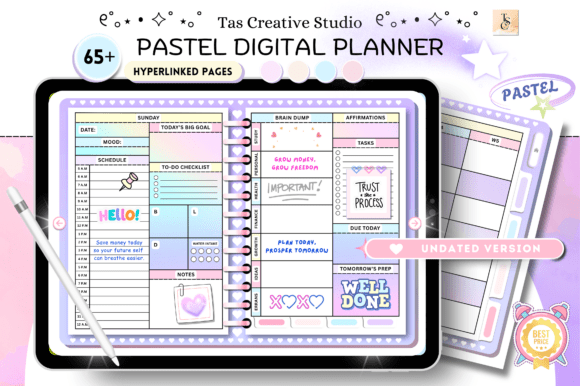
Pages: 68 | Orientation: Horizontal, 11 × 8.3 in | Dating: Undated | Apps: GoodNotes, Notability, Noteshelf, Xodo, Samsung Notes
Best for: people who want a cute, light planner with health and money challenges built in.
- Productivity: habit tracker, reading log, movies and series to watch, daily routines
- Health: monthly workout plan, 30-day fitness challenge, 30-day mental health challenge, self-care checklist, medication log
- Finance: monthly budget, 30-day no-spend challenge, debt payment, savings tracker, subscription tracker
The daily pages can be used for any day of the week, so you can start at any point. It works in GoodNotes, Notability, Noteshelf, Xodo, Samsung Notes, and other PDF editing apps. Choose this one if you like pastel colors and short challenges; skip it if you need hundreds of pages.
MINIMALIST FOR ANY YEAR
18. The Open Planner, Minimalist Undated Digital Planner
This minimalist planner is undated, so it works for 2027 and every year after. Its 66 hyperlinked pages cover finance, lifestyle, wellness, self-care, productivity, and career. Colored side tabs jump you to any section, and a Home link in the footer takes you back to the main menu.
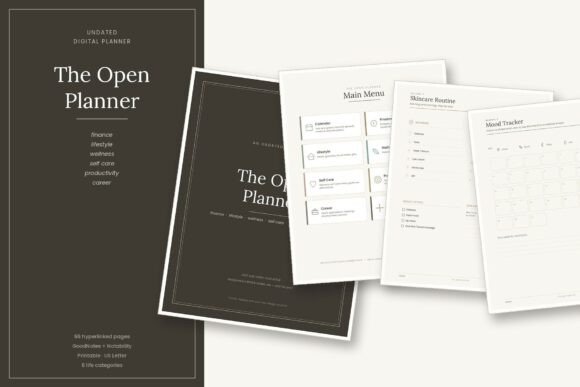
Pages: 66 | Size: US Letter | Dating: Undated, usable for 2027 and every year after | Extras: 6 alternate covers and a 44-sticker sheet
Best for: people who want a calm, minimalist system that covers money, wellness, and career in one short file.
- Calendar: year at a glance, 12 monthly spreads, 4 weekly and 2 daily templates
- Finance: budget, expense log, savings and debt trackers, bill checklist
- Self-care: skincare routine, self-care menu, gratitude journal, affirmations
- Career: goals and vision, job application tracker, meeting notes, networking log
- Lined, dot, and blank notes, plus password tracker and contacts
Weekly and daily pages come as templates that you copy as many times as you need in your annotation app. Six alternate cover designs let you change the look at any time. Choose this one if you want one tidy file for work and home; skip it if you want every day already laid out.
Sometimes the problem isn’t time management at all, but the shape of your life: tight money, a classroom, a business, or a brain that needs a different kind of structure. The last seven planners are built around exactly that.
Niche Digital Planners
Planners shaped around a particular need: ADHD focus, budgeting, a business, a classroom, a fire station, or a fresh start.
PASTEL ADHD DAILY PAGES
19. ADHD Digital Planner, Pastel Daily Pages
This pastel planner gives each day six page templates, so you can see what to do next without wading through a crowded layout. The weekdays at the top of each page are hyperlinked, which makes jumping between days quick. It’s built for people who do better with small, clear pieces than with one dense page.
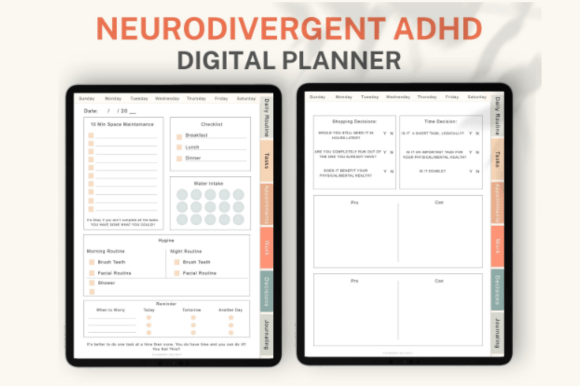
Pages: 51 | Week start: Sunday or Monday | Extras: 200+ pre-cropped stickers | Apps: GoodNotes, Notability, Noteshelf
Best for: people with ADHD who want a short daily planner that breaks the day into simple, separate pages.
- Daily routine page
- Task page and appointments page
- Work page and decisions page
- Journaling page and a blank page for doodling
Both Sunday and Monday versions are included, and the pre-cropped stickers add color to the pages. Import the PDF into GoodNotes, Notability, or Noteshelf to start. Choose this one if you want a gentle, pastel structure for each day; skip it if you need monthly or yearly planning pages.
CALM & NEUTRAL WELLNESS
20. Luxury ADHD Wellness Digital Planner
This neutral-toned planner is designed to feel supportive rather than overwhelming. It combines monthly, weekly, and daily focus pages with an ADHD toolkit and brain dump pages. Hyperlinked navigation tabs keep everything within reach, and the elegant layouts suit digital journaling.
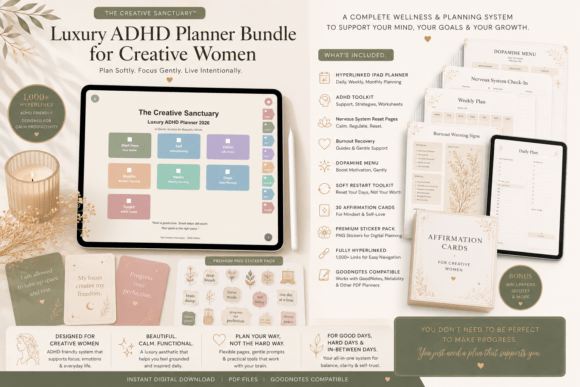
Style: Soft neutral, editorial layouts | Format: Fully hyperlinked PDF | Apps: GoodNotes, Notability, and other PDF annotation apps
Best for: creative women who want a calm planner that pairs ADHD-friendly structure with emotional wellness pages.
- ADHD toolkit and dopamine menu
- Nervous system reset pages and burnout recovery tools
- Emotional wellness and self-reflection pages
- Vision planning pages
The planner is meant for gentle organization and intentional living, with self-care built into the routine. Choose this one if you want a quiet, wellness-focused system for daily focus; skip it if you prefer bright colors or a purely task-based layout.
BEST FOR BUDGETING
21. Digital Budget Planner, Hyperlinked
This budget planner has more than 10,000 hyperlinks, so any page of any month is two taps away. Each month includes 11 templates, from a monthly budget page and daily spending logs to a bill tracker and a savings tracker. A weekly check-in and a yearly overview let you look back and see your progress over time.
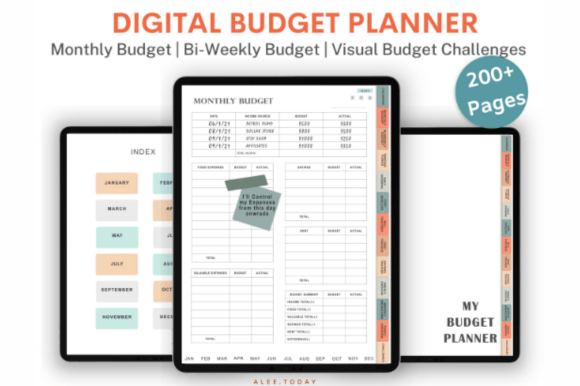
Pages: 200+ | Hyperlinks: 10,000+ | Extras: 200+ pre-cropped stickers | Apps: GoodNotes, Noteshelf, Notability
Best for: anyone who wants to track spending, bills, and debt month by month on a tablet.
- Bi-weekly budget page, sinking funds, cash envelopes, and a debt tracker
- 12 hyperlinked trackers and challenges, including mortgage, car loan, student loan, and debt payoff
- Savings funds for a house, rainy day, car repair, medical costs, vacations, and job loss
- Monthly budget breakdown and yearly overview page
A minimalist design keeps the numbers easy to read. Extract the zipped folder and import the files into GoodNotes, Noteshelf, or Notability. Choose this one if money is your main planning goal; skip it if you want daily or weekly task pages.
COMPACT BUSINESS PLANNER
22. Small Business Digital Planner, Gray & Rose Gold
This small business planner brings the basics together in 25 pages: a business overview, a marketing plan, and income and expense trackers. Hyperlinked tabs and an index page with shortcuts make it easy to move around. Planning pages such as a SWOT analysis and a target audience page help you think through the business before you work on the details.
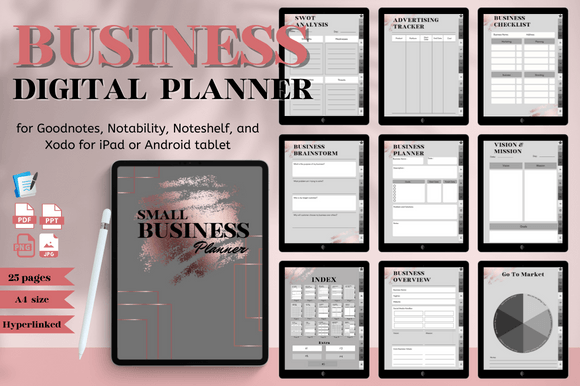
Pages: 25 | Size: A4 | Style: Gray and rose gold | Use: Digital or printed
Best for: small business owners who want one short planner for goals, marketing, and income.
- Business planner, brainstorm, and checklist
- Advertising tracker and marketing channel pages
- Vision and mission, core concept, and yearly goals
- 5 extra pages
It works in GoodNotes, Notability, Noteshelf, and Xodo on iPad or Android tablets, and the pages can also be printed at home. Choose this one if you’re starting or organizing a small business; skip it if you need a detailed project or inventory system.
BEST FOR TEACHERS
23. Digital Teacher Planner (54 Pages)
This teacher planner puts lesson planning, class schedules, and student records into 54 hyperlinked pages. Daily, weekly, and monthly planning sit alongside semester and term plans, so the whole school year has a place. Self-care and goal pages are included too, since teaching takes more than lesson plans.
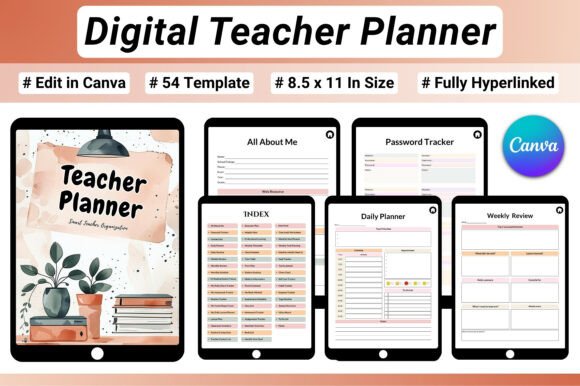
Pages: 54 | Size: US Letter | Format: Fully hyperlinked PDF | Apps: GoodNotes, Notability, and PDF annotation apps
Best for: teachers, homeschool educators, and tutors who want lesson planning and class records in one tablet file.
- Daily lesson planner, weekly lesson plan, semester plan, and term plan
- Class schedule, weekly timetable, class list, and classroom inventory
- Student contacts, parent contacts, homework and assignments trackers, examination schedule, yearly report card
- SMART goal planner, time audit worksheet, and habit tracker
- Self-care tracker, yoga routine, and monthly health check-in
It works on an iPad, other tablets, or a desktop. Choose this one if you want to keep your planning and your records together; skip it if you need a printable wall planner.
BEST FOR FIRST RESPONDERS
24. Digital Firefighter Planner (35 Pages)
This planner is made for station life, with 35 hyperlinked pages that cover shift schedules, emergency call logs, and equipment inspections. Training and certification trackers help you stay on top of renewals, while fitness and wellness pages cover the physical and mental side of the job. Everything is organized into clear sections, so a log you need mid-shift is only a tap away.
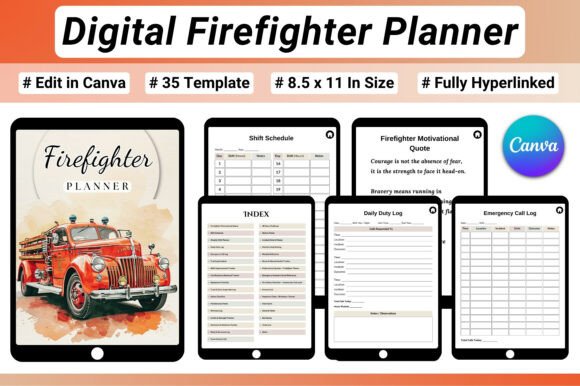
Pages: 35 | Size: US Letter | Format: Fully hyperlinked PDF | Apps: GoodNotes, Notability, and PDF annotation apps
Best for: firefighters, EMTs, and fire academy students who want shift planning and training records in one file.
- Shift schedule, weekly shift planner, daily duty log, and station notes
- Equipment checklist, truck and gear inspection log, safety checklist
- Workout log, cardio and strength tracker, hydration, sleep, and stress trackers
- Training schedule, skills tracker, certification tracker, and incident debrief notes
- Team contact list, emergency numbers, 30-day challenge, and vision board
It can be used on an iPad, a tablet, or a desktop. Choose this one if you want your duty, training, and fitness records in one place; skip it if you need a general-purpose daily planner.
BEST FOR A FRESH START
25. Digital Life Reset Planner (42 Pages)
This guided workbook-style planner is made for people who are ready to pause and rethink their routines. Its 42 pages combine self-discovery, mindset exercises, habit building, and goal setting. Hyperlinks let you move between worksheets without scrolling.
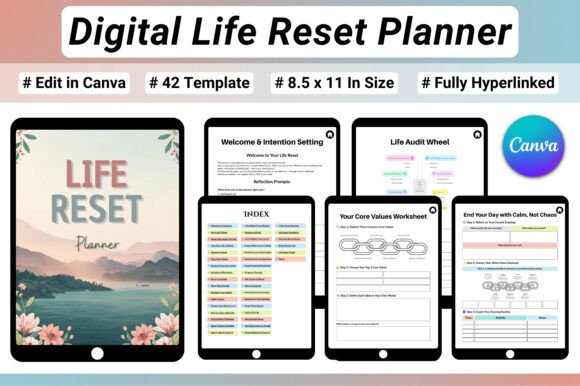
Pages: 42 | Size: US Letter | Format: Fully hyperlinked PDF | Apps: GoodNotes, Notability, and PDF annotation apps
Best for: anyone who feels stuck or overwhelmed and wants guided pages for reflection, habits, and goals.
- Self-discovery: life audit wheel, life vision, core values, and future self visualization
- Mindset: limiting beliefs worksheet, affirmation pages, and self-sabotage awareness
- Habits and goals: habit redesign worksheet, monthly habit tracker, 90-day focus planner
- Morning and evening routine planners
The pages work on an iPad, a tablet, or a desktop in any PDF annotation app. Choose this one if you want a planner that asks questions before it asks for tasks; skip it if you want a calendar-first layout.
Create Your Own Custom Digital Planner with AI Studio

If none of these feel quite right, you can generate a custom digital planner from scratch with an AI design tool: your own layout, your own colors, your own sections.
What Makes a Good Digital Planner?
A good digital planner is easy to move around in and pleasant to write on. Look for these features:
- Hyperlinked tabs, so one tap takes you to any month, week, or section
- A page size that fits your tablet screen
- Space to write, not just boxes to fill
- Pages you can duplicate or remove as your needs change
- Clear support for the app you use
Like any planning tool, it only helps if you keep opening it, so choose a layout that feels easy to return to.
Dated vs Undated Digital Planners
This is the choice that shapes everything else, so it’s worth a moment of thought.
- Dated planners have the weekdays and months already in place, so you can start writing immediately. They are tied to one year, though, and you will need a new one when it ends.
- Undated planners leave the calendar pages open. You fill in the dates yourself, begin in any month, and reuse the same file again and again.
- If you plan weekly, an undated planner costs you a minute of setup but saves pages in slow weeks.
- If you like a finished look, a dated planner gives you a calendar that’s complete from the first day.
Comparison Table
| Type | Best For | Main Features | Format |
|---|---|---|---|
| Dated 2027 Planners | A ready-made 2027 calendar | Yearly to daily pages, trackers, stickers and covers in some | Hyperlinked PDF |
| Simple 2027 Planners | A plain layout sized for a 13-inch tablet | Months, weeks, days, and note paper, with Monday and Sunday files | Hyperlinked PDF |
| Undated Planners | Starting any month and reusing the file | Daily to monthly pages, health, lifestyle, and finance pages | Hyperlinked PDF |
| Niche Planners | A specific need such as ADHD, money, teaching, or business | Layouts built around one role or goal | Hyperlinked PDF |
Understanding Digital Planner Types
- Dated planners come with the calendar for one year already filled in.
- Undated planners have open calendar pages, so you start whenever you like and reuse the file.
- Hyperlinked planners have tabs and buttons that jump to any page with one tap.
- Niche planners build the pages around a specific need, such as ADHD focus, budgeting, teaching, or running a business.
- Bundles add extras such as stickers, icons, and alternate covers to the planner itself.
How to Start Using a Digital Planner in 5 Steps
Any of the planners above works with these steps. Here is a simple way to start without feeling overwhelmed:
- Start with the calendar pages. Add fixed dates first: appointments, birthdays, trips, and deadlines.
- Pick one or two trackers. A habit tracker or a budget page is enough at the start. You can add more later.
- Plan your week in one sitting. Choose a regular time, such as Sunday evening, and write down your top priorities.
- Use the daily page for what’s next. Keep it short: your top three tasks and a schedule if you need one.
- Review once a month. Look back at the month pages, note what worked, and adjust the next month.
How to Set Up Your Digital Planner in GoodNotes or Notability
Most planners above come as a PDF file that opens in an annotation app. Here is how to get started:
- Save the file to your device. Unzip the folder first if your files arrive zipped, and keep the PDF somewhere easy to find, such as your Files app.
- Import it into your app. In GoodNotes or Notability, choose the import option and select the planner PDF.
- Open the planner and try the tabs. Tap a tab or a month to confirm that the links jump to the right page.
- Duplicate the pages you need. Weekly and daily templates can be copied with your app’s page tools, so you have as many as your year requires.
- Add stickers and covers. If your listing includes pre-cropped stickers or alternate covers, add them with your app’s image tool or by replacing the cover page.
Some listings mention that very large planners need a paid GoodNotes account to open smoothly, so check the details before you buy.
Want a step-by-step walkthrough with screenshots? Read our guide on how to use a digital planner in GoodNotes.
FAQ
What is a hyperlinked digital planner?
A hyperlinked digital planner is a PDF with clickable tabs and buttons. Tap a month, a week, or a section name and the planner jumps to that page, so you never scroll through hundreds of pages.
What is the best app for a digital planner?
Most digital planners work in PDF annotation apps. GoodNotes, Notability, Noteshelf, Xodo, and Samsung Notes are the ones named in the listings above, so any of them is a reasonable choice. Check each listing to confirm that your app is supported.
Do I need an iPad to use a digital planner?
No. Many of the planners above also work on Android tablets, Windows tablets, and laptops. A tablet with a stylus gives the most natural writing experience, but the exact devices differ by planner, so check the listing.
Can I use a digital planner on my phone?
Sometimes. A few planners open on a phone, but the pages are made for tablet-sized screens, and at least one listing above says it’s not designed for use mainly on a phone. For daily use, a tablet is much more comfortable.
Do I need to pay for GoodNotes to use a digital planner?
Not always, but some listings note that a paid GoodNotes account may be needed to open very large planners smoothly. The bigger the file, the more likely this is, so look at the page count before you buy.
Can I print a digital planner?
It depends on the listing. Hyperlinks only work on screen, and some planners say they are not designed for printing. A few, such as the small business planner above, can also be printed at home, so read the details first.
Can I add or remove pages in a digital planner?
Yes, in most cases. Annotation apps let you duplicate, delete, and rearrange pages, and several listings above mention that pages can be duplicated or removed.
Need pages to put in your planner? See our digital planner ideas for 12 page layouts and simple ways to style them. If you use GoodNotes, our list of the best GoodNotes planners has 22 more picks.
Final Thoughts
Whether you want a dated 2027 system, a simple layout for your iPad, an undated file you can reuse, or a planner built for one specific need, there’s a digital planner above made for it. The right one is the one you’ll open every day and enjoy writing in.
This post contains affiliate links. If you buy through them, we may earn a small commission at no extra cost to you. Learn more.